
Website Migration Accessibility: WCAG Compliance for Legacy Upgrades
Published on: 09 Nov 2026
Website Migration Accessibility: WCAG Compliance for Legacy Upgrades
Introduction
Website migrations are complex. Between preserving SEO, ensuring data integrity, and minimizing downtime, accessibility often falls by the wayside. Yet, neglecting accessibility during a migration can alienate a significant portion of your audience—people with disabilities—and expose your business to legal risks. In India, with the Rights of Persons with Disabilities Act (RPwD) and growing awareness, accessible websites are no longer a nice-to-have; they're a business imperative.
Learn more about our Website services
This guide walks you through the process of maintaining WCAG compliance during legacy system upgrades and website migrations. You'll learn how to audit your old site, implement accessibility best practices in your new site, and avoid common pitfalls. We'll also cover practical testing methods, team responsibilities, and a phased roadmap so you can make your migration inclusive from the start. The earlier accessibility is considered, the more options you have: you can fix patterns in the new design system rather than patching individual pages later.
Why Accessibility Matters During Website Migration
Legal and Compliance Landscape in India
The RPwD Act 2016 mandates accessible digital content for public and private organizations. While enforcement is evolving, courts are increasingly recognizing digital accessibility. WCAG 2.1 Level AA is the global benchmark. In India, the Guidelines for Indian Government Websites (GIGW) also emphasize accessibility. Migrating without addressing accessibility can lead to lawsuits, fines, and reputational damage. For instance, a leading e-commerce site faced a lawsuit for not being screen-reader friendly, resulting in a costly settlement and mandatory remediation.
Business Benefits of Accessible Websites
Accessibility expands your audience. In India, over 26 million people live with disabilities. An accessible site also improves SEO, enhances user experience for everyone, and demonstrates corporate social responsibility. Moreover, accessible sites are often faster, cleaner, and more mobile-friendly. Companies like Microsoft and Apple have shown that inclusive design drives innovation and customer loyalty. For example, captioned videos can increase engagement for users in noisy environments, while clear form labels reduce errors for all customers.
Risks of Neglecting Accessibility
Beyond legal risks, you risk losing customers, damaging your brand, and incurring costly retrofits post-migration. Accessibility fixes are much cheaper when integrated into the migration process than when applied retroactively. A study by Deque Systems found that fixing accessibility issues after development can be up to 10 times more expensive. There is also a hidden operational cost: support teams spend more time helping users who cannot complete forms, and analytics can be skewed when assistive technology users abandon broken journeys.
Auditing Your Legacy System for Accessibility Before Migration
Conduct a Comprehensive Accessibility Audit
Start with automated tools like WAVE, axe, or Lighthouse to identify obvious issues. But automated tools only catch about 30% of problems. Manual testing is crucial: navigate using only a keyboard, test with screen readers (NVDA, JAWS), and check color contrast. Consider hiring an accessibility expert for a thorough audit. The audit should cover all templates, interactive elements, and content types. Include PDFs, video players, forms, search, checkout flows, and any custom widgets, because a single inaccessible template can affect thousands of pages.
Common Accessibility Issues in Legacy Systems
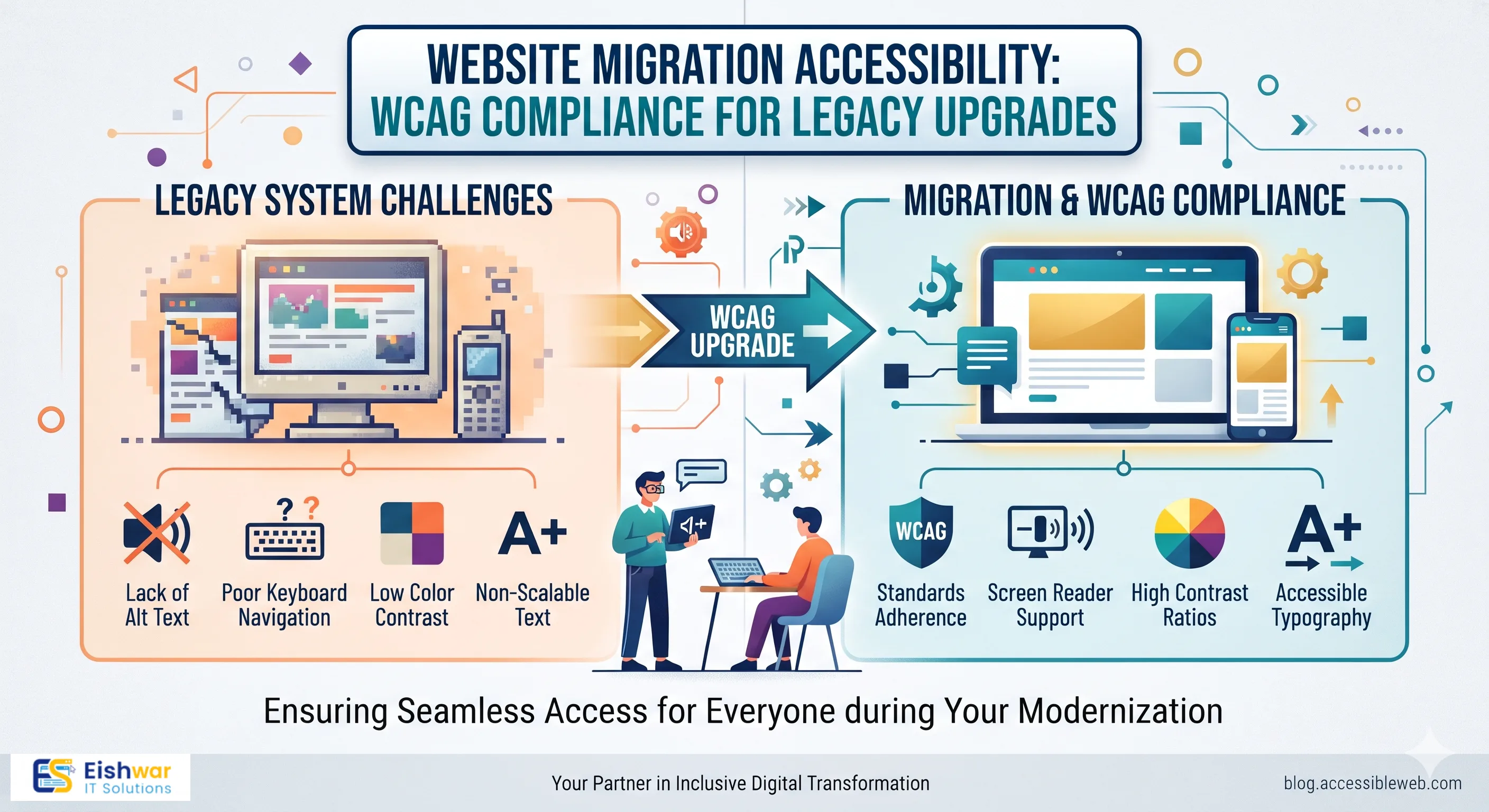
Older websites often have: missing alt text, poor color contrast, non-semantic HTML (tables for layout), inaccessible forms (missing labels), and reliance on mouse-only interactions. Other issues include auto-playing media, missing skip navigation links, and inconsistent heading structures. Legacy systems also tend to use outdated JavaScript libraries, tiny touch targets, placeholder text as the only label, and content in images. Document all issues and prioritize them based on severity and impact on users.
👉 Don't wait for the perfect moment; turn your vision into reality today.
Free ConsultationPrioritize Fixes for Migration
Not all issues need to be fixed before migration. Focus on critical barriers: navigation, forms, and content. Create a roadmap to address high-priority issues in the new site, and plan for ongoing accessibility maintenance. Use a severity matrix: high (blocks access), medium (causes difficulty), low (minor inconvenience). A practical approach is to fix 'blocking' issues immediately, carry content remediation into the new CMS, and schedule lower-priority polish for the first 90 days after launch. Assign owners and due dates so the plan does not become a wish list.
Implementing WCAG Compliance in Your New Website
Choose an Accessible CMS and Theme
Select a CMS that supports accessibility features (e.g., WordPress with accessible themes). Ensure the theme follows WCAG guidelines. Check for keyboard navigation, ARIA landmarks, and responsive design. Popular accessible themes include Twenty Twenty-One and Astra with accessibility-ready options. Also, consider plugins like WP Accessibility to add features like skip links and contrast switchers. Do not assume 'accessibility-ready' means fully compliant: test the theme with your real content, menus, and plugins before committing.
Design and Development Best Practices
Use semantic HTML5 elements. Provide text alternatives for images and multimedia. Ensure keyboard accessibility for all interactive elements. Maintain sufficient color contrast (4.5:1 for normal text, 3:1 for large text and UI components). Design accessible forms with clear labels, helpful error messages, and logical tab order. Use ARIA attributes carefully and only when necessary. Implement visible focus indicators and ensure modals trap focus. For dynamic content, use ARIA live regions to announce changes. Avoid custom controls when native HTML elements already do the job.
Build a design system that includes accessibility guidelines. For example, define a color palette that meets contrast ratios, choose fonts that are legible, and create components with built-in accessibility. Document these guidelines in a shared style guide. Include examples of accessible and inaccessible patterns, and add accessibility acceptance criteria to design and development tickets. This prevents teams from reinventing solutions and makes reviews faster.
Testing and Validation
Conduct automated tests regularly. Perform manual testing with keyboard and screen readers. Involve users with disabilities in usability testing. Create an accessibility statement and provide a feedback mechanism for users to report issues. Use regression testing to ensure new features don't break accessibility. Tools like Axe DevTools and Lighthouse can be integrated into your CI/CD pipeline, but manual checks remain essential for things like reading order, meaningful link text, and whether error messages are announced clearly.
Expert Tips
- Involve Accessibility Experts Early: Bring in specialists during the planning phase to avoid costly rework. Include them in architecture, design, and content reviews.
- Train Your Content Team: Teach content creators to write alt text, use proper headings, create accessible tables, and remediate documents before uploading.
- Use an Accessibility Checklist: Develop a checklist based on WCAG 2.1 AA and integrate it into your QA process. Make it part of the definition of done.
- Test with Real Users: Nothing beats feedback from people who use assistive technologies daily. Even a small usability panel can reveal blockers that tools miss.
- Monitor Continuously: Accessibility is ongoing. Schedule regular audits, track issues in your backlog, and review third-party changes.
- Leverage Automation Wisely: Use automated tools for regression testing but don't rely on them solely. Pair them with manual and user testing.
- Document Everything: Maintain an accessibility log with issues, fixes, test results, and decisions so new team members can understand the context.
Common Mistakes
- Ignoring Dynamic Content: JavaScript-heavy features often break accessibility. Test menus, sliders, pop-ups, and form validation with a keyboard and screen reader.
- Forgetting PDFs and Documents: Legacy PDFs may not be accessible. Remediate, replace with HTML, or provide accessible alternatives.
- Assuming Automated Tools Are Enough: They're not. Manual testing is essential for context, order, and real usability.
- Neglecting Mobile Accessibility: Ensure touch targets are large enough, pinch zoom is not disabled, and responsive design works with screen readers.
- No User Feedback Mechanism: Provide a way for users to report accessibility issues and respond promptly.
- Overlooking Third-Party Integrations: Chatbots, payment gateways, embedded widgets, and cookie banners can introduce accessibility barriers.
- Inconsistent Alt Text: Ensure alt text is meaningful and not just a filename or keyword stuffing.
Future Trends
- AI-Powered Accessibility Testing: Tools that automatically detect and suggest fixes for accessibility issues will speed up audits, but human judgment will remain essential.
- Voice Search and Accessibility: Optimizing for voice interfaces benefits users with motor impairments and can improve navigation for everyone.
- Stricter Regulations: Expect stronger enforcement of digital accessibility laws in India, with procurement rules and public-sector standards influencing private-sector expectations.
- Inclusive Design as Standard: Accessibility will become a default requirement, not an afterthought, embedded in design systems and content workflows.
- Personalization and Accessibility: Adaptive interfaces that tailor contrast, text size, and interaction modes to individual needs will become more common.
FAQs
What is WCAG compliance, and why does it matter for my website?
WCAG (Web Content Accessibility Guidelines) is a set of international standards for making web content accessible to people with disabilities. Compliance ensures your site is usable by everyone, reduces legal risk, and improves overall user experience. In India, it aligns with the RPwD Act and government guidelines like GIGW. WCAG 2.1 Level AA is the most commonly referenced target, and WCAG 2.2 adds newer criteria that are worth considering during a migration.
👉 Free Website Audit
Get Free AuditHow can I check if my current website is accessible?
Start with automated tools like WAVE or axe, then perform manual checks: navigate using only a keyboard, test with screen readers, and check color contrast. For a thorough evaluation, hire an accessibility expert to conduct a formal audit. Many tools offer free browser extensions for quick checks. Also review analytics and user feedback for signs of inaccessible journeys, such as high drop-off on forms or repeated support requests.
👉 Free Homepage Demo
Book DemoWhat are the most common accessibility issues during website migration?
Common issues include missing alt text, poor color contrast, non-semantic HTML, inaccessible forms, and broken keyboard navigation. Migrations can also introduce new issues if dynamic content and third-party integrations aren't tested. Legacy content often needs remediation, especially PDFs, image-based text, and pages built with table layouts. Broken links to skip navigation, duplicate headings, and missing page language attributes are also frequent.
Do I need to fix all accessibility issues before migrating?
Not necessarily. Prioritize critical barriers like navigation and forms. Create a plan to address other issues post-migration. However, ensure the new site doesn't introduce new accessibility problems. A phased approach works well for large sites: fix blockers before launch, remediate high-traffic content in the first phase, and schedule the rest in a tracked backlog with owners and dates.
How much does it cost to make a website WCAG compliant?
Costs vary based on the site's size, complexity, and current accessibility level. Integrating accessibility during migration is more cost-effective than retrofitting. For Indian SMEs, basic compliance can start from ₹50,000, while complex sites may require a larger investment. Consider it an investment in customer experience and risk mitigation. Factors that increase cost include custom applications, large document libraries, multiple languages, and third-party widgets that need remediation or replacement.
What are the consequences of not being WCAG compliant in India?
Legal consequences can include lawsuits under the RPwD Act, fines, and mandatory remediation orders. Beyond legal, you risk losing customers and damaging your brand reputation. Accessibility is increasingly seen as a basic human right. Public procurement and government portals often require accessibility compliance, and private organizations are increasingly held to similar expectations through contracts, vendor reviews, and public scrutiny.
Conclusion
Website migration is a critical time to embed accessibility into your digital presence. By auditing your legacy system, choosing accessible technologies, and following WCAG best practices, you can create an inclusive experience that benefits all users. Treat accessibility as part of migration architecture, not a post-launch cleanup task. Assign clear ownership, budget for remediation, and track progress in the same project plan as SEO, content, and performance. Remember, accessibility is not a one-time project—it's a commitment to ongoing improvement. Start planning your accessible migration today.
CTA
Ready to make your website migration accessible and compliant? EishwarITSolution specializes in website migration, legacy system upgrades, and accessibility audits. Contact us today to ensure your new website welcomes everyone. Get a Free Accessibility Consultation