
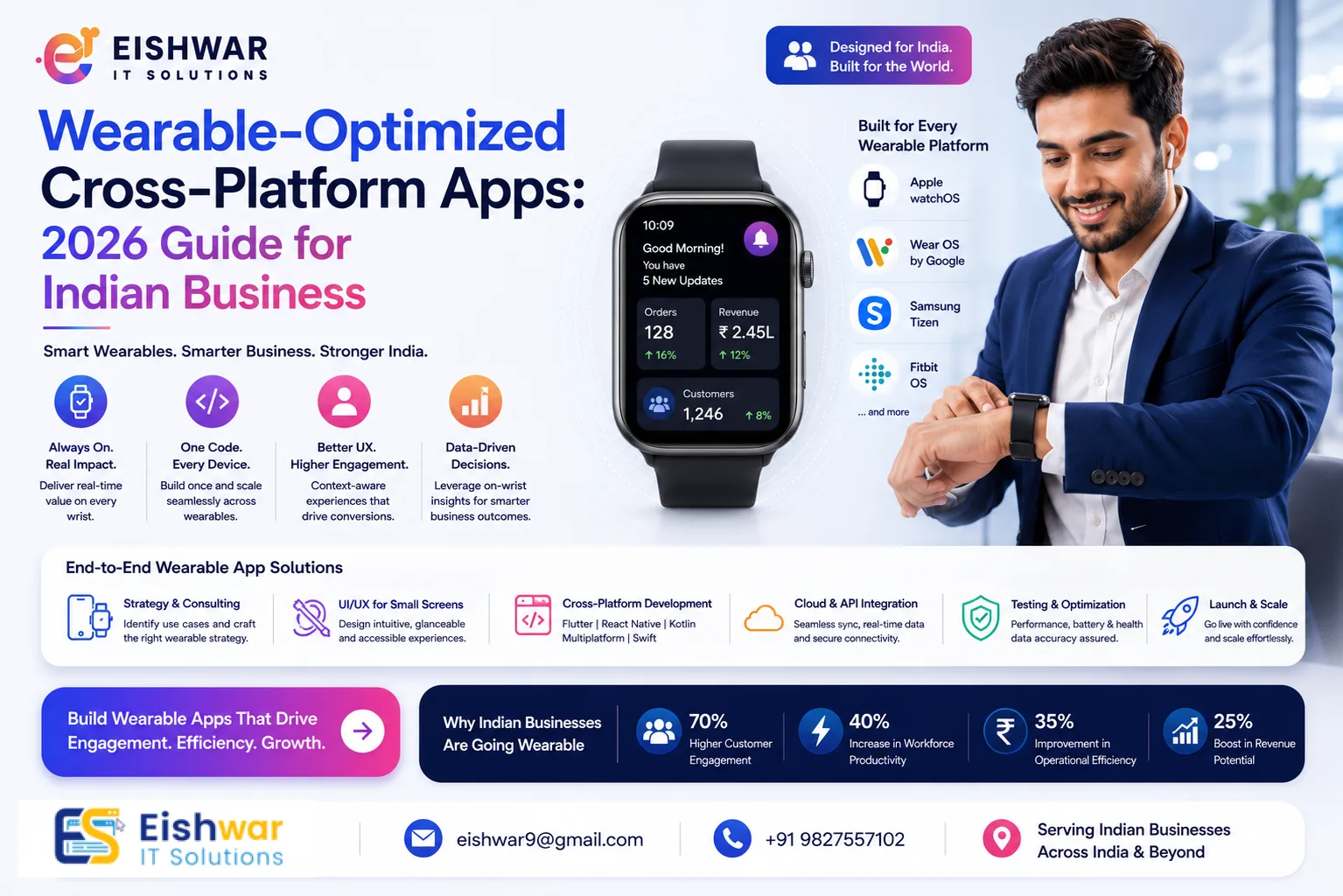
Wearable-Optimized Cross-Platform Apps: 2026 Guide for Indian Business
Published on: 18 Jul 2026
Wearable-Optimized Cross-Platform Apps: 2026 Guide for Indian Businesses
Introduction
Your wrist is the next screen. By 2026, India will have over 120 million wearable device users—smartwatches, fitness bands, and smart rings. Yet most businesses still build apps only for phones. That's a missed opportunity. Wearable-optimized cross-platform apps allow you to reach users on their wrist without doubling development costs. In this guide, we'll show you how to leverage Flutter, React Native, and Kotlin Multiplatform to create seamless wearable experiences tailored for the Indian market.
Learn more about our Website services
Consider this: a user checking their smartwatch for a cricket score update or a quick order status from a food delivery app is already more engaged than a phone user. With cross-platform frameworks, you can build once and deploy across Wear OS and watchOS, slashing development time by up to 40%. For Indian businesses, this means faster time-to-market and lower upfront investment. Let's dive into the specifics.
Main Section 1: Why Wearable Apps Matter for Indian Businesses in 2026
India's wearable market is exploding. Brands like Noise, Boat, and Apple dominate, but the real opportunity lies in business apps. From health coaching to field service management, wearables offer instant access. Indian consumers check their wrist 50+ times a day. A well-designed wearable app can increase engagement by 40% and reduce app abandonment. For example, a food delivery app with a smartwatch order status feature keeps users updated without pulling out their phone. Cross-platform development makes this cost-effective—write once, deploy on Wear OS and watchOS.
But the benefits go beyond engagement. For field service teams, a wearable app can display job details, navigation prompts, and customer information hands-free. In healthcare, a wearable app can remind patients to take medication or track vitals in real-time. The Indian government's push for digital health (like Ayushman Bharat Digital Mission) creates a ripe environment for wearable-integrated health apps. Moreover, with the rise of 5G and improved connectivity in Tier 2 and Tier 3 cities, wearables are becoming more reliable for real-time data sync. A practical tip: start with a simple companion app that mirrors key phone notifications—this alone can boost user retention by 25%.
Main Section 2: Choosing the Right Cross-Platform Framework for Wearables
Not all frameworks are equal for wearables. Flutter now supports Wear OS with dedicated widgets and complications. React Native has matured with community libraries for watchOS. Kotlin Multiplatform is ideal for complex health tracking apps. Consider battery life, screen size, and offline capabilities. For Indian users, low-cost smartwatches (₹2,000–₹5,000) often run Wear OS lite or proprietary OS. Your app must gracefully degrade. A fitness app, for instance, can sync steps even on cheap bands using Bluetooth LE.
Let's break down the frameworks with practical examples:
- Flutter: With the
wearpackage, you can create circular UI layouts and complications (small data widgets on watch faces). For a meditation app, you can display a breathing animation that uses the watch's accelerometer to guide deep breaths. Flutter's hot reload speeds up iteration, crucial for testing on low-res screens. - React Native: The
react-native-watchlibrary (though still evolving) allows you to bridge native watchOS components. For a task management app, you can show a quick list of pending tasks with swipe-to-complete gestures. React Native's large community means more third-party plugins for Bluetooth and sensors. - Kotlin Multiplatform (KMP): Best for apps that need heavy sensor data processing, like a blood pressure monitor. KMP lets you share business logic (e.g., data validation, sync algorithms) across Android and iOS, while writing native UI for each platform. This is ideal for startups building health-tech solutions for chronic disease management.
When choosing, consider your target devices. For Wear OS (common on Noise, Boat, and Fossil watches), Flutter is the most mature. For watchOS (Apple Watch), React Native or native SwiftUI is safer. If you're targeting both, Flutter's cross-platform UI is a strong bet. A practical tip: always test on a real device with a 1.2-inch screen and 240x240 resolution—emulators often hide layout issues.
👉 Don't wait for the perfect moment; turn your vision into reality today.
Free ConsultationMain Section 3: Key Features for Indian Wearable Apps
Localization is critical. Support Hindi and regional languages on watch faces. Use haptic feedback for notifications like cricket scores or train updates. Health tracking is huge—integrating with Google Fit and Apple Health for step counting, heart rate, and sleep analysis is a must. For business professionals, quick reply to messages, calendar alerts, and one-tap meeting join (Zoom, Google Meet) are game-changers. Payment integration (UPI on wrist) is the next frontier. Cross-platform tools like Flutter's platform channels can handle NFC payments.
Here are detailed feature ideas with implementation tips:
- Localized Watch Faces: Use Flutter's
watch_facepackage to create custom watch faces that display time in Hindi, Tamil, or Bengali. For a news app, show a scrolling ticker with headlines in the user's preferred language. - Haptic Feedback for Notifications: Use the watch's vibration motor to differentiate alerts—a short buzz for WhatsApp, a long buzz for calls. In React Native, the
react-native-haptic-feedbacklibrary can trigger custom patterns. - Health Data Integration: Use Google Fit API (for Wear OS) and HealthKit (for watchOS) to read step counts, heart rate, and sleep stages. For a fitness coaching app, display a daily goal progress ring that updates in real-time. In KMP, you can share the data aggregation logic across platforms.
- Quick Replies: Implement voice-to-text for replying to messages. Use the watch's microphone and a speech-to-text API (like Google Speech or Apple's SiriKit). For a customer support app, agents can respond to tickets with a voice command.
- UPI Payments: Integrate UPI via NFC using Flutter's
flutter_nfc_kitor React Native'sreact-native-nfc-manager. For a payment app, allow users to tap their watch on an NFC terminal to pay—ensure secure element storage for UPI PINs.
A practical tip: start with 3-4 core features and iterate based on user feedback. Overloading a wearable app leads to poor battery life and user frustration.
Expert Tips
- Start with a companion app: Don't build a standalone wearable app initially. Extend your existing mobile app with a wearable module. This reduces risk and allows you to test the waters. For example, a ride-hailing app can first show driver ETA on the watch before adding full booking capabilities.
- Optimize for glanceability: Users look at their watch for 2-3 seconds. Show critical info—time, notifications, quick actions. Use large fonts (minimum 14sp) and high-contrast colors. For a weather app, display temperature and rain probability in a single glance.
- Leverage sensors: Use accelerometer, gyroscope, and heart rate sensor for contextual experiences. Example: a meditation app that suggests breathing exercises when stress is detected (via elevated heart rate). In Flutter, use the
sensors_pluspackage to access accelerometer data. - Test on real devices: Emulators don't mimic real-world battery drain. Test on popular Indian smartwatches like Noise ColorFit and Boat Wave. Create a device lab with at least 3-4 models covering different price points and OS versions.
- Use background sync wisely: Schedule data sync during charging or when the phone is nearby. Use WorkManager (Android) or BGTaskScheduler (iOS) to batch updates. For a step counter, sync every 15 minutes instead of continuously.
Common Mistakes
- Porting phone UI directly: Tiny screens need completely redesigned UX. Avoid cramming features. Instead of a full menu, use a swipeable list with 3-4 items. For a music app, show only play/pause, next, and volume controls.
- Ignoring battery impact: Constant Bluetooth sync drains battery. Use batching and low-power modes. For a location tracking app, use geofencing instead of continuous GPS. Reduce screen brightness and use dark mode to save power.
- No offline mode: Indian users often have spotty connectivity. Cache data locally for step counts or notes. Use SQLite or Realm for local storage. For a note-taking app, sync only when Wi-Fi is available.
- Forgetting accessibility: Voice commands and larger fonts are essential for older users. Use TalkBack (Android) and VoiceOver (iOS) compatibility. For a health app, allow users to navigate via voice commands like "Show my heart rate."
- Overcomplicating onboarding: Wearable screens are small—keep onboarding to 2-3 steps. Use a QR code scan from the phone app to pair the watch quickly.
Future Trends
By 2027, wearables will have on-device AI for real-time health alerts. Gesture control (flick to dismiss) will become standard. Blood glucose monitoring via optical sensors is on the horizon. Indian startups are already building wearable-first apps for chronic disease management. Cross-platform frameworks will add native support for these sensors, making development even easier.
👉 Free Website Audit
Get Free AuditOther trends to watch:
- AI-Powered Personalization: Wearables will use on-device machine learning to predict user behavior. For a fitness app, it might suggest a workout based on your sleep quality and heart rate variability.
- E-SIM Integration: Standalone wearables with e-SIM will allow calls and data without a phone. This is already common in premium smartwatches like Apple Watch and will trickle down to mid-range devices by 2027.
- AR Overlays: Smart glasses (like Ray-Ban Meta) will integrate with wrist-worn devices for contextual information. A field service worker could see repair instructions overlaid on a machine via glasses, controlled by a watch.
- Blockchain for Health Data: Secure, decentralized storage of health records on wearables will become a priority, especially with India's data protection laws.
For Indian businesses, the key is to stay agile. Invest in cross-platform frameworks that can adapt to new sensor APIs and form factors.
👉 Free Homepage Demo
Book DemoFAQs
- What is a wearable-optimized cross-platform app? It's a mobile app designed to run on smartwatches and fitness bands using frameworks like Flutter or React Native, sharing code with the phone app. This approach reduces development time and cost while ensuring a consistent experience across devices.
- Which cross-platform framework is best for wearables in 2026? Flutter has the strongest Wear OS support with dedicated widgets and complications. React Native works well for watchOS with community libraries. Kotlin Multiplatform is great for complex health apps that need shared business logic. Choose based on your target devices and feature complexity.
- How much does it cost to develop a wearable app in India? Costs vary from ₹3 lakhs to ₹15 lakhs depending on features. Cross-platform reduces cost by 30-40% compared to native. A basic companion app with notifications and step tracking costs around ₹3-5 lakhs, while a full-featured app with UPI and health integration can go up to ₹15 lakhs.
- Can I add UPI payments to my wearable app? Yes, via NFC and secure element integration. Flutter's platform channels can handle payment SDKs like Paytm or Google Pay. Ensure compliance with RBI guidelines for wearable payments.
- Do wearable apps need internet connectivity? Not always. Many features like step counting work offline. Sync happens when connected. For critical features like real-time alerts, ensure offline caching and background sync.
- How long does it take to build a wearable app? A basic companion app takes 2-3 months. A full-featured standalone app can take 6-8 months, including testing on multiple devices and optimizing battery life.
- What are the best Indian smartwatches to target? Noise, Boat, Fire-Boltt, and Apple Watch (for premium users). Also, Xiaomi and Realme bands. Focus on Wear OS devices for broader compatibility, but don't ignore proprietary OS devices that use Bluetooth LE.
- How do I ensure my wearable app is secure? Use encrypted Bluetooth communication, secure storage for health data, and comply with India's Digital Personal Data Protection Act. Implement biometric authentication (fingerprint or face unlock) for sensitive actions like payments.
- What is the best way to handle battery drain in wearable apps? Use batching for data sync, reduce screen-on time, and leverage low-power modes. For example, use the watch's always-on display for static info like time, and wake the full screen only for interactions.
- Can I use the same codebase for Wear OS and watchOS? With Flutter, you can share most UI code, but you'll need platform-specific code for sensors and notifications. React Native requires separate UI for watchOS. Kotlin Multiplatform shares business logic but not UI. Plan for 70-80% code reuse with Flutter.
Conclusion
Wearable-optimized cross-platform apps are not a luxury—they're a necessity for Indian businesses aiming for deeper user engagement. By 2026, every major brand will need a wrist-ready experience. Start small, focus on core features, and leverage cross-platform frameworks to stay ahead. The future is on your wrist. With the right strategy, you can turn a simple companion app into a powerful tool that drives loyalty, efficiency, and revenue.
CTA
Ready to build your wearable app? Contact EishwarITSolution for a free consultation. Our cross-platform experts will help you create a seamless experience across phones and smartwatches, tailored for the Indian market. Let's turn your wrist into a growth engine.