
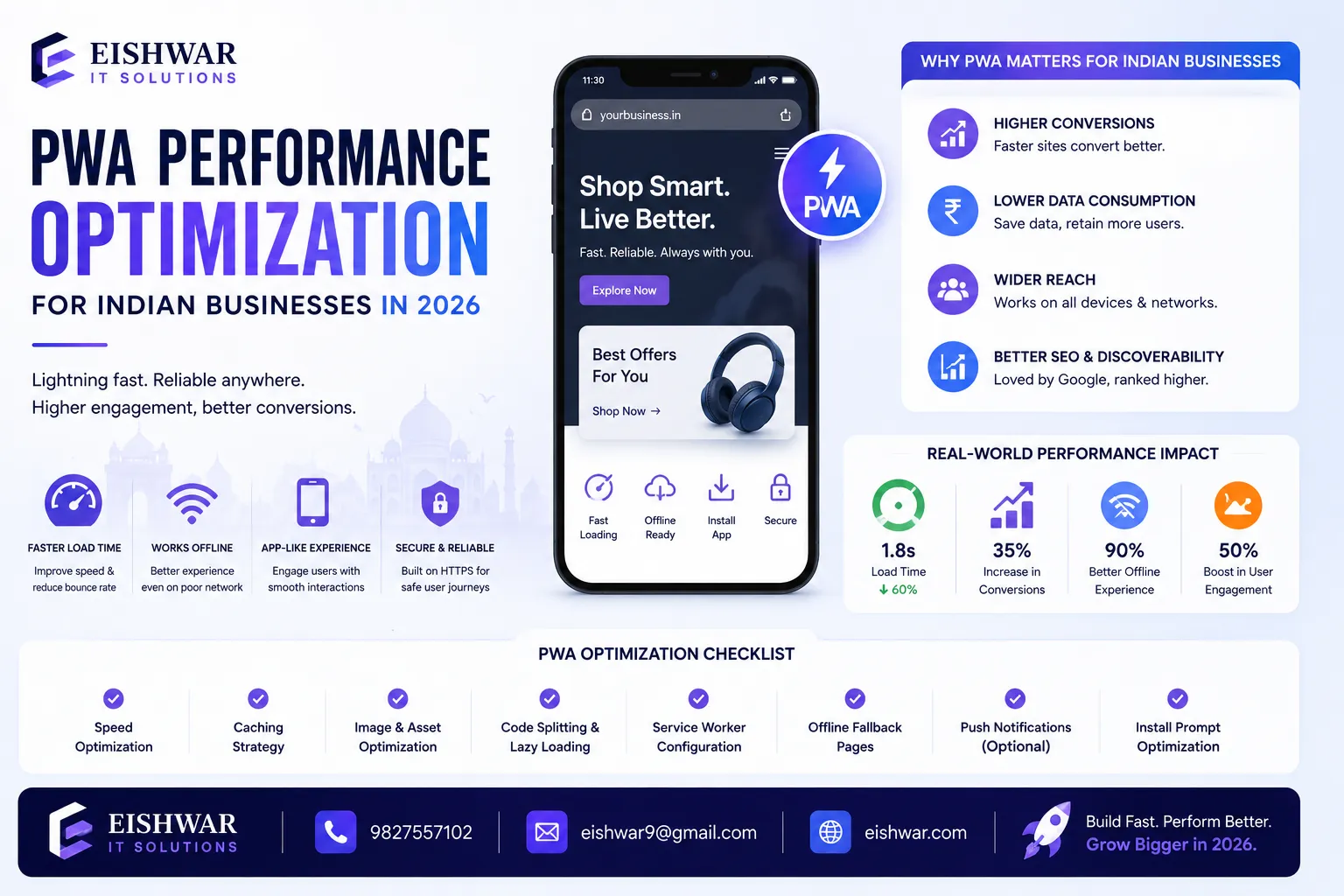
PWA Performance Optimization for Indian Businesses in 2026
Published on: 15 Jun 2026
PWA Performance Optimization for Indian Businesses in 2026
Introduction
In 2026, Indian businesses are racing to capture mobile-first audiences. Progressive Web Apps (PWAs) offer a powerful solution—combining the reach of the web with the speed of native apps. But without proper performance optimization, even the best PWA can fall flat. Slow load times, janky interactions, and poor offline experiences drive users away. This guide delivers practical, real-world strategies to supercharge your PWA performance for Indian users. Whether you run an e-commerce store, a SaaS platform, or a local service, these tips will help you stand out in a crowded digital landscape. For instance, a small retailer in Mumbai can use a PWA to provide a near-instant shopping experience, while a SaaS startup in Bangalore can ensure seamless access to its tools even on unreliable networks. The key is to tailor optimization to the unique constraints and opportunities of the Indian market.
Learn more about our Website services
Main Section 1: Why PWA Performance Matters More in India
India's internet landscape is unique. Over 700 million users access the web via smartphones, often on 4G or patchy 3G connections. Data costs, while dropping, remain a concern for many. PWAs that load slowly or consume excessive data lose users fast. A one-second delay in mobile load time can reduce conversions by up to 20%. For Indian businesses, optimizing PWA performance isn't just technical—it's a business imperative. Fast, lightweight PWAs build trust and encourage repeat visits. They also rank better on Google, which prioritizes Core Web Vitals. In 2026, with competition fierce, speed is your competitive edge. Consider a user in a tier-2 city like Lucknow: they might have a mid-range phone and a 3G connection. If your PWA loads in under 2 seconds, they're likely to stay; if it takes 5 seconds, they'll bounce to a competitor. Moreover, Google's mobile-first indexing means that a slow PWA can hurt your search visibility, making it harder for new customers to find you. Performance also impacts user engagement metrics like time on site and page views, which directly affect revenue. For example, a news PWA that loads articles instantly can keep readers engaged longer, increasing ad impressions and subscriptions. In short, performance is not just about speed—it's about survival in a market where users have low tolerance for delays.
Main Section 2: Core Performance Strategies for Indian PWAs
Start with a solid foundation. Use a service worker to cache critical assets like HTML, CSS, and JavaScript. Implement lazy loading for images and videos—especially important for product-heavy sites. Minimize JavaScript bundles with tree shaking and code splitting. Leverage modern image formats like WebP and AVIF to reduce file sizes. For Indian users, consider adaptive loading: serve lighter assets on slower connections using the Network Information API. Preload key pages, like your homepage and top product pages, to ensure instant navigation. Finally, use a CDN with edge servers in India to reduce latency. These steps alone can cut load times by 50% or more. Let's dive deeper into each strategy. For service workers, adopt a 'cache-first' approach for static assets and a 'network-first' for dynamic content, but always fall back to cached versions when offline. Lazy loading can be implemented with the 'loading=lazy' attribute on images and iframes, but for more control, use Intersection Observer API. Code splitting with tools like Webpack or Vite allows you to load only the JavaScript needed for the initial view, deferring the rest. For image optimization, use responsive images with srcset and sizes attributes, and serve WebP with a fallback to JPEG or PNG. The Network Information API can detect if the user is on 2G, 3G, or 4G, and you can adjust the quality of images or disable animations accordingly. A CDN like Cloudflare or Akamai with points of presence in Mumbai, Delhi, and Bangalore can serve content from the nearest server, reducing round-trip time. Additionally, consider using HTTP/2 or HTTP/3 for multiplexed connections, which is especially beneficial on high-latency networks. Another tip: use resource hints like preconnect and dns-prefetch to speed up third-party connections. For example, if your PWA uses Google Fonts, preconnecting to fonts.googleapis.com can save 100-200ms. Finally, implement a loading sequence that shows critical content first (like text and buttons) and loads images and videos later. This improves perceived performance, making the app feel faster even if total load time is the same.
👉 Don't wait for the perfect moment; turn your vision into reality today.
Free ConsultationMain Section 3: Real-World Examples and Tools
Take the example of Flipkart, India's leading e-commerce platform. Their PWA reduced data usage by 70% and increased conversions by 20%. They achieved this by aggressive caching, lazy loading, and optimizing for 2G/3G networks. Another example is Ola, the ride-hailing app. Their PWA loads in under 3 seconds even on slow connections, using a lightweight shell and offline-first architecture. Tools to help you: Lighthouse for audits, WebPageTest for detailed analysis, and Chrome DevTools for real-time debugging. Use these to measure and improve your Core Web Vitals—LCP, FID, and CLS. Aim for LCP under 2.5 seconds, FID under 100ms, and CLS under 0.1. Let's break down how these companies achieved their results. Flipkart used a technique called 'app shell' caching, where the core UI (header, footer, navigation) is cached on first load, and only the content changes dynamically. They also implemented 'infinite scroll' with lazy loading for product listings, so images and details load as the user scrolls. Ola focused on an offline-first approach: the app caches the map tiles and booking interface, so users can browse routes and fares even without internet. When connectivity returns, the app syncs data in the background. For tools, Lighthouse gives you a performance score and specific recommendations, like 'Enable text compression' or 'Reduce unused JavaScript'. WebPageTest allows you to simulate a 3G connection from a location in India (e.g., Mumbai) to see real-world performance. Chrome DevTools' Performance panel lets you record a session and identify bottlenecks, like long tasks or layout thrashing. Additionally, use Real User Monitoring (RUM) tools like Google Analytics or SpeedCurve to collect data from actual users. This helps you understand how your PWA performs across different regions, devices, and networks in India. For instance, you might find that users in rural areas with 2G connections have high LCP, prompting you to optimize further for low-bandwidth scenarios.
👉 Free Website Audit
Get Free AuditExpert Tips
- Use a service worker with a 'stale-while-revalidate' strategy for API calls to balance freshness and speed. This means you serve cached data immediately and update the cache in the background, so the user sees content instantly while the app stays up-to-date.
- Implement a splash screen or skeleton screen to improve perceived performance while content loads. A skeleton screen shows a gray placeholder of the page layout, making the user feel that something is happening. For example, a product listing page can show gray rectangles for images and lines for text, which then animate into real content.
- Compress text assets with Brotli compression—works better than Gzip for Indian mobile networks. Brotli can reduce file sizes by up to 20% more than Gzip, especially for HTML and CSS. Ensure your server supports Brotli and enable it in your CDN or web server configuration.
- Audit your PWA monthly using Lighthouse, and track real user monitoring (RUM) data with tools like Google Analytics or SpeedCurve. Set up alerts for when Core Web Vitals degrade, so you can fix issues proactively. For example, if LCP increases by 0.5 seconds, investigate whether a new third-party script is causing delays.
- Consider a 'lite' version of your PWA for users on 2G—strip non-essential features to keep the core experience fast. This could mean disabling animations, reducing image quality, or removing social media widgets. You can detect network speed using the Network Information API and serve a simplified version automatically.
- Use the 'preload' tag for critical resources like fonts and hero images. For example, ensures the font is downloaded early, reducing FOUT (Flash of Unstyled Text).
- Implement 'priority hints' using the 'fetchpriority' attribute to tell the browser which resources are most important. For instance, set fetchpriority='high' on the hero image and fetchpriority='low' on below-the-fold images.
Common Mistakes
- Using too many third-party scripts—they block rendering and slow down the PWA. Each script adds network requests and parsing time. For example, analytics, chat widgets, and ad scripts can collectively add 2-3 seconds to load time. Audit your third-party scripts and remove or defer non-essential ones.
- Ignoring image optimization—large images are the #1 cause of slow load times in Indian PWAs. A single unoptimized 5MB image can take 10 seconds to load on 3G. Always compress images, use modern formats, and serve responsive sizes.
- Not testing on real devices with poor network conditions—emulators don't reflect real-world Indian usage. Use tools like Chrome's network throttling to simulate 2G/3G, but also test on actual mid-range phones like the Redmi Note series or Samsung Galaxy M series, which are common in India.
- Over-caching—caching too much data can fill up device storage and cause issues. For example, caching entire product catalogs can consume hundreds of MBs. Set cache limits using the Cache API's quota management, and implement a 'cache-first, then purge' strategy for old data.
- Neglecting accessibility—slow performance often coincides with poor accessibility, hurting user experience. For instance, missing alt text on images or poor contrast can make the app unusable for visually impaired users. Use tools like axe or Lighthouse's accessibility audit to find and fix issues.
- Not optimizing for low-end devices—many Indian users have phones with 2-3GB RAM and older processors. Heavy JavaScript execution can cause jank. Use techniques like 'idle until urgent' to defer non-critical scripts, and avoid complex animations that require GPU acceleration.
Future Trends
In 2026, expect PWAs to leverage AI for predictive caching—preloading content based on user behavior. For example, if a user frequently visits the 'electronics' category on an e-commerce PWA, the app can pre-cache that category's product images and descriptions. WebAssembly will enable near-native performance for complex tasks like image editing or gaming within PWAs. This means PWAs can handle tasks that were previously only possible in native apps, like real-time video processing. Edge computing will bring compute closer to users, reducing latency further. For instance, a PWA can use edge functions to personalize content or process payments without round-tripping to a central server. Also, new APIs like the 'Storage Bucket' API will give developers finer control over cache limits, allowing them to prioritize critical data. Another trend is the use of 'Service Worker Navigation Preload' to reduce navigation latency. This API allows the service worker to fetch the page while waiting for the service worker to start, cutting down on time. Additionally, 'Web Bundles' may become standard, allowing entire PWAs to be packaged and shared offline, similar to how apps are distributed. Indian businesses that adopt these trends early will lead their markets, offering experiences that rival native apps in speed and functionality.
👉 Free Homepage Demo
Book DemoFAQs
What is PWA performance optimization?
It's the practice of improving the speed, responsiveness, and efficiency of a Progressive Web App through techniques like caching, code splitting, and image optimization. The goal is to provide a native-like experience even on slow networks and low-end devices.
Why do Indian businesses need PWA performance?
Indian users often have slower internet and older devices. A fast PWA improves user experience, reduces bounce rates, and boosts conversions. For example, a 1-second improvement in load time can increase conversion rates by 2-5% for e-commerce sites.
How can I measure PWA performance?
Use tools like Google Lighthouse, WebPageTest, and Chrome DevTools. Focus on Core Web Vitals: LCP (Largest Contentful Paint), FID (First Input Delay), and CLS (Cumulative Layout Shift). Also, track real user metrics with RUM tools like Google Analytics or SpeedCurve.
What is the ideal load time for a PWA in India?
Aim for under 3 seconds on 3G networks. Even faster (under 2 seconds) is better for user retention. For 2G networks, target under 5 seconds by serving a lite version with minimal assets.
Can PWAs work offline in India?
Yes, with a service worker and proper caching strategy. Offline-first designs ensure core functionality even without internet. For example, a news PWA can cache recent articles, and a booking PWA can store user preferences and allow browsing.
What is the impact of third-party scripts on PWA performance?
Third-party scripts can significantly slow down your PWA by blocking rendering and adding network requests. Each script can add 200-500ms to load time. Audit and remove unnecessary scripts, and use async or defer attributes for essential ones.
How can I optimize images for Indian users?
Use modern formats like WebP and AVIF, which offer 25-35% better compression than JPEG. Implement responsive images with srcset and sizes, and lazy load images below the fold. Also, consider serving lower quality images on slower networks using the Network Information API.
What is the role of CDN in PWA performance for India?
A CDN with edge servers in India reduces latency by serving content from nearby locations. For example, a CDN with points of presence in Mumbai, Delhi, and Bangalore can cut load times by 30-50% compared to a single server abroad. Choose a CDN that supports HTTP/2 and Brotli compression.
Conclusion
PWA performance optimization is not a one-time task—it's an ongoing commitment. For Indian businesses in 2026, speed is the key to winning and retaining customers. By implementing the strategies outlined here—lazy loading, caching, adaptive delivery, and regular audits—you can build a PWA that delights users and drives growth. Start small, measure often, and iterate. Your users will thank you.
CTA
Ready to transform your PWA performance? Contact EishwarITSolution today for a free performance audit tailored to your Indian audience. Let's make your PWA blazing fast!