
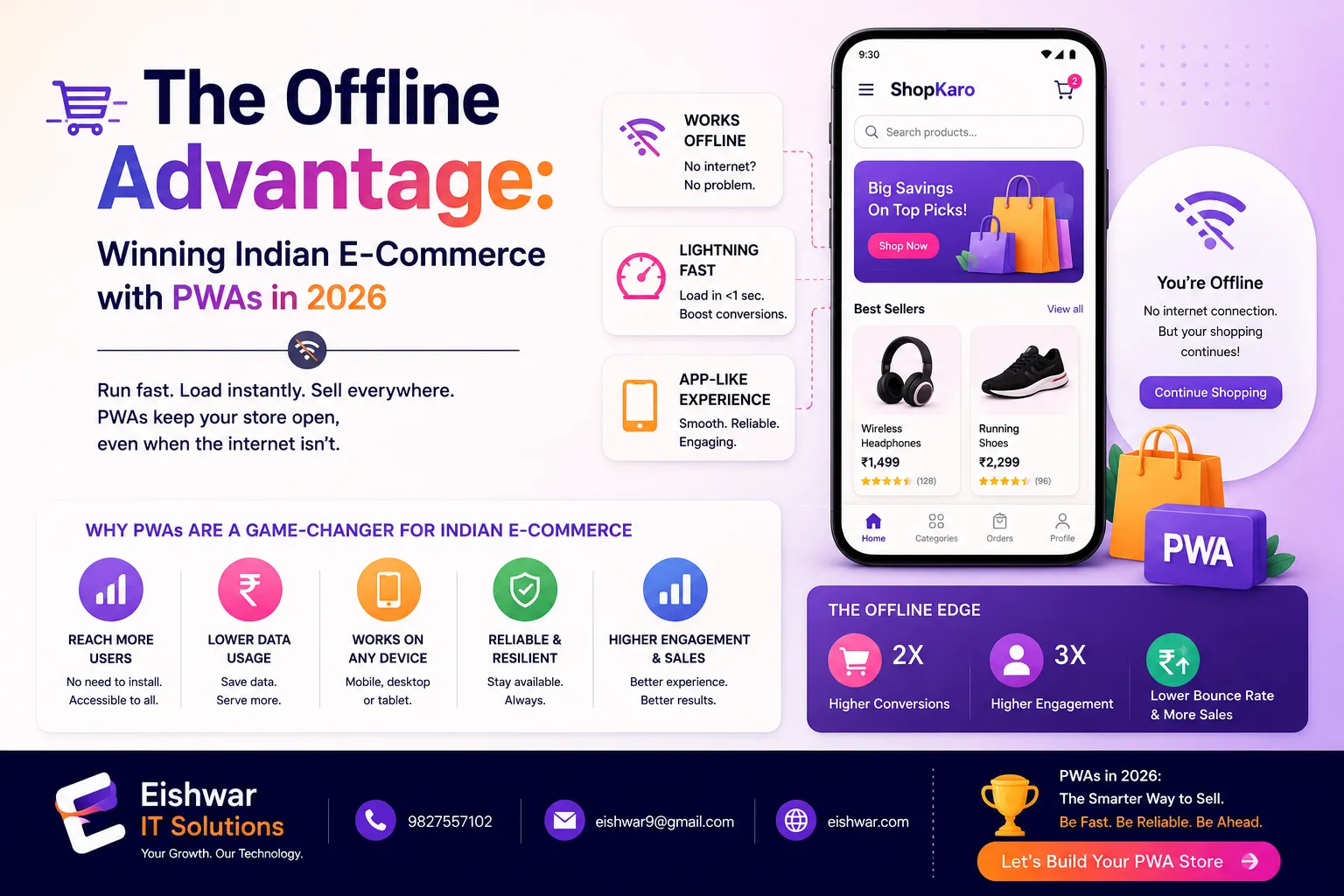
The Offline Advantage: Winning Indian E-Commerce with PWAs in 2026
Published on: 16 Jun 2026
The Offline Advantage: Winning Indian E-Commerce with PWAs in 2026
Introduction
Imagine a customer in a tier-2 Indian city, browsing your online store while commuting. Suddenly, the network drops. With a traditional website, they’re stuck—frustrated, likely to bounce. But with a Progressive Web App (PWA) that works offline, they continue shopping, add items to cart, and complete the purchase once online. That’s the offline advantage.
Learn more about our Website services
In 2026, Indian SMEs face fierce competition from global giants. Yet, most ignore one of the most powerful tools: offline-first PWA capabilities. This article explores how Indian businesses can use PWAs to turn network challenges into growth opportunities, boost conversions, and build lasting customer loyalty.
If you’re a business owner, marketer, or professional looking for practical ways to enhance your digital presence, read on. We’ll cover real-world examples, actionable tips, and future trends that make PWAs indispensable for Indian e-commerce.
Main Section 1: Why Offline Matters for Indian E-Commerce
India’s internet landscape is unique. Over 50% of users access the web via mobile, and connectivity can be patchy—especially in semi-urban and rural areas. A 2025 report by Ookla showed that median mobile download speeds in India hover around 15 Mbps, but many users experience frequent drops. For an e-commerce business, every second of delay or failure means lost revenue.
PWAs solve this by caching key resources and data. Users can browse products, read descriptions, and even add items to cart without an active internet connection. Once connectivity returns, the PWA syncs seamlessly. This offline-first approach doesn’t just improve user experience—it directly impacts the bottom line.
Consider this: Flipkart’s PWA, Flipkart Lite, saw a 70% increase in conversions after going offline-capable. For SMEs, the gain can be even more dramatic. A local apparel store in Jaipur reported a 40% reduction in cart abandonment after implementing PWA offline features. The reason? Customers could finalize purchases during power cuts or network outages.
Moreover, offline PWAs build trust. When a user sees that your store works even without the internet, they perceive your brand as reliable and customer-centric. In a market where trust is a key differentiator, that’s priceless.
Let’s break this down further with a practical example. Suppose you run a small electronics store in Lucknow. A customer is browsing your PWA for a smartphone while on a train. The network drops as they enter a tunnel. With an offline-first PWA, the product page, images, and specifications are cached. They can compare models, read reviews, and add the phone to their cart. When the train exits the tunnel, the PWA syncs the cart, and they complete the purchase. Without offline capability, you’d lose that sale.
Another key point: offline PWAs reduce data costs. In India, where mobile data is cheap but not free, caching content locally means fewer bytes downloaded on repeat visits. This is a subtle but powerful incentive for users to return to your store.
Main Section 2: How to Implement Offline-First PWA for Your Business
Building an offline-first PWA might sound technical, but with the right approach, it’s manageable. Here’s a step-by-step guide tailored for Indian SMEs.
👉 Don't wait for the perfect moment; turn your vision into reality today.
Free ConsultationStep 1: Audit Your Current Web Performance
Before diving into offline, know your baseline. Use tools like Google Lighthouse or PageSpeed Insights to measure load times, interactivity, and cache hit rates. Identify which pages are most visited—those should be offline-ready first. For example, if your product listing pages get 80% of traffic, prioritize caching those.
Step 2: Choose the Right Service Worker Strategy
Service workers are the backbone of offline PWAs. For e-commerce, a "Cache First, then Network" strategy works best for product pages and images. For dynamic content like cart or user profile, use "Network First, fallback to Cache." This ensures fresh data when possible, but offline access when needed. A practical tip: use Workbox, a library from Google, to simplify service worker logic. It provides pre-built strategies and handles caching automatically.
Step 3: Optimize Assets for Offline
Compress images, minify CSS/JS, and use lazy loading. Your service worker should cache only essential assets—product thumbnails, core CSS, and key JavaScript. Avoid caching entire databases. Instead, use IndexedDB for storing product data offline. For instance, you can store product names, prices, and images in IndexedDB, while fetching detailed descriptions from the network when online.
Step 4: Implement Background Sync
One of the most powerful features for e-commerce is background sync. If a user adds an item to cart offline, the PWA queues the action and executes it when the network returns. This eliminates the need for user retries and ensures no sales are lost. For example, a customer in a rural area adds a saree to their cart while offline. The PWA stores this action in a sync queue. When they reach a town with connectivity, the sync fires, and the cart is updated. The customer receives a notification confirming the addition.
Step 5: Test on Real Devices
India has a diverse device ecosystem. Test your PWA on low-end Android phones (common in tier-2 cities) and under throttled network conditions. Tools like Chrome DevTools’ network emulation can simulate 2G/3G speeds. But don’t stop there—borrow or rent devices like the Redmi 9A or Samsung Galaxy M series to test real-world performance. Pay attention to memory usage; low-end devices may crash if your PWA consumes too much RAM.
Step 6: Monitor and Iterate
Use analytics to track offline usage patterns. Which pages are accessed most offline? Where do users drop off? Continuous improvement based on real data is key. For example, if you notice that users frequently view product images offline, ensure those are cached with high priority. Tools like Google Analytics with offline event tracking can capture these insights.
Additionally, consider using a CDN with edge caching to serve cached content faster. Cloudflare or Akamai can help, but for SMEs, a simple setup with a single server and proper service worker caching is often sufficient.
Main Section 3: Real-World Success Stories from Indian SMEs
Let’s look at two Indian businesses that transformed their performance with offline-first PWAs.
Case Study 1: ArtisanCraft – Handicrafts from Rajasthan
ArtisanCraft, a Jaipur-based handicraft seller, faced high bounce rates from rural customers. Their traditional website took 8 seconds to load on 3G. After switching to a PWA with offline caching, load time dropped to 1.2 seconds, and offline browsing became possible. Result: 60% increase in time-on-site and 35% rise in sales from rural areas. The key was caching product images and descriptions for their top 100 items. They also implemented background sync for orders, so customers in remote villages could place orders even during network outages.
👉 Free Website Audit
Get Free AuditCase Study 2: FreshBite – Local Grocery Delivery in Bangalore
FreshBite’s app was heavy and slow. They launched a PWA that allowed users to browse the catalog, add items to cart, and even schedule delivery offline. The background sync feature ensured orders were placed automatically when online. Customer retention improved by 50%, and app uninstalls dropped to zero (since PWAs don’t require installation from app stores). FreshBite also used push notifications to re-engage users who had added items offline but hadn’t completed the purchase. This led to a 20% increase in conversion rates from offline sessions.
These examples show that offline capabilities aren’t just for tech giants. Any SME can implement them with the right partner—like EishwarITSolution.
Expert Tips
- Prioritize critical user journeys: Identify the top 3 actions users take (e.g., browse, add to cart, checkout) and make those offline-first. For a fashion store, this might be browsing categories and viewing product details. For a grocery store, it’s searching for items and adding them to cart.
- Use lightweight UI frameworks: Frameworks like Preact or Vue.js with PWA plugins reduce initial load and improve offline performance. Avoid heavy frameworks like Angular for mobile-first PWAs.
- Leverage push notifications for re-engagement: Even offline, you can queue push notifications to remind users about abandoned carts when they reconnect. For example, if a user adds a product offline but doesn’t complete the purchase, send a notification like "Your item is waiting! Complete your order now."
- Optimize for low-end devices: Avoid heavy animations and large JavaScript bundles. Test on devices with 1GB RAM. Use tools like WebPageTest to simulate low-end device performance.
- Partner with experts: If in-house development is overwhelming, consult agencies like EishwarITSolution that specialize in PWA performance. They can help with service worker setup, caching strategies, and performance audits.
- Cache user-specific data wisely: For logged-in users, cache their recent orders and wishlist. But be careful with sensitive data—use encryption if storing locally.
Common Mistakes
- Caching everything: Over-caching leads to storage issues and stale data. Be selective. For example, don’t cache user session tokens or payment confirmation pages.
- Ignoring user feedback: Not asking users about offline experience. Use surveys or in-app prompts. A simple "How was your offline experience?" can yield valuable insights.
- Neglecting SEO: PWAs can be indexed by Google, but only if properly configured. Ensure service worker doesn’t block crawlers. Use server-side rendering for critical pages to improve SEO.
- No fallback for critical features: If offline, at least show a friendly message and cached content. Don’t show a blank page. For instance, display "You’re offline, but here’s what we saved for you" with a list of cached products.
- Skipping analytics: Without tracking offline usage, you can’t improve. Use Google Analytics with offline event tracking. Track metrics like offline page views, offline cart additions, and sync success rates.
- Not updating cache: If your product catalog changes frequently, set cache expiration times. Use a versioning system for your service worker to force updates when necessary.
Future Trends
By 2026, offline-first will become the norm for Indian e-commerce. Expect these trends:
👉 Free Homepage Demo
Book Demo- AI-driven caching: Machine learning will predict which products a user is likely to view offline and pre-cache them. For example, if a user frequently searches for electronics, the PWA will cache the latest smartphone listings.
- WebAssembly (Wasm) integration: For heavy computations (like image editing) offline, Wasm will enable near-native performance. This could allow users to customize products (e.g., engraving) without an internet connection.
- 5G and hybrid connectivity: Even with 5G rollout, offline will remain crucial in rural areas. PWAs will seamlessly switch between online and offline modes, using a hybrid approach that prioritizes cached content when signals are weak.
- Voice commerce offline: Voice search and commands cached locally for offline use, enabling hands-free shopping. For example, a user could say "Add milk to cart" while offline, and the PWA would process it.
- Regulatory push: Indian government may incentivize offline-capable digital services for inclusive growth. This could include tax breaks or grants for SMEs that implement PWAs.
- Edge computing for PWAs: With edge servers, cached content can be served from locations closer to the user, reducing latency even further. This is especially useful for real-time inventory updates.
FAQs
- What is an offline-first PWA?
An offline-first PWA is designed to work without an internet connection by caching essential content and data. Users can browse, add to cart, and even complete purchases offline; actions sync when connectivity returns. - How does PWA offline benefit Indian SMEs?
It reduces bounce rates, increases conversions (especially in areas with poor connectivity), builds trust, and lowers development costs compared to native apps. For example, a small business in a tier-3 city can see a 30-50% increase in sales from rural customers. - Is PWA offline support expensive to implement?
Not necessarily. Basic offline features can be added with a service worker and caching strategies. For complex e-commerce, costs vary but are generally lower than building a separate native app. A simple PWA can cost as little as ₹50,000 to implement. - Will offline PWA affect SEO?
If implemented correctly, no. Google can still index PWA content. Ensure your service worker allows crawlers and that you use proper meta tags. Use dynamic rendering for JavaScript-heavy pages to improve crawlability. - Can I migrate my existing website to a PWA?
Yes. Most modern websites can be enhanced with PWA features incrementally. Start with adding a service worker and manifest file, then expand offline capabilities. For example, you can first enable offline access to your homepage and product pages, then later add cart functionality. - What tools can I use to build an offline-first PWA?
Popular frameworks include Workbox (for service workers), Lighthouse (for audits), and libraries like idb (for IndexedDB). For beginners, consider using a PWA builder like PWABuilder.com to generate the necessary files. - How do I test offline functionality?
Use Chrome DevTools to simulate offline mode, throttle network speeds, and check cached responses. Also test on real devices in low-connectivity areas. For thorough testing, use tools like WebPageTest with a 3G connection profile. - Can PWAs access device features like camera or GPS offline?
Yes, PWAs can access some device features offline if they are cached. For example, you can cache a barcode scanner library to allow offline product lookup. However, features requiring real-time data (like live GPS tracking) may not work fully offline. - How do I handle payments in an offline PWA?
For offline payments, you can queue payment requests and process them when the user goes online. Alternatively, use a payment gateway that supports offline tokens (like Paytm’s offline mode). Ensure that payment data is encrypted and stored securely. - What is the typical storage limit for offline data in a PWA?
Most browsers allow up to 50-100 MB of storage for a PWA, but this can vary. Use IndexedDB for structured data and Cache API for assets. Monitor storage usage to avoid exceeding limits, especially on low-end devices.
Conclusion
The offline advantage is no longer a luxury—it’s a necessity for Indian SMEs aiming to thrive in e-commerce. PWAs offer a proven path to turn network challenges into growth opportunities, improve user retention, and boost sales. By implementing offline-first strategies, you not only serve customers better but also future-proof your business.
Ready to give your customers an experience that works anytime, anywhere? Start small, iterate, and watch your conversions soar.
CTA
Don’t let network issues hold your business back. Contact EishwarITSolution today for a free PWA audit and discover how offline-first can transform your e-commerce performance in 2026.