
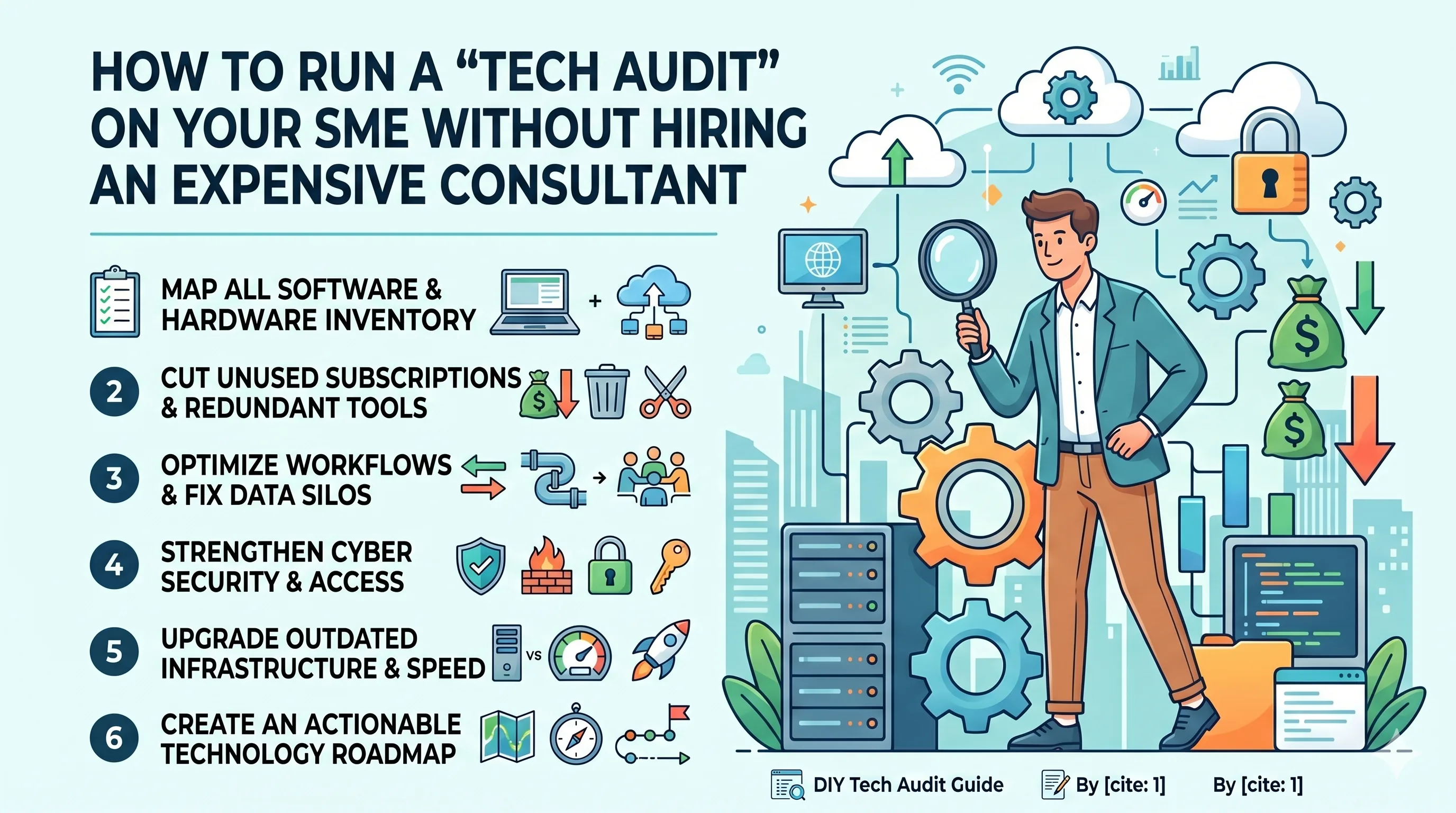
How to Run a "Tech Audit" on Your SME Without Hiring an Expensive Consultant
Published on: 29 May 2026
Imagine this: You are paying $50/month per user for a premium project management tool, but your team still manages 80% of their daily operations via a messy web of WhatsApp groups and chaotic Excel sheets. Meanwhile, a forgotten subscription from 2024 is silently bleeding $120 every month from your company credit card for an app no one has logged into in two years.
Learn more about our Website services
If this sounds painfully familiar, you aren’t alone. Most Small and Medium Enterprises (SMEs) are sitting on a digital time bomb—a cluttered, expensive, and unoptimized "tech stack."
As an SME owner or manager, you know your technology should be an accelerator, not a financial sinkhole or a daily headache. But whenever someone mentions fixing it, the solution always seems to involve hiring an external IT consultant who charges thousands of dollars just to hand you a 50-page PDF full of jargon you don’t understand.
Here is the good news: You don’t need an expensive consultant to fix your tech. You just need a systematic framework.
A DIY Tech Audit is the process of looking under the hood of your business’s digital operations to identify what’s working, what’s wasting money, and what’s putting your company at risk. By following this comprehensive, step-by-step guide, you can reclaim control of your digital infrastructure, save thousands of dollars, and supercharge your team’s productivity.
Let’s dive into the ultimate 6-step framework to audit your SME’s technology like a pro.
Phase 1: The Inventory Check (Mapping Your Tech Landscape)
You cannot manage what you do not know exists. The first—and often most eye-opening—phase of a tech audit is building a central source of truth for every single software, hardware, and digital asset your business uses.
1. The Software & SaaS Inventory
In the era of cloud software, "Shadow IT" (software used by employees without the explicit knowledge or approval of management) is a massive problem. Your marketing team might be using a free graphic design tool, while your sales team has secretly signed up for a pipeline tracker using personal emails.
Create a master spreadsheet (or use a basic database tool) with the following columns:
Application Name: (e.g., Slack, HubSpot, Zoom)
Primary User/Department: (e.g., Marketing, Sales, All Company)
Active User Count: How many licenses are you actually paying for?
Cost & Billing Cycle: (e.g., $15/user/month or $1,200 billed annually)
Payment Method: Which company card or bank account is linked to it?
Owner/Admin: The internal person responsible for managing credentials.
Business Criticality: High (Business stops without it), Medium (Inconvenient but manageable), or Low (Nice to have).
2. The Hardware Inventory
Don’t forget the physical world. An outdated server, a 7-year-old laptop, or a malfunctioning network router can choke your business’s daily operations.
Log every laptop, desktop, tablet, printer, server, and Wi-Fi router owned by the business.
Note down their age, current user, operating system version, and general physical condition.
Action Step:
Set aside two hours, pull your last three months of credit card statements, and list every single software recurring charge. You will likely find at least two or three subscriptions you completely forgot existed.
👉 Don't wait for the perfect moment; turn your vision into reality today.
Free Consultation
Phase 2: The Utility Assessment (Is It Worth the Money?)
Now that you have your list, it’s time to play detective. Just because you have a software subscription doesn’t mean it’s delivering value. In this phase, we evaluate every tool based on two metrics: Utilization and Redundancy.
1. Evaluating Utilization
Look at the ratio of paid licenses to active users. If you are paying for 25 seats on a CRM but only 12 sales reps log in regularly, you are throwing money out the window.
Action: Log into the admin dashboard of your major software tools and check the "Last Active" column for users. Deactivate accounts for employees who haven't logged in for over 30 days.
2. Hunting Down Redundancy
SMEs frequently suffer from "feature overlap." This happens when different departments buy different tools that essentially do the exact same thing.
Example: Your marketing team uses Asana for tasks, your development team uses Jira, and your operations team uses Trello.
Example: You pay for Google Workspace (which includes Google Meet), but you also pay a separate monthly subscription for Zoom.
The Rationalization Matrix
To help you make decisions, categorize every tool into one of these four quadrants:
| Category | Definition | Action |
|---|---|---|
| High Value / High Use | Core business drivers (e.g., your primary accounting or CRM tool). | Keep & Optimize
|
| High Cost / Low Use | Expensive tools that your team rarely touches or dislikes. | Replace or Downgrade
|
| Low Cost / High Use | Small, efficient utilities that keep the team happy and fast. | Keep
|
| Low Use / Low Value | Legacy tools, forgotten subscriptions, or duplicate software. | Eliminate Immediately
|
Phase 3: The Productivity & Workflow Check (Fixing the Friction)
Technology should make work seamless. If your employees are spending hours manually copy-pasting data from one system to another, your technology is failing them.
1. Identify "Data Silos"
A data silo occurs when information is trapped in one system and cannot be easily accessed by another. For instance, if a customer updates their address on your website, does your billing software update automatically? Or does someone have to type it in manually?
Look for manual, repetitive processes. Ask your team: "What part of your daily digital routine frustrates you the most?"
Look for hidden spreadsheets used to bridge gaps between official software systems.
2. Evaluate Integration & Automation Opportunities
Modern business software thrives on connectivity. Before abandoning a tool or buying a massive all-in-one system, look at whether your existing tools can talk to each other.
Check if your software features native integrations (e.g., Slack integrating with Google Calendar).
Explore no-code automation platforms like Zapier or Make (formerly Integromat). These tools act as digital glue, allowing you to build automated workflows (e.g., "When a new lead fills out a form on our website, automatically create a deal in our CRM and notify the team on Slack") without writing a single line of code.
Phase 4: The Security & Vulnerability Check (Protecting Your Castle)
You don’t need to be a cybersecurity specialist to protect your business from basic digital threats. Most SME data breaches don’t happen through sophisticated Hollywood-style hacking; they happen due to weak passwords, unpatched software, and poor access control.
👉 Free Website Audit
Get Free AuditRun through this DIY security checklist:
1. Access Control & Offboarding
When an employee leaves your company, do they still have access to client data?
The Rule: Implement the Principle of Least Privilege. Employees should only have access to the specific software and data required to perform their daily jobs.
The Audit Task: Review user lists on your critical systems (Email, Cloud Storage, Financial Portals). Ensure past employees, contractors, and interns have been completely de-provisioned.
2. Password Hygiene & Multi-Factor Authentication (MFA)
Are your employees using weak, repetitive passwords across multiple accounts?
The Fix: Deploy a company-wide password manager (like Bitwarden, 1Password, or LastPass). This ensures unique, complex passwords for every platform without requiring employees to memorize them.
The Ultimate Shield: Turn on Multi-Factor Authentication (MFA / 2FA) on every single account where it is available, especially on email, banking, and CRM platforms. MFA stops over 99% of automated account takeover attacks.
3. Backup Verification
Having a backup system is pointless if that backup doesn't actually work when disaster strikes.
Locate where your critical business data lives (Google Drive, OneDrive, local hard drives).
The Test: Run a live restoration test. Try to recover a deleted file or a snapshot from two weeks ago. If it takes you more than an hour or errors out, your backup policy needs an immediate overhaul.
Phase 5: The Infrastructure & Speed Check (The Digital Foundation)
If your software is great but your internet connection drops three times a day, your productivity will remain grounded. This phase deals with your physical digital infrastructure.
1. Internet & Network Health
Speed Test: Run a free speed test (like Fast.com or Speedtest.net) at different times of the day from various corners of your office.
Bandwidth Analysis: Compare your actual speeds with what you are paying your Internet Service Provider (ISP) for. If you pay for 500 Mbps but only receive 50 Mbps due to ancient Wi-Fi routers, it’s time to upgrade your hardware or call your provider.
Cabling vs. Wi-Fi: Ensure desktop computers and heavy-use devices (like printers or local storage servers) are connected via physical Ethernet cables rather than relying entirely on Wi-Fi, which clears up wireless airwaves for mobile devices and laptops.
2. Operating System & Software Patches
Outdated software is an invitation for malware.
Check that all company computers are running supported operating systems (e.g., Windows 11 or recent macOS versions).
Ensure that automatic security updates are enabled on all workstations.
Phase 6: Creating Your Digital Transformation Roadmap
Congratulations! You have completed the audit. You have identified forgotten subscriptions, found security gaps, and mapped out workflow bottlenecks. Now, it’s time to turn these insights into an actionable strategy.
Don't try to fix everything in a single weekend. That creates chaos and employee pushback. Instead, divide your findings into three distinct action buckets:
1. Quick Wins (Do within the next 48 hours)
These are low-effort, high-impact tasks that instantly save money or secure your business.
👉 Free Homepage Demo
Book DemoCancel unused subscriptions.
Downgrade oversized software tiers or remove inactive user seats.
Enforce Multi-Factor Authentication (MFA) on company email accounts.
2. Short-Term Projects (Do within the next 30 days)
Tasks that require minor planning and coordination with your team.
Set up a company password manager and migrate the team.
Consolidate overlapping tools (e.g., moving all teams onto a single project management platform).
Build 2 or 3 critical automations via Zapier to eliminate manual data entry.
3. Long-Term Strategic Goals (Next 90 to 180 days)
Major infrastructural adjustments that require budget allocations or cultural shifts.
Replacing outdated legacy hardware (servers, employee laptops).
Migrating a major on-premise system completely to a modern cloud-based architecture.
Conducting formal basic cybersecurity training for all employees.
Establishing the "Once a Year" Rule
A tech audit isn't a one-and-done event. As your SME grows, new tools will sneak in, processes will evolve, and clutter will inevitably return.
To prevent future chaos, establish a policy to run this internal DIY Tech Audit at least once every 12 months—ideally right before your annual budgeting cycle.
By treating technology as a dynamic resource that requires regular pruning, you will keep your operations lean, your overheads low, and your team working at peak velocity. Best of all? You did it entirely on your own terms, keeping those thousands of dollars of consultant fees exactly where they belong: inside your business's bank account.
Have you run a tech inventory for your business lately? What is the most surprising "ghost subscription" you discovered bleeding your budget? Let us know in the comments below!