
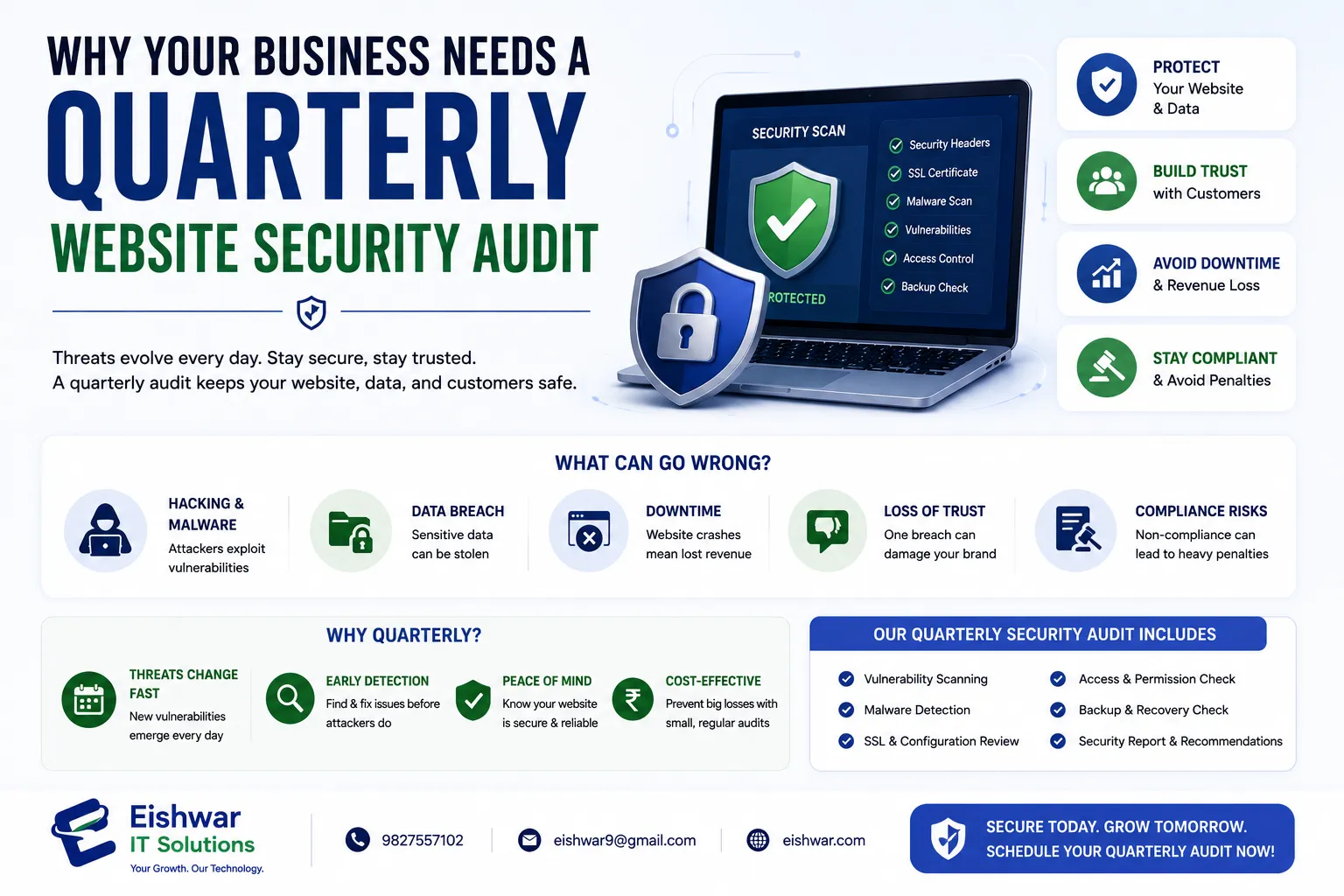
Why Your Business Needs a Quarterly Website Security Audit
Published on: 17 Jun 2026
Why Your Business Needs a Quarterly Website Security Audit
Introduction
In today’s digital-first world, your website is the face of your business. For Indian businesses—from a Mumbai-based e-commerce store to a Delhi startup—a security breach can mean lost revenue, damaged reputation, and legal trouble. Yet many business owners treat website security as a one-time setup, forgetting that threats evolve daily. A quarterly website security audit is no longer optional; it’s a necessity. This guide walks you through what an audit involves, why it matters, and how to perform one without a massive IT budget.
Learn more about our Website services
Consider the case of a small Jaipur-based handicraft seller who ignored security updates for six months. A hacker injected malicious code into their checkout page, stealing customer payment details during UPI transactions. The result? A ₹2 lakh loss in fraudulent charges, a damaged brand reputation, and weeks of downtime. A simple quarterly audit could have prevented this. In India, where digital adoption is skyrocketing—over 800 million internet users by 2025—cybercriminals are increasingly targeting SMEs with automated bots and phishing campaigns. A quarterly audit is your proactive shield, not a reactive bandage.
What Is a Website Security Audit and Why Does It Matter for Indian Businesses?
A website security audit is a systematic review of your site’s security posture. It checks for vulnerabilities, outdated software, weak passwords, malware, and configuration errors. For Indian businesses, the stakes are high. With the rise of digital payments and UPI, cybercriminals target small and medium enterprises (SMEs) because they often lack robust defenses. A quarterly audit helps you stay ahead of threats, comply with regulations like the IT Act (India), and build trust with customers. It’s not just about preventing hacks—it’s about ensuring business continuity.
Think of an audit like a health checkup for your website. Just as you visit a doctor annually to catch issues early, a quarterly audit identifies weak spots before they turn into full-blown crises. For example, a Mumbai-based travel agency discovered during an audit that their booking plugin had a known vulnerability that allowed SQL injection. They patched it within hours, avoiding a potential data breach of thousands of customer passports and credit card details. Without the audit, they might have faced a regulatory fine under the IT Act (up to ₹5 crore for data breaches) and irreparable trust loss.
Moreover, Indian businesses are increasingly subject to sector-specific regulations. E-commerce sites must comply with the Consumer Protection (E-Commerce) Rules, 2020, which mandate secure payment gateways and data protection. Fintech startups under RBI guidelines require regular security assessments. A quarterly audit ensures you’re not just secure but also compliant, saving you from legal headaches and fines.
Main Section 1: The Core Components of a Comprehensive Security Audit
A thorough audit covers several key areas. First, scan for malware and malicious code. Use tools like Sucuri or Wordfence to check for hidden scripts. Second, review software updates: your CMS, plugins, themes, and server software must be current. Third, test your SSL certificate—ensure it’s valid and properly configured. Fourth, examine user access controls: remove old accounts and enforce strong passwords. Fifth, check your firewall and security plugins. Finally, review backup systems: are they working and stored offsite? Each component is a potential entry point for attackers.
👉 Don't wait for the perfect moment; turn your vision into reality today.
Free ConsultationLet’s dive deeper into each component with practical examples:
- Malware Scanning: A common malware type is a “pharma hack,” where hidden links to illegal pharmacy sites are injected into your pages. For instance, a Chennai-based blog noticed a sudden drop in Google rankings. A scan revealed injected spam links in the footer. Using Sucuri, they cleaned the site and blocked the IPs responsible. Tip: Schedule automated weekly scans, not just quarterly manual ones.
- Software Updates: Outdated plugins are the #1 attack vector for WordPress sites (which power 43% of the web). A Delhi-based restaurant’s reservation plugin was two versions behind, allowing attackers to upload a backdoor. The fix? Enable automatic updates for minor versions and test major updates on a staging site first.
- SSL Certificate Check: Many Indian businesses use free SSL certificates from Let’s Encrypt, which expire every 90 days. A Bangalore-based startup missed the renewal notice, causing their site to show “Not Secure” for two days. Use tools like SSL Labs to check validity, and set up auto-renewal with your hosting provider.
- User Access Controls: A common mistake is keeping default admin usernames like “admin.” A Hyderabad-based agency had a brute-force attack because they never changed it. Enforce strong passwords (minimum 12 characters with special symbols) and implement two-factor authentication (2FA) for all admin accounts. For example, use Google Authenticator or Authy.
- Firewall and Security Plugins: A Web Application Firewall (WAF) like Cloudflare or Sucuri blocks malicious traffic before it reaches your server. A Pune-based e-commerce site saw a 90% reduction in spam login attempts after enabling Cloudflare’s WAF. Tip: Configure rules to block countries with no business relevance and rate-limit login attempts.
- Backup Systems: A Kolkata-based real estate portal lost three months of data because their backup script failed silently. Test restores quarterly by restoring a backup to a staging environment. Store backups offsite (e.g., cloud storage like AWS S3 or Google Drive) with encryption.
Main Section 2: Step-by-Step Guide to Running Your Own Quarterly Audit
You don’t need a security expert for basic audits. Follow these steps:
- Step 1: Backup Everything – Before any changes, create a full backup of your site and database. Use plugins like UpdraftPlus for WordPress or your host’s cPanel backup tool. Store the backup in two locations: your server and an external cloud service.
- Step 2: Run a Malware Scan – Use automated tools like Google Safe Browsing, Sucuri SiteCheck, or your host’s security scanner. For example, Sucuri SiteCheck checks for blacklisting, malware, and outdated software in under 30 seconds. If it finds issues, note the file paths and clean them manually or via a security plugin.
- Step 3: Update All Software – Log into your CMS and apply all updates for core, plugins, and themes. For WordPress, go to Dashboard > Updates and click “Update All.” For custom sites, update server-side libraries like PHP, MySQL, and Node.js. Tip: Enable email notifications for available updates.
- Step 4: Review User Accounts – Delete unused accounts, change default usernames, and enforce two-factor authentication (2FA). Check for any suspicious accounts (e.g., “admin2” or “testuser”) and remove them. For WooCommerce sites, review customer accounts for unusual activity.
- Step 5: Check SSL Certificate – Use an SSL checker like SSL Labs or Why No Padlock to confirm validity and proper installation. Ensure all pages load over HTTPS, not just the login page. Use a plugin like Really Simple SSL to fix mixed content warnings.
- Step 6: Test Your Firewall – Ensure your Web Application Firewall (WAF) is active and blocking malicious traffic. Simulate a common attack like SQL injection using a tool like OWASP ZAP (free) or a simple test: try entering “' OR '1'='1” in a search field. If the firewall blocks it, you’re good. If not, configure rules.
- Step 7: Audit File Permissions – Set directories to 755 and files to 644 to prevent unauthorized changes. On Linux servers, use commands like `find /var/www/html -type d -exec chmod 755 {} \;` and `find /var/www/html -type f -exec chmod 644 {} \;`. Avoid 777 permissions, which allow anyone to write.
- Step 8: Verify Backups – Perform a test restore to ensure your backup process works. For example, restore a backup to a staging subdomain (e.g., staging.yoursite.com) and check if all pages, images, and database tables load correctly. Document the time taken and any errors.
- Step 9: Log and Fix – Document all issues and fix them immediately. Create a simple spreadsheet with columns: Issue, Severity (High/Medium/Low), Fix Applied, Date Resolved. For example, “Outdated plugin: Contact Form 7 (v5.0) – High – Updated to v5.8 – 15 Jan 2025.”
- Step 10: Schedule Next Audit – Set a calendar reminder for three months later. Use Google Calendar or a project management tool like Trello. Add a note to review any new vulnerabilities reported for your CMS or plugins in the interim.
Practical tip: For non-technical business owners, consider using a managed security service like Sucuri or Wordfence Premium, which automates many of these steps and sends monthly reports. The cost (around ₹1,500–₹5,000 per year) is negligible compared to a potential breach.
👉 Free Website Audit
Get Free AuditMain Section 3: Common Vulnerabilities Found in Indian Business Websites
Indian websites often share specific weak points. Outdated plugins are the biggest culprit—many site owners ignore update notifications. Weak passwords remain common, especially for admin accounts. Another issue is the lack of HTTPS: even today, some business sites still use HTTP, exposing data. Additionally, many websites don’t have a Web Application Firewall, leaving them open to SQL injection and cross-site scripting attacks. Finally, poor hosting security—shared hosting without isolation—can lead to cross-site contamination. A quarterly audit catches these before hackers do.
Let’s explore real-world examples:
- Outdated Plugins: A Vadodara-based educational institute used a free LMS plugin that hadn’t been updated in two years. Hackers exploited a known vulnerability to steal student login credentials. The fix: replace the plugin with a supported alternative like LearnDash or Tutor LMS, and set up automatic update alerts.
- Weak Passwords: A Surat-based textile exporter used “admin123” as their FTP password. A brute-force attack gained access to their server, defacing the homepage with ransomware. They lost ₹50,000 in ransom and three days of sales. Tip: Use a password manager like LastPass or Bitwarden to generate and store strong passwords.
- Lack of HTTPS: A Lucknow-based travel blog still used HTTP in 2024. Google flagged it as “Not Secure,” causing a 40% drop in organic traffic. After migrating to HTTPS with a free Let’s Encrypt certificate, their traffic recovered within a month. Use a tool like SSL Checker to ensure all pages redirect to HTTPS.
- No WAF: A Coimbatore-based online store selling spices faced a DDoS attack during Diwali sales, causing 12 hours of downtime. They lost an estimated ₹3 lakh in revenue. After implementing Cloudflare’s WAF, subsequent attacks were blocked automatically.
- Shared Hosting Risks: A Nashik-based startup on shared hosting had their site infected because a neighboring site was compromised. The host’s isolation was poor, allowing cross-site contamination. Solution: Upgrade to a VPS or dedicated server with account isolation, or use a host like SiteGround that offers AI-based anti-bot protection.
Expert Tips
We spoke with cybersecurity consultant Priya Sharma (based in Bangalore) for her top tips:
👉 Free Homepage Demo
Book Demo- Automate what you can: Use security plugins that send alerts for changes or failed login attempts. For example, Wordfence can email you when a file is modified or when there are more than 10 failed login attempts in an hour.
- Use a Content Delivery Network (CDN): CDNs like Cloudflare add a layer of security and DDoS protection. They also cache your site, improving load times. Priya recommends enabling the “Under Attack” mode during high-risk periods (e.g., sales events).
- Educate your team: Train employees on phishing awareness and safe password practices. Conduct a quarterly 30-minute session covering how to spot phishing emails (e.g., fake invoices from “vendors”) and the importance of not sharing passwords.
- Monitor logs regularly: Even between audits, check server logs for suspicious activity. Use tools like AWStats or GoAccess to review access logs for unusual IPs or repeated 404 errors (which may indicate scanning).
- Invest in a security plugin: For WordPress, Wordfence or iThemes Security are reliable choices. For custom sites, consider a web application firewall like ModSecurity. Priya also recommends using a security header checker like securityheaders.com to ensure your site sends proper headers (e.g., Content-Security-Policy, X-Frame-Options).
Common Mistakes
Many business owners make these errors during audits:
- Skipping the backup step before making changes. A failed update can crash your site, and without a backup, recovery is costly.
- Only scanning for malware and ignoring user access reviews. A former employee’s account left active can be a backdoor.
- Forgetting to check third-party integrations (e.g., payment gateways, analytics tools). A compromised Google Analytics script can inject malicious code into your site.
- Not updating the audit checklist as new threats emerge. For example, after the Log4j vulnerability in 2021, many sites needed to patch Java libraries.
- Assuming a one-time audit is enough—security is ongoing. Cybercriminals evolve, and so should your defenses.
Future Trends
Website security is evolving rapidly. Expect AI-driven audits that automatically detect anomalies. Indian businesses will see more government-mandated security standards, especially for e-commerce and fintech. Also, the rise of zero-trust architecture will influence how audits are conducted—verifying every access request. Finally, quantum-safe encryption will become important as quantum computing matures. Staying ahead means adopting continuous security monitoring, not just quarterly checks.
For instance, AI tools like Cloudflare’s Bot Management already use machine learning to distinguish between human visitors and bots. In the next five years, we may see automated audit tools that scan your site daily and patch vulnerabilities without human intervention. Indian businesses should start preparing by adopting a security-first mindset now.
FAQs
- What is a website security audit? It’s a comprehensive review of your website’s security to identify vulnerabilities and risks, including malware, outdated software, weak passwords, and configuration errors.
- How often should I run a security audit? For most businesses, quarterly audits are ideal. High-risk sites (e.g., e-commerce, fintech) may need monthly checks. Use automated tools for weekly scans in between.
- Can I do an audit myself without technical skills? Yes, using automated tools like Sucuri SiteCheck or Wordfence and following a checklist. But for deep scans (e.g., penetration testing), consider hiring a professional.
- What tools are best for a security audit? Popular options include Sucuri SiteCheck (free), Wordfence (free/premium), Qualys SSL Labs (free), and Google Safe Browsing (free). For advanced users, OWASP ZAP is a powerful open-source tool.
- How much does a professional security audit cost in India? Prices range from ₹5,000 to ₹50,000 depending on complexity and site size. For example, a basic WordPress audit might cost ₹5,000–₹10,000, while a custom e-commerce site with payment integration could cost ₹30,000–₹50,000.
- Will an audit slow down my website? No, the audit itself doesn’t affect performance. In fact, fixing issues like outdated scripts or removing malware can improve speed and user experience.
- What should I do if I find malware during an audit? Immediately isolate the site (e.g., put it in maintenance mode), restore from a clean backup, and scan all files. If you can’t clean it yourself, hire a professional. Report the incident to your hosting provider.
Conclusion
A quarterly website security audit is a small investment that saves your business from catastrophic losses. By following the steps in this guide, you can protect your data, your customers, and your reputation. Make security a habit, not an afterthought. For Indian businesses aiming to thrive online, regular audits are the foundation of trust and growth. Start your first audit today—your future self will thank you.
CTA
Ready to secure your website? Contact EishwarITSolution for a professional security audit tailored to your business. Visit eishwar.com or call us today to schedule your audit and get peace of mind. Our team of certified experts will identify vulnerabilities, fix them, and provide a detailed report—so you can focus on growing your business.