
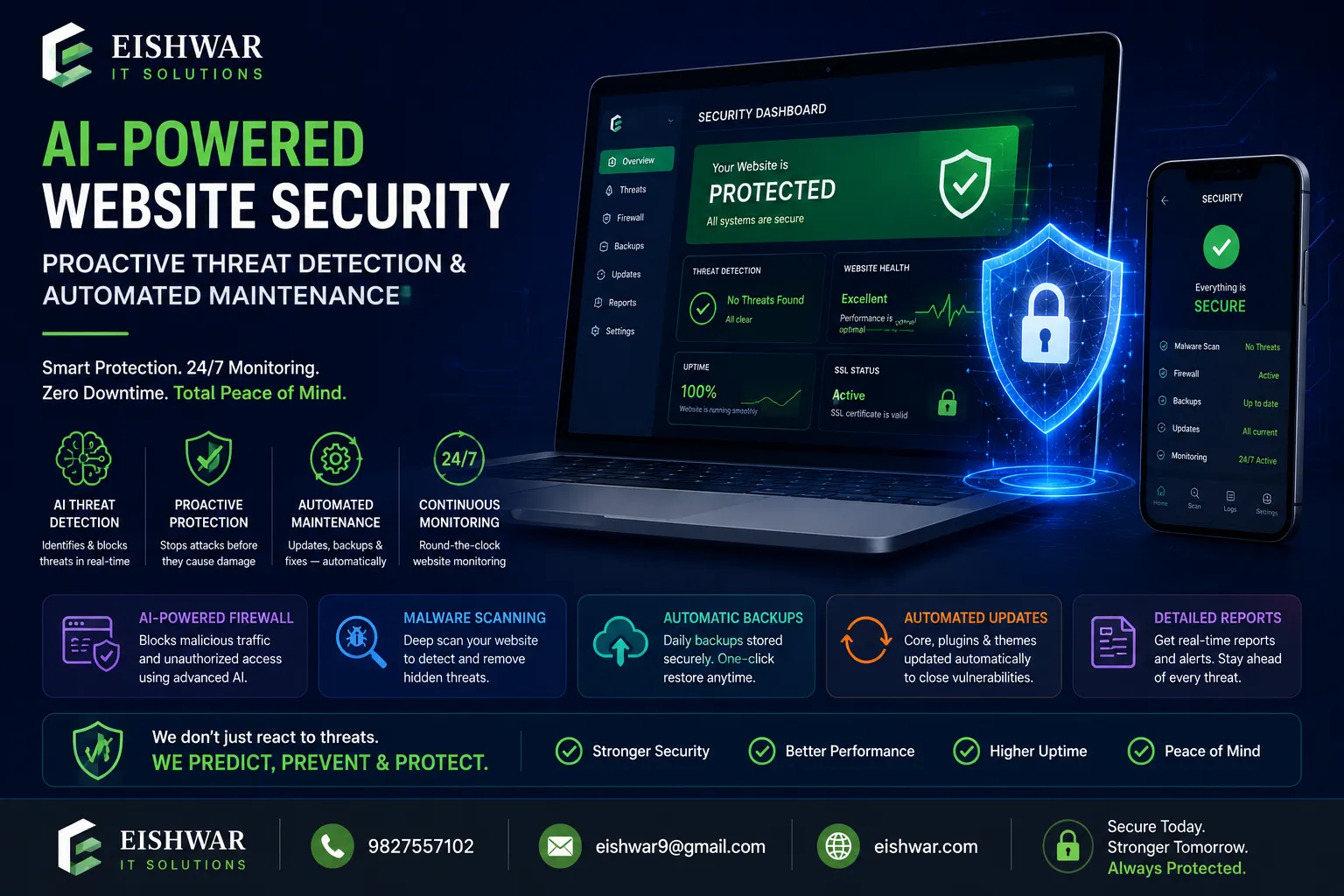
AI-Powered Website Security: Proactive Threat Detection & Automated Ma
Published on: 15 Jun 2026
AI-Powered Website Security: Proactive Threat Detection & Automated Maintenance
Introduction
Imagine waking up to find your business website defaced, customer data stolen, or your site blacklisted by Google. For many Indian business owners, this nightmare is all too real. Traditional security measures—like manual plugin updates and periodic scans—are no longer enough. Cyberattacks are getting smarter, faster, and more frequent. According to a 2023 report by the Indian Computer Emergency Response Team (CERT-In), the country witnessed over 1.3 million cybersecurity incidents, with small and medium businesses being prime targets due to limited resources.
Learn more about our Website services
Enter Artificial Intelligence (AI). AI is transforming website security from a reactive, after-the-fact approach to a proactive, always-on defence system. Instead of waiting for a breach to happen, AI-powered tools can predict, detect, and neutralise threats in real time. Plus, they automate tedious maintenance tasks like backups, updates, and performance checks, freeing you to focus on growing your business.
In this guide, we’ll explore how AI is reshaping website security and maintenance, and give you practical steps to implement these technologies for your business website. Whether you run a small e-commerce store or a growing professional services firm, these insights will help you stay ahead of threats—without burning out your team or budget. We'll cover real-world examples, expert tips, and common pitfalls to avoid, ensuring you can leverage AI effectively and affordably.
Main Section 1: How AI Enables Proactive Threat Detection
Traditional website security often relies on signature-based detection—like antivirus software that looks for known malware patterns. The problem? New attacks (zero-day exploits) don’t have signatures, so they slip through. AI, especially machine learning, changes the game by learning what “normal” traffic and behaviour look like for your site, then flagging anything unusual. This shift from reactive to proactive is critical because the average time to detect a breach is still over 200 days, according to IBM's Cost of a Data Breach Report. With AI, detection can happen in milliseconds.
Behavioural Analysis and Anomaly Detection
AI models continuously monitor your website’s traffic, user behaviour, and server logs. If a sudden spike in login attempts from an unfamiliar IP occurs, or a bot starts scraping your content at odd hours, the AI flags it instantly. For example, a Mumbai-based travel agency using an AI security plugin received an alert about unusual database queries—later identified as a SQL injection attempt. The AI blocked the request before any data was stolen. This behavioural analysis goes beyond simple rule-based systems; it adapts to your site's unique patterns, reducing false positives over time. For instance, if your site typically sees a traffic surge from a specific region during a sale, the AI learns to expect that and won't flag it as suspicious.
Real-Time Threat Intelligence
AI systems tap into global threat intelligence feeds, learning from millions of attacks happening worldwide. When a new phishing kit or malware strain emerges, AI updates its detection models within minutes. This is far faster than waiting for a human analyst to manually update rules. Tools like Cloudflare’s AI-powered WAF (Web Application Firewall) use this approach to block attacks like DDoS, XSS, and botnets before they reach your site. For example, during the 2023 surge in DDoS attacks targeting Indian e-commerce sites, Cloudflare's AI automatically mitigated over 1,000 attacks per hour for a Delhi-based retailer, ensuring 99.99% uptime. The key advantage is that AI doesn't just react to known threats; it can identify novel attack patterns by correlating data from thousands of sources.
👉 Don't wait for the perfect moment; turn your vision into reality today.
Free ConsultationAutomated Incident Response
When a threat is detected, AI doesn’t just send an alert—it can take action. For instance, it might temporarily block an IP, enforce stricter login policies, or isolate a compromised plugin. This reduces the “window of exposure” from hours to seconds. A Delhi-based SaaS company reported that their AI security tool automatically quarantined a malicious file upload within 2 seconds, preventing a ransomware attack. Automated response is particularly valuable for businesses that can't afford 24/7 manual monitoring. However, it's crucial to configure these actions carefully to avoid blocking legitimate users. Many AI tools allow you to set thresholds—for example, block an IP only after 10 failed login attempts within a minute, and send you a notification for manual review.
Main Section 2: AI-Driven Automated Website Maintenance
Maintenance is the unsung hero of website security. Outdated plugins, weak passwords, and neglected backups are the top causes of breaches. In fact, a 2024 study by Sucuri found that 56% of hacked WordPress sites were running outdated plugins. AI makes maintenance effortless by automating the boring, repetitive tasks, ensuring your site stays secure and performs optimally without constant human intervention.
Intelligent Backup Scheduling
Instead of a fixed daily backup, AI can analyse your site’s activity and create backups just before major changes (like a plugin update or content publish). It also detects corrupt backups and retries automatically. Example: A Bengaluru e-commerce store uses an AI backup plugin that saved a full backup 10 minutes before a faulty update broke the site—restoration took 5 minutes. This intelligent scheduling not only saves storage space but also ensures you have a recent, clean backup exactly when you need it. Additionally, AI can monitor backup integrity by running test restores periodically, flagging any issues before a real disaster occurs. For businesses with high-traffic sites, incremental backups (backing up only changed files) can reduce server load and speed up the process.
Predictive Plugin and Theme Updates
AI can scan your site’s dependencies and predict which updates are safe to apply automatically. It checks compatibility, reviews changelogs, and even tests updates in a staging environment before pushing them live. This eliminates the fear of “update and break” syndrome. For instance, a professional services firm in Hyderabad uses an AI maintenance service that auto-updates 90% of plugins, only flagging high-risk ones for manual review. The AI learns from past update failures—if a particular plugin version caused issues before, it will be more cautious with future updates. Some advanced tools also monitor vulnerability databases (like CVE) and prioritize updates based on risk severity, ensuring critical security patches are applied within hours of release.
👉 Free Website Audit
Get Free AuditPerformance Monitoring and Optimisation
AI tools continuously monitor page load times, uptime, and server health. They can automatically compress images, enable caching, or switch CDN nodes to maintain speed. A slow site is not just bad for user experience—it's a security risk (attackers target slow sites for DDoS). Example: A Pune-based blog using an AI performance plugin saw a 40% improvement in load time after the AI automatically optimised their image library. Beyond image optimization, AI can analyze user behavior to predict traffic spikes and scale resources accordingly. For instance, if your site typically sees a 5x traffic increase during a festival sale, AI can pre-warm caches and allocate additional server resources, preventing slowdowns or crashes. This proactive performance management also helps with SEO, as Google considers page speed a ranking factor.
Main Section 3: Practical Implementation for Indian Businesses
You don’t need a PhD in AI to benefit. Here are actionable steps to start using AI for your website security and maintenance today, tailored for the Indian business context—considering factors like budget, hosting environment, and local regulations.
Step 1: Choose an AI-Powered Security Plugin or Service
For WordPress sites, plugins like Wordfence (with AI threat detection) or Sucuri (cloud-based AI WAF) are excellent. For custom sites, consider Cloudflare’s AI-based security suite or a managed security service provider (MSSP) that uses AI tools. Look for features like real-time scanning, behavioural analysis, and automated IP blocking. When evaluating options, check if the tool offers a free tier or trial—many Indian businesses start with Wordfence Free, which includes basic AI threat detection, and upgrade as needed. Also, consider the tool's compatibility with your hosting provider; some shared hosting plans may have limitations on resource-intensive plugins.
Step 2: Enable Automated Backups with AI Intelligence
Use tools like UpdraftPlus (with AI add-ons) or Jetpack VaultPress Backup, which offer smart backup scheduling and one-click restoration. Set up alerts for backup failures. For advanced needs, consider a solution like BlogVault that uses AI to detect corrupted backups. A practical tip: store backups in multiple locations (e.g., cloud storage and a local server) to ensure redundancy. For Indian businesses, using a backup destination within India (like AWS Mumbai region) can reduce latency and comply with data localization requirements under the upcoming DPDP Act.
Step 3: Implement AI-Driven Login Security
Brute force attacks are common in India. Use AI-powered login protection like Google reCAPTCHA v3 (which uses risk analysis without annoying users) or a plugin that uses machine learning to distinguish humans from bots. Also, enforce two-factor authentication (2FA) for admin accounts. For example, a Chennai-based online store implemented reCAPTCHA v3 and saw a 90% reduction in spam registrations without impacting legitimate user sign-ups. Additionally, consider using a plugin that limits login attempts based on IP reputation—AI can analyze whether an IP has been associated with malicious activity in the past.
Step 4: Regular AI-Powered Vulnerability Scans
Run weekly scans using tools like Acunetix (AI-enhanced) or Detectify. These tools simulate thousands of attack vectors and prioritise vulnerabilities based on risk. Fix critical issues first. Many Indian businesses also use free tools like OWASP ZAP with AI plugins for basic scanning. A practical workflow: schedule scans during low-traffic hours (e.g., 2 AM IST) to minimize performance impact, and set up email alerts for critical vulnerabilities. Some tools also provide remediation guidance, which is helpful for non-technical site owners.
👉 Free Homepage Demo
Book DemoStep 5: Monitor with an AI Dashboard
Centralise your security and maintenance alerts in one dashboard. Tools like Datadog or New Relic offer AI-powered anomaly detection for website performance and security. For small businesses, a simple plugin dashboard (like iThemes Security Pro) with AI features is sufficient. The key is to set up actionable alerts—don't overwhelm yourself with notifications for every minor event. For instance, configure alerts only for critical issues like malware detection, backup failures, or sudden traffic drops. Many dashboards also provide trend analysis, helping you spot patterns (e.g., repeated login attempts from a specific country) before they escalate.
Expert Tips
- Start small, scale fast: Begin with one AI tool (e.g., a security plugin) and expand as you see benefits. Don’t try to automate everything at once. For example, start with automated backups and login security, then add vulnerability scanning after a month.
- Combine AI with human oversight: AI is powerful but not perfect. Review alerts daily and have a response plan. For example, an AI might flag a legitimate plugin update as suspicious—a human can verify. Set aside 15 minutes each morning to review your security dashboard.
- Train your team: Ensure your staff understands basic AI security alerts. A simple “what to do if you get a threat alert” guide can prevent panic. For instance, create a one-page document that outlines steps for common scenarios like a malware alert or a DDoS attack.
- Leverage free tiers: Many AI security tools offer free versions with essential features. Start with those to test effectiveness for your site. For example, Wordfence Free includes AI-based real-time traffic analysis and firewall rules, which is sufficient for many small sites.
- Keep your AI tools updated: AI models need regular updates to stay effective. Enable automatic updates for your security plugins. Also, periodically review the tool's changelog to understand new features or changes in detection logic.
- Test your disaster recovery plan: AI can automate backups, but you need to test restoration periodically. Schedule a quarterly test where you restore your site from a backup to ensure the process works smoothly.
Common Mistakes
- Over-relying on AI: AI cannot replace good security hygiene (strong passwords, limited user access, regular audits). Use it as a supplement, not a silver bullet. For example, even with AI, ensure you have a strong password policy and remove unused user accounts.
- Ignoring false positives: AI may flag legitimate traffic as suspicious. Don’t automatically block all flagged IPs without review—you could lock out genuine customers. Instead, set up a temporary block (e.g., 15 minutes) and review logs later.
- Neglecting manual checks: Even with AI, manually review your site’s security logs and backups occasionally. An AI might miss a subtle attack pattern. For instance, a manual review of server logs might reveal a slow data exfiltration attempt that AI didn't flag.
- Skipping compliance: If your site handles customer data (e.g., payment info), ensure your AI tools comply with Indian data protection laws (IT Act, upcoming DPDP Act). For example, choose tools that offer data residency options in India.
- Using outdated AI models: Some cheap “AI” tools use static models that don’t learn. Invest in reputable tools that continuously update their AI. Check reviews and ask for case studies to verify the tool's effectiveness.
- Not configuring AI thresholds properly: Default settings may not suit your site's traffic patterns. Take time to adjust sensitivity levels for anomaly detection to balance security and user experience.
Future Trends
AI in website security is evolving rapidly. Here’s what to watch for in the next 2-3 years:
- Autonomous security bots: AI bots that can hunt for threats across your entire digital ecosystem (website, servers, APIs) without human input. These bots will simulate attacker behavior to find vulnerabilities before they are exploited.
- Predictive vulnerability patching: AI will predict which vulnerabilities are likely to be exploited and automatically patch them before an attack occurs. This could reduce the average patch time from weeks to hours.
- AI-powered compliance monitoring: Tools that automatically check your site for GDPR, DPDP, and PCI-DSS compliance, flagging gaps in real time. For Indian businesses, this will be crucial as the DPDP Act comes into full effect.
- Deepfake defence: As deepfake technology advances, AI will help detect fake identities used in social engineering attacks targeting your team. For example, AI could analyze voice patterns in phone calls to verify authenticity.
- Voice and conversational AI security: For sites with chatbots, AI will monitor voice and text interactions for phishing or malicious intent. This will be particularly important for customer support portals.
- Edge AI for real-time protection: AI models will run directly on edge servers (closer to the user) to reduce latency in threat detection, enabling sub-millisecond response times.
FAQs
1. Is AI website security expensive for small businesses? No, many AI security plugins offer free tiers or low-cost plans (e.g., Wordfence free includes AI threat detection). For Indian businesses, costs can be as low as ₹500-₹2000 per month for robust protection. Some managed services offer bundled packages that include AI security, backups, and performance monitoring for ₹3000-₹5000 per month.
2. Can AI completely prevent all website attacks? No security is 100%. AI dramatically reduces risk but cannot prevent every attack. Combine AI with strong passwords, regular updates, and user education. Think of AI as a highly vigilant guard, but you still need to lock the doors and windows.
3. Do I need technical skills to use AI maintenance tools? Most tools are user-friendly with one-click setups. For advanced features, you may need some technical knowledge, but many managed services handle everything for you. For example, if you're not comfortable configuring staging environments, a managed service can do it for you.
4. How does AI handle false positives? Modern AI tools use feedback loops to learn from false positives and reduce them over time. You can also whitelist trusted IPs or actions. For instance, if your office IP is flagged, you can add it to a whitelist to prevent future blocks.
5. Will AI slow down my website? No, most AI security runs in the cloud or as a lightweight plugin. In fact, AI performance optimisers can speed up your site by automating caching and image compression. However, ensure your hosting plan can handle the additional resource usage of security plugins.
6. What Indian regulations apply to AI security tools? If you handle personal data, comply with the IT Act 2000 and the upcoming Digital Personal Data Protection Act (DPDP). Ensure your AI tool stores data in India or meets cross-border transfer rules. For example, choose tools that offer data centers in Mumbai or Chennai.
7. Can AI help with website backups if I’m on a shared hosting plan? Yes, many AI backup tools work on shared hosting by using incremental backups. However, for larger sites, consider a dedicated backup service. Also, check with your hosting provider about backup limits—some shared plans may restrict the number of backups or storage space.
8. How often should I update my AI security tools? Enable automatic updates for your AI plugins and tools. Additionally, review the tool's settings quarterly to ensure they align with your current security needs. As your site grows, you may need to adjust thresholds or add new features.
9. Can AI detect zero-day vulnerabilities? Yes, AI's behavioural analysis can detect zero-day exploits by identifying unusual patterns, even without a known signature. This is one of the biggest advantages over traditional security methods.
Conclusion
AI is not a futuristic luxury—it’s a practical necessity for Indian businesses that want to protect their online presence without drowning in manual tasks. By embracing AI-powered proactive threat detection and automated maintenance, you can reduce downtime, prevent costly breaches, and focus on what matters: growing your business. The key is to start small, choose reputable tools, and maintain a balance between automation and human oversight. Remember, your website is your digital storefront—keep it secure, fast, and always open for business. With the right AI strategy, you can sleep better knowing your site is protected 24/7.
CTA
Ready to secure your website with AI? Contact EishwarITSolution today for a free consultation. Our experts will help you choose and implement the right AI security and maintenance tools for your business. Don’t wait for a breach—act now. We offer tailored solutions for Indian businesses, including budget-friendly options and compliance guidance for the DPDP Act.