
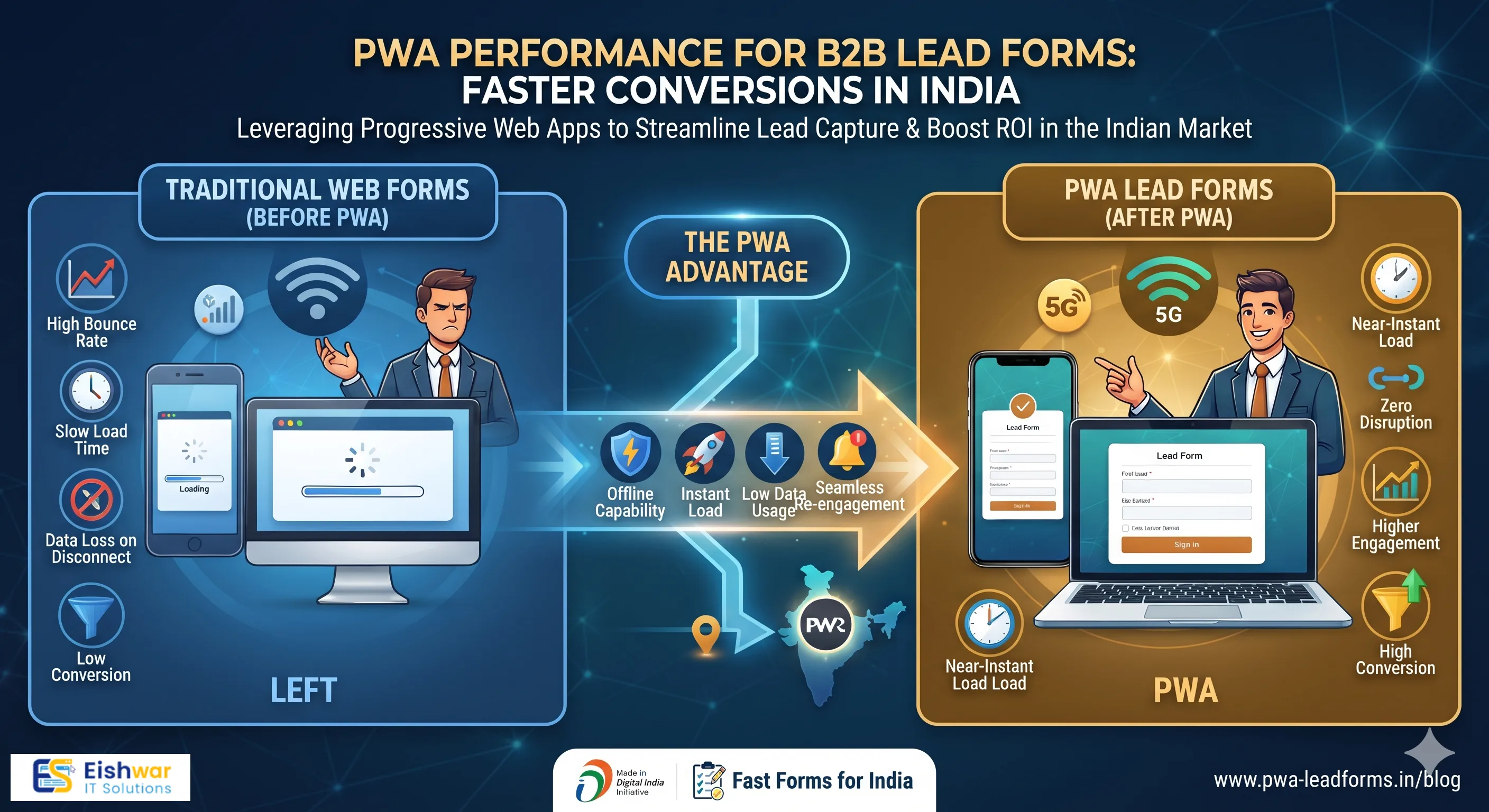
PWA Performance for B2B Lead Forms: Faster Conversions in India
Published on: 09 Nov 2026
PWA Performance for B2B Lead Forms: Faster Conversions in India
Introduction
A B2B buyer in India often discovers your service on a phone. They tap an ad, open a landing page, and see a lead form asking for a demo, a quote, or a callback. If the page hesitates, the form jumps, or the submit button spins forever, the buyer leaves. That is exactly where PWA performance for B2B lead forms becomes a business advantage.
Learn more about our Website services
Progressive Web Apps are not only for consumer shopping or news apps. They are ideal for lead generation because they combine app-like speed with the openness of the web. Service workers can cache the form shell. Background sync can protect submissions on weak networks. Smart asset loading can cut seconds from the first visit. For Indian businesses selling to professionals, speed is not a technical metric. It is trust.
This guide explains how PWA performance for B2B lead forms works in the Indian context, what to optimize first, how to measure success, and what mistakes to avoid in 2026.
Why PWA Performance Matters for B2B Lead Forms in India
B2B lead forms carry high-value intent. A single qualified enquiry can justify a sales call, a proposal, or a long-term contract. Yet many Indian B2B landing pages are built like content pages, not conversion tools. They load chat widgets, CRM scripts, heatmaps, fonts, hero videos, and multiple tracking tags before the buyer can type a name.
Consider a typical scenario. A SaaS company runs LinkedIn ads to a demo page. The page has a large background image, three analytics scripts, a chat tool, and a CRM connector. On a mid-range Android phone in Jaipur, the form appears after five seconds. The buyer taps the first field, the layout shifts, and the keyboard hides the submit button. The form feels unreliable. The enquiry never arrives.
PWA performance changes that experience in three ways. First, it makes repeat and campaign visits faster by caching the app shell, critical CSS, fonts, and form assets. Second, it gives the form a reliable offline fallback and submission queue. Third, it encourages a lighter front-end architecture because every cached asset and every script has a cost.
India adds specific constraints. Many buyers browse on mobile data, inside busy shared networks, or in areas with inconsistent coverage. Professionals compare vendors during commutes, between meetings, and late at night. They expect WhatsApp-like responsiveness. A PWA does not need an app store install, so it removes friction, but only if the form itself is fast and clear.
There is also a trust angle. B2B forms ask for work email, phone number, company name, budget, and requirements. Buyers want to know that the form is secure and that the company is credible. A fast, stable, well-designed PWA signals operational competence. A slow, glitchy form signals risk.
Finally, PWA performance supports paid campaigns. When you spend money on Google Ads, LinkedIn, or Meta, every extra second of load time reduces the return on ad spend. Faster lead forms increase landing page views, form starts, and submissions without increasing the media budget. That is why PWA performance for B2B lead forms should be treated as a revenue project, not only a developer task.
👉 Don't wait for the perfect moment; turn your vision into reality today.
Free ConsultationPerformance Levers That Make PWA Lead Forms Faster
1. Cache the form shell, not the lead data
The first performance win is to precache the static shell of the lead page. This includes the HTML layout, critical CSS, core JavaScript, icons, and fonts. When a buyer returns from an email or retargeting ad, the form shell appears instantly while fresh data loads in the background.
Use a cache-first strategy for static assets and a network-first strategy for API calls. Never cache form submissions, personal information, or CRM responses containing contact details. For lead forms, privacy is part of performance. A fast form that leaks data is a failed form.
2. Reduce JavaScript and third-party tags
Third-party scripts are often the heaviest part of a B2B landing page. Chat widgets, CRM tracking, ad pixels, heatmaps, and A/B testing tools can block the main thread. Load only what is needed for the first interaction. Defer chat and non-critical analytics until the buyer scrolls or clicks.
A practical rule is to keep the form interactive before marketing tools finish loading. The buyer should be able to type an email address even if a chat widget is still waking up. Use lightweight event tracking and load heavy tags after the submit event or after a short delay.
3. Optimize the form itself
Performance is not only about bytes. It is also about effort. Reduce the number of fields to the minimum needed for qualification. Use clear labels, correct input types, autocomplete, and inline validation. A buyer should not fight the form on a small screen.
Multi-step forms can work well for B2B enquiries, but only if progress is visible and the first step is easy. Start with name and work email, then ask about company size and requirements. Save progress locally so a network drop does not erase the entry. Make the submit button sticky on mobile, but do not let it cover the last field.
4. Use optimistic UI and background sync carefully
Background sync is one of the strongest PWA features for Indian networks. If a buyer submits a form during a patchy connection, the app can store the lead locally and retry when the connection returns. The user sees a clear message such as saving your request, and the system confirms once the server receives the data.
Do not fake a success message. Show a saving state, then a confirmed state only after the server acknowledges receipt. If the request is queued, tell the buyer that the enquiry is saved and will be sent automatically. This builds trust and prevents duplicate submissions.
5. Set performance budgets for the lead page
A performance budget keeps the page honest. For a B2B lead form, aim for a largest contentful paint under 2.5 seconds on a mid-range Android phone, an interaction to next paint under 200 milliseconds, and a cumulative layout shift under 0.1. Keep the initial JavaScript for the form under 150 kilobytes where possible and compress images aggressively.
👉 Free Website Audit
Get Free AuditUse WebP or AVIF images, system fonts or subset fonts, and lazy loading for below-the-fold content. Avoid autoplay video backgrounds. If you need brand imagery, use a small poster image and load the video only after a user action.
6. Design for low bandwidth and real Indian networks
Test on throttled 4G, not only on office Wi-Fi. Check how the form behaves when images fail, fonts time out, or the CRM endpoint responds slowly. Use skeleton placeholders instead of spinners. Keep the layout stable so the buyer does not tap the wrong field when content shifts.
Provide alternate contact options such as WhatsApp, phone, or email after the form. Some professionals prefer a quick WhatsApp message over a formal form. A PWA can offer both without slowing the primary conversion path.
How to Measure and Optimize PWA Lead Form Performance
Start with the metrics that reflect the buyer experience. Core Web Vitals are useful, but they must be connected to the lead funnel. Track largest contentful paint, interaction to next paint, cumulative layout shift, and time to first byte. Then add form-specific events: form view, form start, field complete, submit attempt, submit success, submit error, and retry.
Use Google Analytics 4 or a privacy-friendly analytics tool to build a funnel. Compare mobile and desktop, Android and iOS, paid traffic and organic traffic. Segment by city or region if data volume allows. A form that performs well in Mumbai on Wi-Fi may fail in a tier-2 city on mobile data.
Run a simple test matrix. Use a mid-range Android phone, an iPhone, and a desktop. Test on 3G, throttled 4G, and normal 4G. Test with the CRM endpoint delayed by two seconds. Test after clearing the cache and after a repeat visit. The repeat visit is where PWA caching should shine.
A 30-day optimization roadmap can look like this. Week one: audit the landing page, scripts, images, and form fields. Week two: implement the service worker shell cache, compress assets, and defer non-critical tags. Week three: improve form UX, add local draft saving, and set up background sync. Week four: run A/B tests, review analytics, and fix errors. After that, monitor monthly and update the cache strategy when the form changes.
Security and privacy must be part of measurement. Use HTTPS, server-side validation, spam protection, and clear consent language. Avoid caching pages that contain personal data. If you use bot protection, choose invisible or low-friction options so the security layer does not become a performance penalty.
Expert Tips
Tip 1: Treat the lead form as a product, not a page. Assign one owner for speed, UX, and CRM handoff.
Tip 2: Preconnect to the CRM or form API domain so the first submission does not pay the full connection cost.
Tip 3: Use skeleton screens and stable dimensions to prevent layout shift on mobile.
👉 Free Homepage Demo
Book DemoTip 4: Inline critical CSS for the form and load the rest asynchronously.
Tip 5: Add input modes and autocomplete hints so mobile users can type faster with fewer errors.
Tip 6: Test with real sales follow-up. A fast form that sends incomplete lead data is not a conversion win.
Tip 7: Monitor submit errors and retries. A spike in retries often reveals network or API issues before sales notices.
Tip 8: Offer a WhatsApp fallback for buyers who abandon the form on mobile.
Common Mistakes
Mistake 1: Caching API responses that contain names, emails, or phone numbers. This creates privacy and compliance risk.
Mistake 2: Loading every marketing tag before the form is usable. The buyer should not wait for analytics.
Mistake 3: Using heavy validation libraries when native browser validation and a few custom rules are enough.
Mistake 4: Treating a PWA as only an installable app. For B2B lead forms, the biggest wins are speed, reliability, and offline resilience.
Mistake 5: Ignoring iOS browser differences. Test Safari separately and provide graceful fallbacks for background sync.
Mistake 6: Showing a generic error when a submission fails. Tell the buyer what happened and what to do next.
Mistake 7: Optimizing the homepage but not the paid landing page. Campaign pages often need the most performance work.
Mistake 8: Forgetting to pass form performance data to sales. If the CRM record lacks source, campaign, or page context, follow-up becomes slower.
Future Trends
PWA performance for B2B lead forms will become more automated and more privacy-aware. Edge functions can validate and route form submissions closer to the buyer, reducing latency for pan-India campaigns. AI-assisted form filling can reduce fields and typing effort, especially on mobile. Privacy-first analytics will replace some heavy third-party scripts.
Background sync and periodic sync will improve, but developers will still need fallbacks for browsers that limit them. Interaction to next paint will remain a key metric because form filling is an interaction-heavy task. Expect more B2B teams to combine PWA lead forms with conversational channels such as WhatsApp, using the form to qualify and the messaging channel to follow up.
Security will also mature. Form teams will need clear data retention rules, consent tracking, and server-side spam detection. The fastest form is not the one that skips validation. It is the one that validates intelligently and protects user data without adding friction.
FAQs
What is PWA performance for B2B lead forms?
It is the practice of using progressive web app techniques, such as service worker caching, asset optimization, offline fallbacks, and background sync, to make B2B lead forms load faster and submit more reliably. In India, it also means designing for mobile data and inconsistent networks.
Can PWA lead forms work offline?
They can cache the form shell and save a draft locally. With background sync, a submission can be queued and sent when the connection returns. The user should always see an honest status message, and the business should confirm receipt after the server responds.
Will a PWA improve B2B lead conversion rates in India?
It often improves form starts and completion rates because the page feels faster and more stable. The exact lift depends on traffic quality, form length, offer, and follow-up speed. Measure form-specific events before and after implementation to see the real impact.
Are PWA lead forms secure?
They can be secure when built correctly. Use HTTPS, server-side validation, spam protection, and strict rules against caching personal data. The service worker should never store sensitive lead information in a way that can be read by another user on the device.
Do PWA lead forms work on iPhones?
Yes, they work in Safari, but some PWA features have limitations. Caching and offline shell behavior are generally supported. Background sync may need a fallback that retries when the app is open again. Always test on iOS before a major campaign.
How do I track PWA lead form performance?
Track Core Web Vitals, form view, form start, field completion, submit attempts, successes, errors, and retries. Use analytics tools and CRM timestamps together. Segment by device, network, campaign source, and region to find where buyers drop off.
Conclusion
PWA performance for B2B lead forms is a practical way to turn mobile interest into qualified enquiries. Indian buyers expect speed, stability, and clarity. A cached form shell, lighter JavaScript, smart validation, background sync, and honest status messages can remove the friction that kills B2B conversions. The goal is not to chase a perfect score. The goal is to make the buyer feel confident enough to submit real contact details.
Start with the paid landing page that matters most. Audit the form on a mid-range Android phone, fix the heaviest scripts, cache the shell, and measure the funnel. Then improve step by step. Speed becomes a habit when it is tied to pipeline and revenue.
CTA
Ready to make your B2B lead forms faster and more reliable? Talk to EishwarITSolution about PWA performance optimization for Indian audiences. We can audit your landing page, identify the bottlenecks, and build a faster lead journey that supports your sales team.