
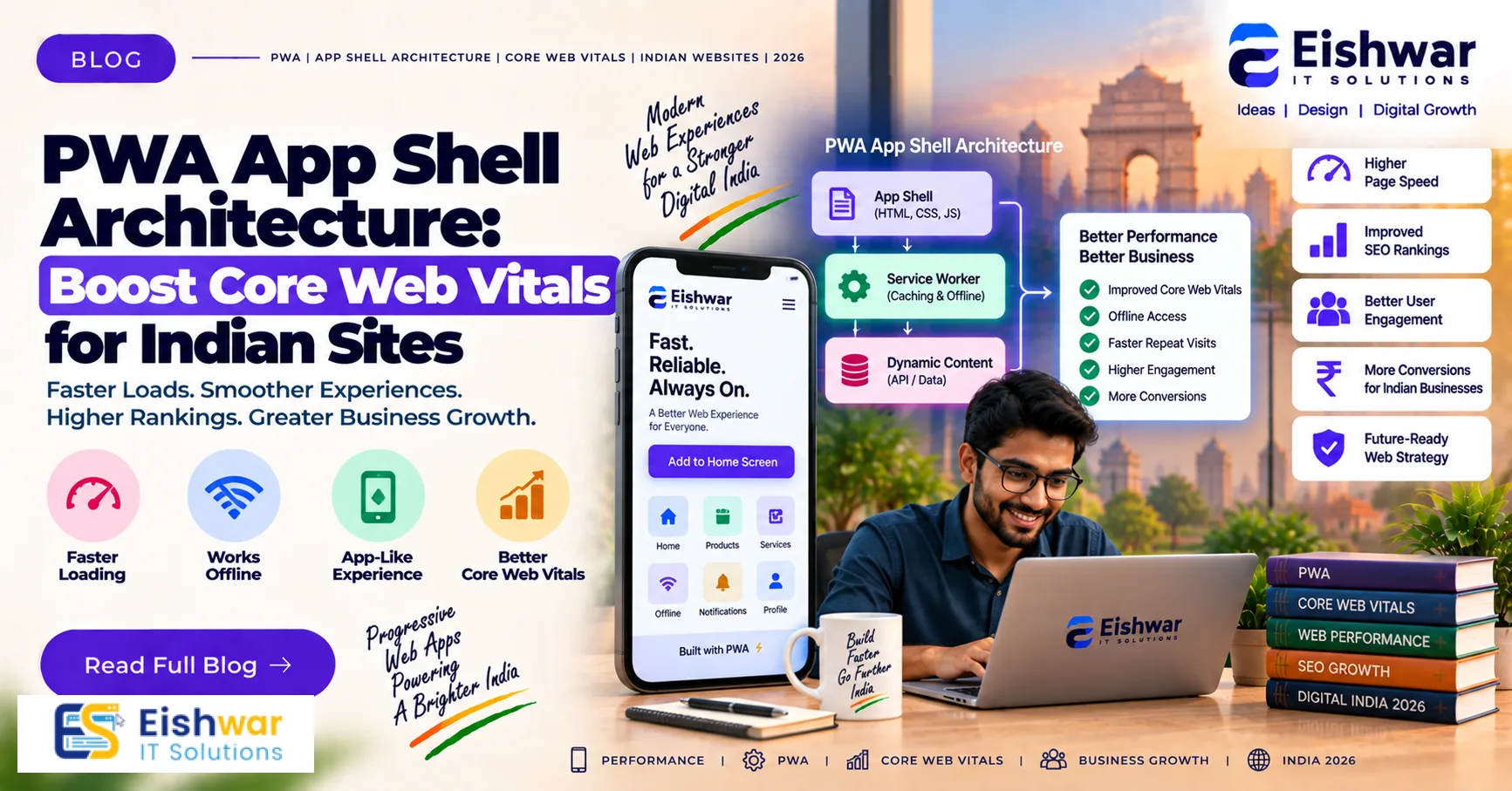
PWA App Shell Architecture: Boost Core Web Vitals for Indian Sites
Published on: 14 Aug 2026
PWA App Shell Architecture: Boost Core Web Vitals for Indian Sites
Introduction
In the fast-paced digital landscape of India, where mobile-first users dominate and internet speeds vary from blazing 5G in metros to patchy 3G in rural areas, website performance is no longer a luxury—it's a necessity. Google's Core Web Vitals (CWV) have become critical ranking factors, and Indian businesses are feeling the pressure to deliver lightning-fast, smooth experiences. Enter PWA App Shell Architecture—a powerful design pattern that can transform your website's performance and user experience. In this comprehensive guide, we'll explore how adopting an app shell model can boost your Core Web Vitals and help you win over Indian users.
Learn more about our Website services
Understanding Core Web Vitals: The Indian Context
Core Web Vitals are a set of metrics that Google uses to measure user experience. They include Largest Contentful Paint (LCP), First Input Delay (FID), and Cumulative Layout Shift (CLS). In India, where users often browse on low-end devices and unstable networks, these metrics are even more crucial. A slow-loading page can lead to high bounce rates, lost revenue, and poor search rankings. By optimizing CWV, you not only satisfy Google but also provide a seamless experience that keeps users engaged.
Consider this: a typical Indian e-commerce site sees over 70% of its traffic from mobile devices, with a significant portion coming from budget Android phones. These devices have limited CPU and memory, making them highly sensitive to heavy JavaScript and large images. Moreover, network conditions vary dramatically—a user in Mumbai might enjoy 100 Mbps fiber, while a user in a small town struggles with 2G connectivity. This disparity means that your website must be optimized for the lowest common denominator. App Shell Architecture directly addresses these challenges by minimizing the amount of work the browser needs to do on each page load, ensuring a fast and reliable experience regardless of the user's device or network.
What is PWA App Shell Architecture?
App Shell Architecture is a design approach used in Progressive Web Apps where the minimal HTML, CSS, and JavaScript required to power the user interface are cached and loaded instantly. The 'shell' is the skeleton of your app—the header, navigation, and layout—that remains constant across pages. When a user visits your site, the shell loads immediately from cache, and the dynamic content is fetched and filled in. This results in near-instant load times, especially on repeat visits, and significantly improves perceived performance.
Think of it like a restaurant: the shell is the physical building, tables, and kitchen—always there and ready. The dynamic content is the food—prepared fresh each time but served on the same plates. By having the infrastructure ready, you can serve customers faster. Similarly, by having the app shell pre-cached, you eliminate the need to download the same HTML, CSS, and JavaScript on every visit. This is particularly powerful for Indian users who may have limited data plans or slow connections, as it reduces bandwidth consumption and speeds up the entire experience.
How App Shell Architecture Boosts Core Web Vitals
Largest Contentful Paint (LCP)
LCP measures how quickly the main content of a page loads. With app shell, the static shell is cached, so on subsequent visits, the browser can render the layout without waiting for network responses. This drastically reduces LCP times. For Indian users, this means your website appears almost instantly, even on slow connections.
👉 Don't wait for the perfect moment; turn your vision into reality today.
Free ConsultationFor example, imagine a news portal that uses app shell. The header, navigation, and footer are cached, so when a user taps on a new article, the browser instantly displays the shell and then fills in the article content. The LCP for the article text is much lower because the shell is already there. To further optimize LCP, ensure that the main content (like text or images) is loaded asynchronously and prioritized. Use techniques like server-side rendering (SSR) to deliver the initial HTML with the shell, and then hydrate with JavaScript for interactivity.
First Input Delay (FID)
FID measures the time from when a user first interacts with your site to the time the browser can respond. By pre-caching the shell and critical scripts, the main thread is free to handle user interactions sooner. This is particularly beneficial for interactive elements like menus and forms, which are essential for e-commerce sites.
In an app shell, the JavaScript for the shell is loaded and executed early, but it's kept minimal. This means that when a user tries to tap a button or scroll, the browser can respond immediately because it's not busy parsing large scripts. For instance, a shopping site with app shell can have a responsive navigation menu that opens instantly, even on a low-end phone. To improve FID further, break your JavaScript into smaller chunks and load only what's needed for the initial interaction. Use the `defer` attribute for non-critical scripts and consider using web workers for heavy computations.
Cumulative Layout Shift (CLS)
CLS quantifies unexpected layout shifts. App shell architecture ensures that the layout is stable from the start. Since the shell is loaded first, elements like images and ads are placed in reserved spaces, preventing content from jumping around. This creates a smoother, more trustworthy experience for users.
For example, if your site has a banner image that loads slowly, without app shell, the banner might push down content when it loads, causing a layout shift. With app shell, you can reserve a fixed-height container for the banner, so the layout remains stable. This is crucial for Indian news sites that display multiple images and ads. To further reduce CLS, always specify width and height attributes for images and videos, and use CSS `aspect-ratio` to reserve space. Also, avoid injecting content above the fold after the page has loaded.
Implementing App Shell Architecture: A Step-by-Step Guide
Step 1: Identify Your App Shell Components
List the static elements that appear on every page—header, footer, navigation, and sidebars. These form your app shell. Ensure they are minimal and consistent. For an e-commerce site, this might include the logo, search bar, cart icon, and category menu. For a blog, it's the header, sidebar, and footer. Keep the shell as lean as possible; every extra byte adds to the initial load time.
👉 Free Website Audit
Get Free AuditStep 2: Cache the Shell with Service Workers
Use service workers to pre-cache the shell files during the installation event. This ensures that the shell is available offline and on repeat loads without network requests. You can use Workbox, a set of libraries that simplify service worker creation, to handle caching strategies. For example, you can use the `precacheAndRoute` method to cache the shell files at install time and serve them from cache for subsequent requests.
Here's a simple example using Workbox:
import { precacheAndRoute } from 'workbox-precaching';
precacheAndRoute(self.__WB_MANIFEST);
This automatically caches all files listed in the manifest (which includes your shell assets). Make sure to update the manifest whenever you change the shell files, so users get the latest version.
Step 3: Load Dynamic Content Asynchronously
Once the shell is rendered, fetch the page-specific content via JavaScript and inject it into the DOM. This can be done using fetch APIs or frameworks like React, Angular, or Vue with SSR. For example, in React, you can use `ReactDOM.hydrate` to attach event listeners to the server-rendered shell, and then use `fetch` to load additional data. This approach ensures that the shell is interactive immediately, while the dynamic content loads in the background.
Consider using a library like `lazysizes` to lazy-load images and iframes. This defers loading of off-screen content, reducing initial load time and improving LCP. Also, use code splitting to load only the JavaScript needed for the current page, rather than bundling everything into one large file.
Step 4: Optimize Critical Rendering Path
Minify CSS and JavaScript, inline critical CSS, and defer non-critical scripts. This reduces render-blocking resources and accelerates the initial paint. Inline the CSS required for the above-the-fold content directly in the HTML to avoid a separate round trip. For JavaScript, use the `defer` attribute to load scripts after the HTML is parsed, or use `async` for scripts that don't depend on each other.
Tools like PurgeCSS can remove unused CSS, and UglifyJS can minify JavaScript. Also, consider using HTTP/2 to multiplex requests, reducing latency. For Indian users on slow networks, every millisecond counts, so these optimizations are vital.
Step 5: Test and Monitor
Use tools like Lighthouse, PageSpeed Insights, and Web Vitals extension to continuously monitor your CWV scores. Make adjustments as needed. Set up performance budgets in your CI/CD pipeline to prevent regressions. For example, you can use Lighthouse CI to run audits on every pull request and fail if LCP exceeds a certain threshold.
Also, use Real User Monitoring (RUM) tools like Google Analytics or SpeedCurve to see how actual users experience your site. This data is invaluable for identifying issues that lab tests might miss, such as slow API responses or third-party script delays.
Expert Tips for Indian Businesses
- Start with Mobile: Since most Indian users are mobile-first, design your app shell with a mobile-first approach. Ensure that the mobile layout is the default, and then enhance for larger screens. This reduces the amount of CSS and JavaScript needed for mobile, improving performance.
- Leverage CDN: Use a Content Delivery Network to serve cached shell files from servers closer to your users. India has a vast geography, and a CDN with nodes in major cities like Delhi, Mumbai, and Bangalore can significantly reduce latency. For example, Cloudflare has multiple PoPs in India, ensuring fast delivery.
- Preload Critical Assets: Use
<link rel=preload>for key resources like fonts and images to speed up rendering. For instance, preload your logo and hero image so they are fetched early. Also, preload the service worker script to ensure it registers quickly. - Use Modern Image Formats: Serve images in WebP or AVIF format to reduce size without compromising quality. AVIF offers even better compression than WebP, but check browser support. For Indian users with limited data, smaller images mean faster loads and lower data costs. Use tools like Squoosh to convert images.
- Prioritize Above-the-Fold Content: Ensure the content visible on the initial screen loads first, improving LCP. Use lazy loading for below-the-fold content, but be careful not to lazy-load critical elements. For example, the main headline and hero image should be loaded eagerly.
- Consider Local Languages: If your target audience includes non-English speakers, ensure that your app shell supports multiple languages. This may involve loading language-specific strings dynamically, but the shell itself remains the same. This can improve user engagement and satisfaction.
Common Mistakes to Avoid
- Over-Caching: Caching too many files can clog storage and slow down the service worker. Cache only what's necessary. For example, don't cache API responses unless they are static. Use a cache-first strategy for shell assets, but network-first for dynamic content.
- Ignoring Offline Experience: App shell should work offline. Test your PWA in offline mode to ensure it functions correctly. Use tools like Chrome DevTools to simulate offline conditions. Provide a fallback page for when the user is offline, but the shell should still load.
- Not Handling Dynamic Content Properly: If dynamic content is not loaded efficiently, it can hurt LCP. Use lazy loading and code splitting. For example, if you have a blog, load the article content as soon as possible, but defer loading comments until the user scrolls to them.
- Forgetting About Accessibility: Ensure your app shell is accessible to all users, including those using screen readers. Use semantic HTML, ARIA labels, and keyboard navigation. This not only improves UX but also helps with SEO.
- Neglecting Security: Always use HTTPS to enable service workers and protect user data. Also, be cautious with third-party scripts, as they can introduce security vulnerabilities and slow down your site. Regularly audit your dependencies.
- Not Updating the Shell: When you change the shell (e.g., update the navigation), you need to update the service worker cache. Use versioning to ensure users get the new shell. For example, increment the cache version and clean up old caches.
Future Trends: App Shell and Beyond
As we move towards 2026, expect app shell architecture to evolve with more advanced techniques. Integration with Edge Computing will bring content even closer to users. For instance, service workers can run on edge servers, allowing for personalized responses based on user location and preferences. AI-driven personalization will allow the shell to adapt to user preferences, such as showing different navigation items based on past behavior. New web technologies like WebAssembly will enable more complex applications in the browser, but they also require careful performance optimization.
👉 Free Homepage Demo
Book DemoAnother trend is the use of streaming HTML, where the server sends the shell immediately and then streams the rest of the content. This can further reduce LCP. Also, with the rise of 5G in India, there will be more opportunities for rich media, but the app shell will still be crucial for ensuring a fast first paint. Indian businesses that adopt these trends early will stay ahead of the curve and provide exceptional user experiences.
FAQs
1. What is PWA App Shell Architecture?
App Shell Architecture is a design pattern where the static parts of a web app (like header, navigation) are cached and loaded instantly, while dynamic content is fetched separately. This improves performance and user experience.
2. How does App Shell improve Core Web Vitals?
It reduces LCP by serving cached shell instantly, improves FID by freeing up main thread, and stabilizes CLS by reserving space for dynamic elements.
3. Is App Shell suitable for all types of websites?
It's most effective for content-heavy sites and web apps with a consistent layout. For simple static sites, it may not be necessary but can still help.
4. What are the best practices for caching?
Cache only essential shell assets, use a versioned cache strategy, and invalidate old caches to avoid stale content.
5. Can App Shell work with existing websites?
Yes, you can gradually implement app shell by refactoring your frontend. Tools like Workbox can help integrate service workers with minimal changes.
6. How does App Shell affect SEO?
Improved Core Web Vitals positively impact SEO. Additionally, app shell ensures content is accessible to search engine crawlers, especially when using SSR.
7. What are the main challenges of implementing App Shell?
The main challenges include managing the service worker lifecycle, ensuring the shell is updated when changes are made, and handling dynamic content that may not fit the shell pattern. However, with proper planning and tools, these can be overcome.
8. How does App Shell handle user authentication?
App Shell can handle authentication by caching the shell for logged-out users and then loading user-specific content after login. For logged-in users, you can cache a personalized shell or use a network-first strategy for the shell to ensure fresh data.
Conclusion
In the competitive Indian digital market, speed is king. PWA App Shell Architecture offers a proven way to boost your Core Web Vitals, enhance user experience, and climb search rankings. By implementing the strategies discussed, you can ensure your website loads instantly, feels responsive, and keeps users engaged—even on slow networks. Don't let performance hold your business back; embrace app shell and watch your metrics soar.
CTA
Ready to take your website's performance to the next level? Contact EishwarITSolution today for expert PWA development and performance optimization services tailored to the Indian market. Let's build a lightning-fast, user-friendly web experience that drives results.