
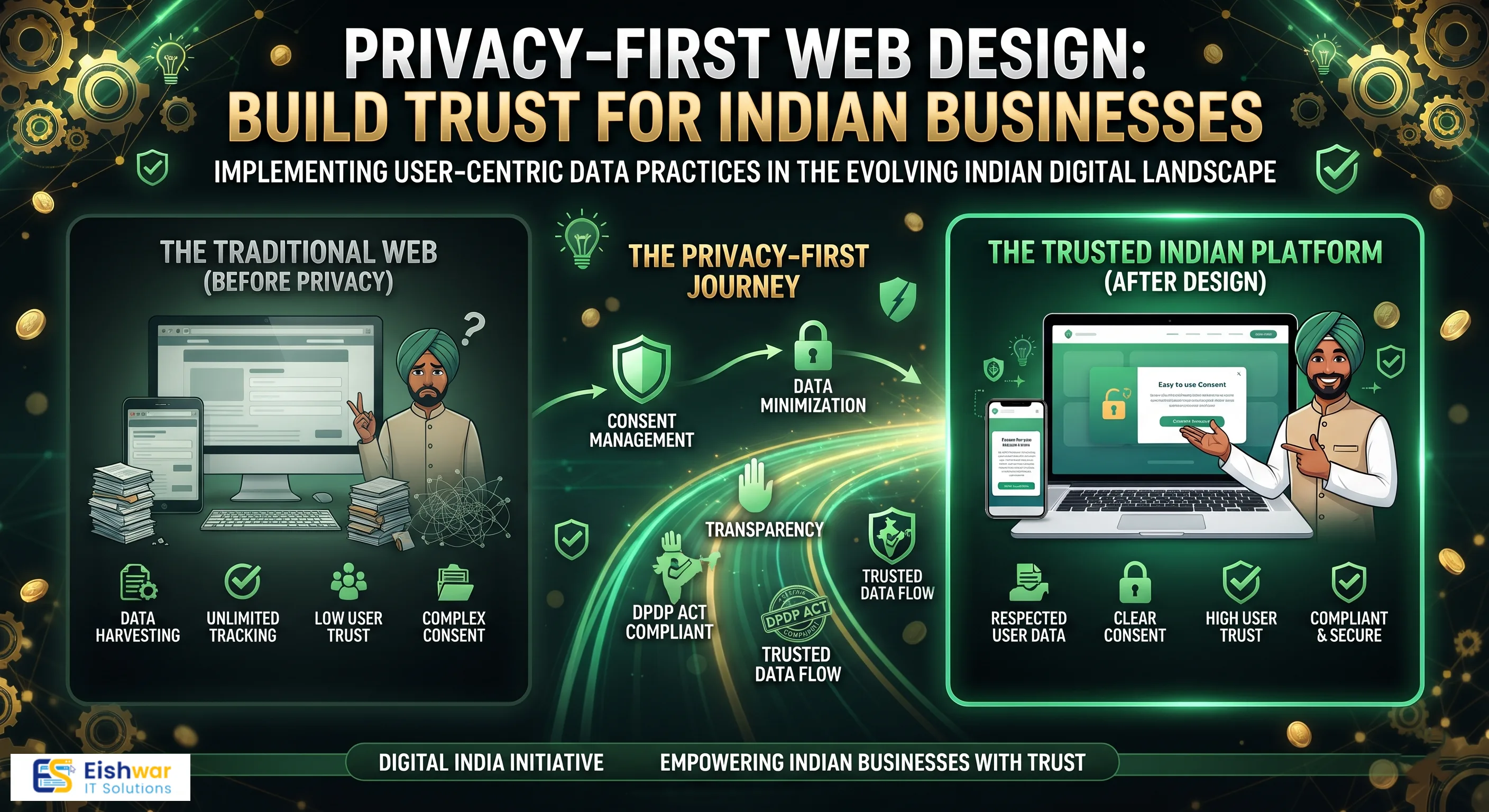
Privacy-First Web Design: Build Trust for Indian Businesses
Published on: 16 Nov 2026
Privacy-First Web Design: Build Trust for Indian Businesses
Introduction
In 2027, Indian customers are more aware of data misuse than ever. They see spam calls after sharing a phone number, strange ads after browsing a product, and news of data leaks across apps and services. As a result, privacy has moved from a legal footnote to a visible part of brand trust. Privacy-first web design puts user control, clear consent, and minimal data collection at the centre of the website experience.
Learn more about our Website services
For business owners, marketers, and professionals in India, this shift matters. A website that asks for too much information, hides the reject option, or uses confusing cookie banners can lose leads before a sales conversation starts. On the other hand, a privacy-first website can improve form completion, reduce support queries, and build credibility with customers who are careful about sharing personal details.
This guide explains privacy-first web design in practical terms. It covers DPDP-ready consent, data minimisation, trust signals, implementation steps, and the metrics that matter. You will also find expert tips, common mistakes, and future trends for Indian businesses.
Main Section 1: What Privacy-First Web Design Means for Indian Businesses
Privacy-first web design, also called privacy by design, means building a website so that user privacy is protected by default. You do not collect extra data just because you can. You do not hide consent behind confusing buttons. You do not force visitors to accept tracking before they can read a blog post. Instead, you design every form, popup, and analytics script with a simple question: does this help the user, or does it only help us?
In India, privacy-first web design is closely linked to the Digital Personal Data Protection Act, 2023, often called the DPDP Act. The law is not only a job for lawyers. It affects how websites request consent, explain purpose, allow withdrawal, and handle grievances. Even small businesses should treat privacy as a design requirement, not a last-minute policy page.
Why Indian visitors are more privacy-aware now
Smartphone users in India have learned the cost of careless data sharing. Unwanted loan calls, insurance spam, and fraud messages have made people cautious. A visitor may browse your pricing page but refuse to submit a phone number because they expect sales calls. That is not an obstacle to blame on the customer. It is a design problem you can solve with transparent microcopy and useful content.
Regional diversity also matters. A privacy notice in dense legal English will not help a first-time internet user in a tier-2 city. Clear language, simple icons, and regional language options can improve understanding. Privacy-first web design should respect the fact that your audience may have different levels of digital literacy.
Privacy is a conversion lever, not a barrier
Many businesses worry that privacy changes will reduce leads. In reality, trust usually increases conversion. If your enquiry form asks for name, email, phone, company, budget, city, and service in one step, the visitor may leave. If you ask only for a work email and an optional phone number, you remove friction. A short note such as We use this number only to discuss your enquiry and never sell it can increase completion rates because it answers the unspoken fear.
👉 Don't wait for the perfect moment; turn your vision into reality today.
Free ConsultationConsider an Indian B2B service website. Instead of forcing a phone number for a brochure download, the site can ask for an email and offer a short PDF. The sales team can then use email nurturing before asking for a call. This is privacy-first and commercially smart. You collect less data, reduce spam risk, and build a better quality pipeline.
DPDP-ready design basics
A DPDP-ready website does not need to be complicated, but it should be clear. First, give a notice that explains what data you collect and why. Second, get consent through an affirmative action, not a pre-ticked box. Third, allow users to withdraw consent as easily as they gave it. Fourth, limit collection to what is necessary for the stated purpose. Fifth, provide a grievance contact. Finally, review third-party tools, because cookies, chat widgets, and analytics scripts can collect data too.
These are design choices as much as legal choices. Where does the consent notice appear? How many clicks does it take to reject cookies? Is the privacy policy linked from every form? Can a customer update preferences without emailing support? These details shape trust and compliance.
Main Section 2: Designing Consent, Data Collection, and Trust Signals
Create a clear, calm cookie consent experience
Cookie banners are often the first privacy experience a visitor has with your brand. A full-screen banner that blocks content on mobile feels hostile. A tiny accept button with no reject option feels dishonest. A better approach is a calm consent bar or modal that explains categories in plain language and gives equal weight to accept and reject.
Use short labels such as Essential, Analytics, and Marketing. Explain each in one line. For example: Analytics helps us understand which pages are useful. Marketing helps us show relevant offers on other platforms. Give a Manage preferences option for interested users, but do not force everyone through a complex matrix. Remember that Indian users often browse on slower connections and small screens, so the banner should load fast and fit without horizontal scrolling.
Do not use dark patterns. Avoid pre-selected marketing cookies, confusing toggle colours, or a reject button that is hidden in a settings link. Consent should be informed, specific, and easy to withdraw. Store the user choice and respect it on future visits. If you use a consent management platform, test it on low-cost Android devices, not only on a desktop in your office.
Simplify forms with data minimisation
Every form field has a conversion cost. Ask only for information you will actually use in the next 30 days. If your sales team will not call a lead within two days, why require a phone number? If you only need to send a quote, an email address may be enough. Progressive profiling is a useful pattern: collect basic details now and ask for more context later when the user has shown interest.
👉 Free Website Audit
Get Free AuditUse optional labels clearly. If a field is not required, mark it as optional. Explain sensitive requests. For a phone number, add microcopy: We will call only if you request a callback. For GST details, say: Needed only for business invoices. For location, use a city field only if service availability depends on it. These small explanations reduce suspicion and improve completion.
Review third-party form tools too. Some tools add hidden tracking or redirect users to branded pages. A privacy-first website keeps the form experience honest and avoids unnecessary data sharing. If you use WhatsApp click-to-chat, explain what happens when the user taps the button and avoid collecting chat data into systems without notice.
Use trust signals that feel local and real
Privacy trust grows when your website feels like a real business with real people. Include a clear business address, a working phone number, and a support email. Add a privacy policy last updated date in a readable format. Show your company registration details if relevant. Avoid fake security badges. A real SSL certificate is useful, but a random badge that links nowhere can damage credibility.
Indian customers also look for grievance redressal. A short Grievance Officer section with a name, email, and response expectation can increase confidence. Place trust signals near forms, checkout pages, and account sign-up screens, not only in the footer. If you serve multiple regions, consider Hindi and English privacy summaries. The goal is not to impress a regulator. The goal is to help a cautious customer feel safe enough to continue.
Design privacy settings inside the dashboard
For SaaS products, marketplaces, and customer portals, privacy settings should be easy to find. Let users update communication preferences, download their data, request deletion, and review consent history. Use plain labels such as Email preferences rather than complex legal terms. Show the consequence of each choice, for example: Turning off service emails may prevent us from sending important account updates.
Do not hide privacy controls three menus deep. A simple Privacy section in account settings can reduce support tickets and improve trust. If deletion is not immediate, explain the timeline and what data must be retained for legal or accounting reasons. Transparency here is better than silence.
Main Section 3: Implementation Checklist and Business Impact
Step-by-step privacy-first design checklist
Start with a data touchpoint audit. List every place your website collects, stores, or shares data: contact forms, newsletter sign-ups, cookie banners, live chat, payment pages, analytics, advertising pixels, embedded videos, and CRM integrations. For each touchpoint, note what data is collected, why it is needed, where it is stored, and who can access it. This simple map often reveals unnecessary fields and risky scripts.
Next, review the consent journey on mobile. Can a user reject non-essential cookies in one or two taps? Is the privacy policy linked before submission? Is the language clear? Then review forms. Remove fields that are not used, add purpose microcopy, and test completion rates. After that, audit third-party scripts. Every script is a potential data collector, so remove unused tags and delay non-essential ones until consent is given.
👉 Free Homepage Demo
Book DemoFinally, document your decisions. Keep a record of consent banner versions, privacy policy updates, vendor contracts, and internal responsibilities. This does not need to be a legal library. A shared spreadsheet or project management board can track what changed, who approved it, and when it will be reviewed. Privacy-first web design is an ongoing process, not a one-time redesign.
Measure trust and conversion impact
Track metrics before and after privacy improvements. Useful numbers include form start rate, form completion rate, cookie consent opt-in rate, bounce rate on the consent banner, support tickets about privacy, cart abandonment, and lead quality. If you change a form from six fields to three, measure whether lead volume rises and whether sales team feedback improves. Do not assume that fewer fields always mean better leads; test with your real audience.
Also measure mobile behaviour separately. Indian traffic is mobile-heavy, and consent banners that work on desktop may fail on small screens. Check tap targets, scroll depth, and page speed after adding a consent tool. A privacy tool that slows the site by three seconds can hurt both trust and rankings. Choose lightweight solutions and load non-essential scripts only after consent.
Keep performance and privacy in balance
Privacy-first design should not make your website slow. In fact, fewer tracking scripts often improve speed. Audit your tag manager, remove duplicate pixels, and use server-side tagging only if your team can manage it responsibly. Compress images, use caching, and follow Core Web Vitals best practices. Speed and privacy both signal professionalism.
Be careful with analytics. You may not need to track every click. Use privacy-friendly analytics or consent-aware analytics that respect user choices. If you use heatmaps or session recordings, mask sensitive fields and exclude checkout pages unless there is a clear and disclosed reason. The best data strategy is to collect fewer but better signals.
Build privacy into content and microcopy
Words are part of design. Replace vague phrases such as We value your privacy with specific statements. For example: We use your email to send the guide you requested. You can unsubscribe in one click. We use your phone number only if you ask for a callback. We keep enquiry data for 12 months. Specific microcopy builds more trust than a long legal page that nobody reads.
Write a privacy summary in plain English at the top of the full policy. Use headings that answer real questions: What we collect, Why we collect it, Who we share it with, How long we keep it, How to contact us. Link to this summary from forms and checkout pages. If your audience is regional, offer a translated summary and make it clear that the English version is the legal one.
Train teams and set governance
Privacy-first web design fails when marketing, sales, and development work in silos. Marketing may add a new lead form, sales may request more fields, and development may install a new pixel without checking consent. Create a simple approval process for any change that affects data collection. Assign an owner for privacy queries and review vendors before connecting their tools.
Run a quarterly privacy review. Check broken links in the privacy policy, outdated third-party scripts, changes in data use, and new product features that collect data. Train customer support to handle privacy requests with empathy and a clear timeline. A privacy-first culture is easier to maintain than a last-minute compliance scramble.
Expert Tips
- Put the reject option on the first layer of your cookie banner, not hidden inside settings.
- Ask for a phone number only when a callback is genuinely needed, and explain why in one line.
- Use progressive profiling instead of long forms. Collect context over time with consent.
- Add a plain-language privacy summary above the full legal policy.
- Test consent banners on low-cost Android phones and slow 4G connections.
- Remove unused marketing pixels before adding a consent management platform.
- Place trust signals near forms, not only in the footer.
- Review privacy settings with real customers and watch where they hesitate.
Common Mistakes
- Using a cookie banner that blocks all content and offers only an accept button.
- Pre-ticking marketing consent or using confusing toggle colours.
- Collecting phone numbers and company details for every download.
- Writing privacy policies in legal language with no plain-language summary.
- Ignoring third-party scripts, chat widgets, and embedded videos.
- Failing to test consent flows on mobile devices.
- Hiding data deletion or preference controls deep inside account settings.
- Treating privacy as a one-time legal task instead of an ongoing design process.
Future Trends
Privacy-first web design will become more visible and more practical in 2027 and beyond. Consent management will move from ugly popups to clean preference centres that feel like part of the brand. Privacy-preserving analytics will gain ground as businesses look for useful insights without collecting everything. First-party data and zero-party data, which customers choose to share through quizzes, preferences, and account settings, will become more valuable than third-party tracking.
AI features will need transparency by design. If a chatbot collects personal data or makes automated recommendations, users should know what is happening and how to get human help. Regional language privacy notices will improve as more Indian businesses serve tier-2 and tier-3 audiences. Browser restrictions and stricter enforcement will make consent-aware design a standard expectation rather than a premium feature. The winning websites will be those that treat privacy as a brand promise, not a barrier.
FAQs
What is privacy-first web design?
Privacy-first web design means building a website that protects user data by default. It includes minimal data collection, clear consent, easy preference controls, and honest explanations of why data is needed.
Is the DPDP Act relevant to small business websites in India?
Yes. If your website collects personal data such as names, emails, phone numbers, or payment details, privacy expectations apply. Small businesses should use clear notices, lawful consent, and simple grievance contacts. For legal advice, consult a qualified professional.
Will privacy-first design reduce my leads?
Not usually. Removing unnecessary fields and explaining data use often increases form completion because visitors feel safer. Measure your own form start and completion rates before and after changes.
How do I design a cookie banner for Indian mobile users?
Keep it short, fast, and readable on small screens. Show accept and reject options with equal prominence. Use plain language, avoid blocking the whole page, and test on low-cost Android devices.
What data should I avoid collecting on my website?
Avoid collecting data you do not use. For example, do not require a phone number for a brochure download unless you plan a callback. Do not collect ID numbers, addresses, or financial details unless they are essential for the service and properly protected.
How often should I review website privacy settings?
Review at least quarterly and whenever you add a new form, tool, vendor, or product feature. A quick audit of scripts, consent banners, and forms can catch small issues before they become bigger trust problems.
Conclusion
Privacy-first web design is one of the most practical trust strategies for Indian businesses in 2027. It is not about adding a long policy page and hoping for the best. It is about designing every form, banner, and account setting so that users feel informed and in control. When you collect less, explain more, and make consent easy, you reduce friction and strengthen credibility.
Start with a data touchpoint audit, fix the cookie consent experience, simplify your forms, and add plain-language privacy microcopy. Measure the impact on conversion and support queries. Then keep improving. A privacy-first website is not a one-time project; it is a signal to customers that your business respects them beyond the sale.
CTA
Ready to make your website more privacy-first and conversion-friendly? EishwarITSolution can audit your current website, simplify consent flows, and design trust-building experiences for Indian customers. Visit eishwar.com or contact our team to plan your next website upgrade.