
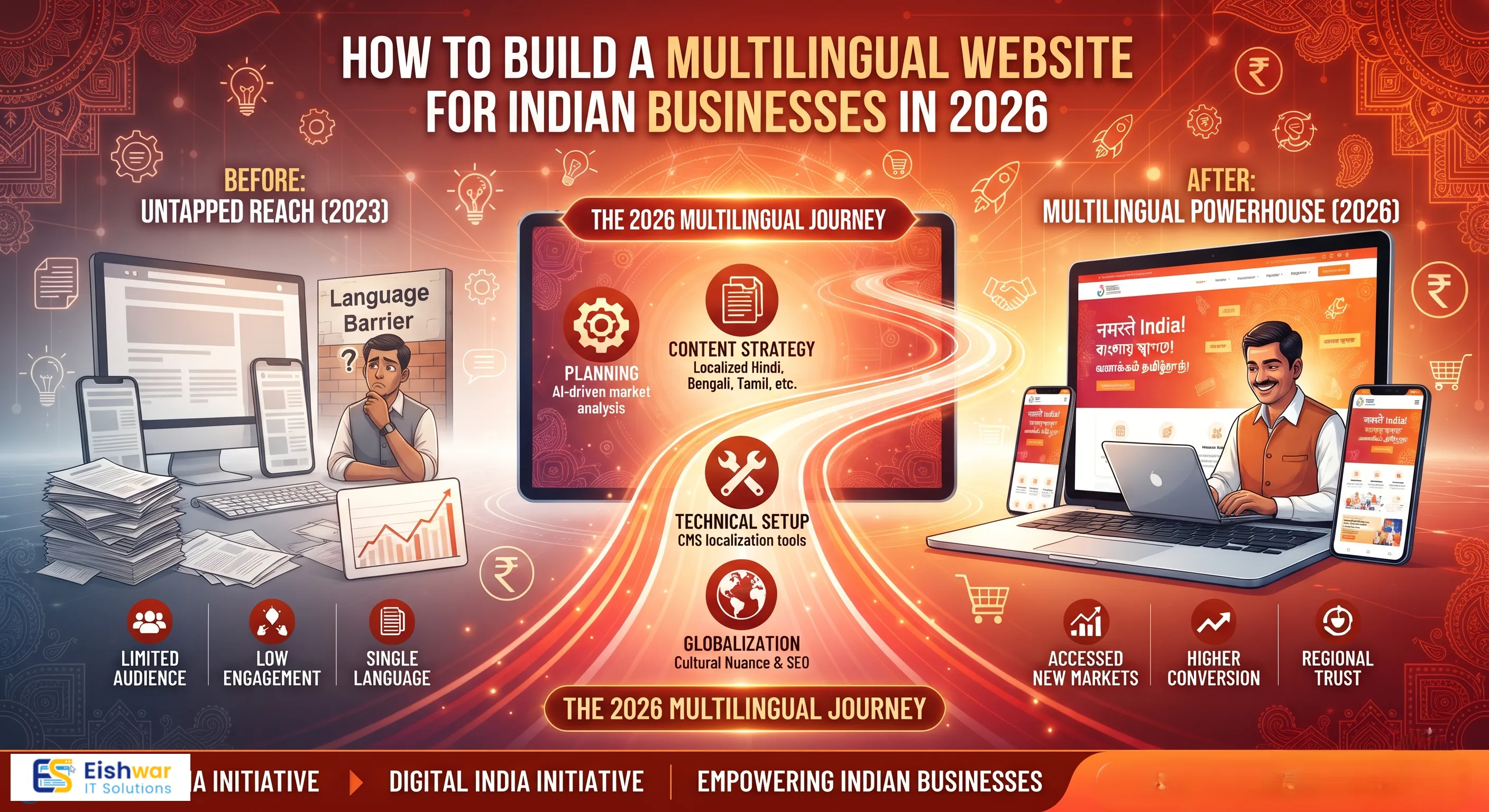
How to Build a Multilingual Website for Indian Businesses in 2027
Published on: 16 Nov 2026
How to Build a Multilingual Website for Indian Businesses in 2027
Introduction
India is one of the most linguistically diverse internet markets in the world. A business owner in Delhi may browse in Hindi, a customer in Chennai may search in Tamil, and an enterprise buyer in Mumbai may still prefer English. If your website speaks only one language, you are not just missing translation. You are missing trust, relevance, and conversions.
Learn more about our Website services
A multilingual website for Indian businesses is no longer a luxury for large brands. With modern CMS platforms, better translation tools, and SEO-friendly URL structures, even small and mid-sized businesses can serve customers in multiple languages without rebuilding their entire digital presence. The key is to plan language, content, SEO, and user experience before you start.
This beginner guide explains why multilingual websites matter, how to choose languages, how to structure URLs and hreflang tags, how to localize content properly, and how to test and launch a site that works across devices and languages. It is written for business owners, marketers, and professionals who want practical steps, not jargon.
Main Section 1: Why a Multilingual Website Is a Growth Lever in India
Language is part of the buying experience. When a customer sees product details, pricing, support information, and forms in a language they understand comfortably, the decision becomes easier. This is especially true for service businesses, local retailers, healthcare providers, education companies, and B2B suppliers that serve customers across states.
India is not an English-only market
India has 22 scheduled languages and hundreds of dialects. English is important for business, but it is not the default browsing language for every buyer. A large share of internet users prefer regional languages for search, reading, and support. Even customers who understand English may feel more comfortable comparing prices, filling forms, or asking questions in Hindi, Tamil, Telugu, Bengali, Marathi, Gujarati, Kannada, Malayalam, or Punjabi.
Language preference also changes by context. A customer may read English product specifications but prefer Hindi support. A B2B buyer may search in English and still share the page with a team member who prefers Gujarati. A multilingual site supports both behaviours without forcing people to switch to a language they do not enjoy using.
Trust and conversion improve when language matches intent
People trust websites that feel made for them. A Tamil customer seeing Tamil service descriptions, testimonials, and enquiry forms feels understood. A Bengaluru interior design firm can add Kannada pages for local homeowners while keeping English pages for corporate clients. A Tamil Nadu retailer can add Tamil product categories and WhatsApp messages for local buyers.
The result is not only better user experience. It can also improve SEO because regional language search queries are often less competitive. A business that ranks for practical local language searches can capture demand that English-only competitors ignore.
What a multilingual website really includes
- Localized content, not word-for-word translation of every sentence.
- Language-specific title tags, meta descriptions, headings, and URLs.
- Correct hreflang tags so search engines show the right language version.
- Localized currency, dates, phone numbers, addresses, forms, and payment options.
- Language switcher that is easy to find on desktop and mobile.
- Native review for important pages such as services, pricing, policies, and legal text.
- Analytics that show performance by language, not just overall traffic.
When it makes business sense
A multilingual website makes sense if you serve customers in more than one state, receive enquiries in regional languages, have sales or support staff who can respond in those languages, or want to compete for local SEO terms. Start with one high-value language instead of launching ten unfinished versions. A focused Hindi version can deliver more value than five poorly translated pages.
👉 Don't wait for the perfect moment; turn your vision into reality today.
Free ConsultationMain Section 2: Plan Language, Content, and SEO Before You Build
Before design or development begins, decide which languages you need, how the site will be structured, who will approve translations, and how you will measure success. This planning stage saves months of rework later.
Choose languages using evidence
Look at your analytics, Google Search Console queries, sales calls, WhatsApp enquiries, customer support tickets, and on-site search terms. Use Google Trends to check regional interest. Ask your front-line team which languages customers actually use. Pick one primary regional language along with English, and only add more when you can support them properly.
For example, an online coaching business may see Hindi and Tamil enquiries but no demand for German. A manufacturer in Gujarat may find that English works for export buyers while Gujarati helps domestic distributors. Choose based on demand and your ability to maintain quality, not based on population alone.
Pick the right URL structure
Most Indian small and mid-sized businesses should use subdirectories such as /hi/ for Hindi and /ta/ for Tamil. Subdirectories keep authority on one domain, make analytics simpler, and support hreflang implementation without extra technical complexity. Subdomains or separate country-code domains can work for large brands with separate teams and budgets, but they add management overhead.
Avoid using query parameters like ?lang=hi for main content pages. Use clean, readable URLs. For example, /hi/services/website-development/ is easier to understand and manage than a parameter-based URL.
Plan localization, not just translation
Translation changes words. Localization adapts meaning, format, and expectations. Localize currency, dates, phone numbers, addresses, testimonials, imagery, payment options, delivery details, and legal disclaimers. Create a glossary of preferred terms and decide which brand terms should stay in English.
Use native speakers to review important pages. A machine translation might be understandable, but it can sound awkward or miss cultural context. For example, a payment term like cash on delivery must be clear in the customer's language, and a service promise should sound natural rather than literal.
Build multilingual SEO foundations
Do keyword research for each language separately. Do not simply translate English keywords, because local search behaviour differs. Write unique title tags, meta descriptions, and H1 headings for each language version. Use hreflang tags to tell Google which page is for which language and region. Add self-referencing canonical tags and language-specific XML sitemaps.
👉 Free Website Audit
Get Free AuditAvoid automatic redirection based on IP address. Let users choose their language and remember their preference. If a customer lands on the Hindi page from a shared link, they should not be forced to English. Use structured data for your organisation and local business information where relevant.
Design a clear language switcher and UX
Place the language switcher in the header and footer. Show language names in native script, such as English, हिन्दी, and தமிழ். On mobile, keep it visible without hiding it in a tiny menu. Remember the user's preference with a cookie or account setting. Do not use country flags for languages because flags represent countries, not languages.
Test fonts carefully. Some regional scripts need larger line heights or different font files. For Urdu, plan right-to-left layout support. Keep forms short, translate validation messages, and make sure important buttons such as submit, call, and WhatsApp are clear in every language.
Main Section 3: Build, Test, and Launch Your Multilingual Website
Once the language plan is ready, build the site with a workflow that can handle updates. A multilingual website is not a one-time translation project. It needs content ownership, technical checks, and ongoing maintenance.
Choose a CMS and workflow that support languages
Use a CMS that supports multilingual content properly, not just a plugin that translates labels. WordPress with WPML or Polylang is common for small businesses. Other CMS platforms offer language fields and translation workflows. Keep source content clean, use a staging site, and decide who manages translations.
Avoid hard-coding text into design files. Use translation-ready labels for buttons, forms, and error messages. This makes future language additions easier and reduces the risk of missing text on new pages.
Create a repeatable content workflow
A simple workflow is source copy, glossary check, translation, native review, SEO review, publish, and update. Assign an owner for each step. Use a shared spreadsheet or translation management system to track versions. Do not publish raw machine translation on high-value pages such as services, pricing, legal terms, and enquiry forms.
AI translation can speed up drafts, but human review still matters. A native reviewer can catch tone issues, awkward phrasing, and culturally inappropriate examples. For regulated industries such as healthcare and finance, review is even more important.
Test the details that commonly break multilingual sites
- Layout and fonts across all languages, especially on mobile.
- Forms, validation messages, confirmation emails, and WhatsApp links.
- Site search, filters, checkout, and payment flows.
- Hreflang tags, canonical tags, sitemap inclusion, and 404 pages.
- Language switcher visibility and saved language preference.
- Page speed on low-cost Android phones and slower mobile networks.
Ask native speakers to test the site, not only your internal team. They will notice awkward phrases, missing context, and formatting problems that developers may miss.
Launch and measure language-level performance
Set up analytics events for each language. Track enquiries, phone clicks, WhatsApp clicks, purchases, and form submissions by language. Use Search Console filters or separate properties to monitor indexing and queries. Compare performance across languages and adjust content based on what users actually do.
👉 Free Homepage Demo
Book DemoDo not judge success only by traffic. A Hindi page may get fewer visitors than an English page but produce more qualified local leads. Measure the business outcome, not just pageviews.
Maintain every language after launch
Prices, policies, products, and offers change. When they do, update every language version. Schedule quarterly reviews, fix broken links, recheck hreflang tags, and monitor Core Web Vitals. A multilingual website is a product that needs care, not a one-time project that stays static.
Expert Tips
- Start with one high-value regional language and do it well before adding more.
- Use native review for service pages, pricing, legal text, and calls to action.
- Localize CTAs and forms, not just body paragraphs.
- Keep the language switcher visible on mobile and remember user preference.
- Track language-specific conversions, not only overall traffic.
- Use simple subdirectories and avoid automatic IP-based redirects.
- Write SEO titles and meta descriptions in the target language.
- Test fonts, mobile speed, and form behaviour on real devices.
Common Mistakes
- Translating everything word-for-word instead of localizing meaning and context.
- Auto-redirecting users by IP address and trapping them in the wrong language.
- Missing or broken hreflang tags that confuse search engines.
- Publishing machine translation without native review on important pages.
- Using inconsistent terminology across pages and languages.
- Ignoring mobile font sizes, line heights, and layout for regional scripts.
- Measuring pageviews only and missing enquiries, calls, and revenue by language.
- Launching many languages without a support team or update process.
Future Trends
In 2027, expect more Indian businesses to treat regional language content as a core part of SEO rather than a side project. AI translation with human editing will speed up publishing, multilingual chatbots and WhatsApp support will improve customer service, and voice search in regional languages will grow. Automation for hreflang, sitemaps, and content updates will reduce technical errors. Accessibility and plain-language writing will also become more important as multilingual audiences expand.
FAQs
How much does a multilingual website cost in India?
The cost depends on the number of languages, page count, translation quality, CMS setup, hreflang work, and ongoing maintenance. A small brochure site with two languages costs less than an ecommerce site with product translations and checkout testing. Ask for a scope-based quote rather than a fixed per-language price.
Which languages should an Indian business start with?
Start with English plus one or two languages where you have proven demand. Use analytics, Search Console queries, sales calls, and WhatsApp enquiries to decide. Do not launch many languages until you can maintain quality and support customers in those languages.
Is machine translation enough for a business website?
Machine translation is useful for drafts and low-risk content, but it is not enough for service pages, pricing, legal text, and calls to action. Native human review improves clarity, tone, and trust. For regulated industries, professional review is strongly recommended.
Do I need a separate domain for each language?
Not usually. Most Indian small and mid-sized businesses should use subdirectories such as /hi/ and /ta/ on one domain. This keeps authority consolidated and simplifies analytics. Subdomains and country-code domains can work for large brands but add complexity.
What is hreflang and why does it matter?
Hreflang tells search engines which page is intended for which language and region. It helps Google show the Hindi page to Hindi users and the Tamil page to Tamil users. Incorrect hreflang can cause the wrong language version to appear in search results.
Can I add a new language later?
Yes, if you plan the site structure and CMS with flexibility from the start. Use clean URLs, translation-ready labels, and a content workflow that can scale. Adding a language later is easier when the site is not built with hard-coded text.
How do I know if my multilingual website is working?
Track language-specific traffic, rankings, enquiries, calls, WhatsApp clicks, and sales. Use Search Console and analytics filters. Compare quality of leads, not just visitor counts. A smaller language version with strong conversion can be more valuable than a large but poorly localized section.
Conclusion
A multilingual website for Indian businesses is a practical growth investment when it is planned properly. Start with demand, choose a clean URL structure, localize content rather than just translating it, implement hreflang, test the user experience, and measure results by language. Done well, it can improve trust, local SEO, and conversions across India's diverse customer base.
CTA
Want to serve more Indian customers in the languages they prefer? Visit http://eishwar.com and talk to EishwarITSolution about a multilingual website plan, localization workflow, and SEO setup for your business.