
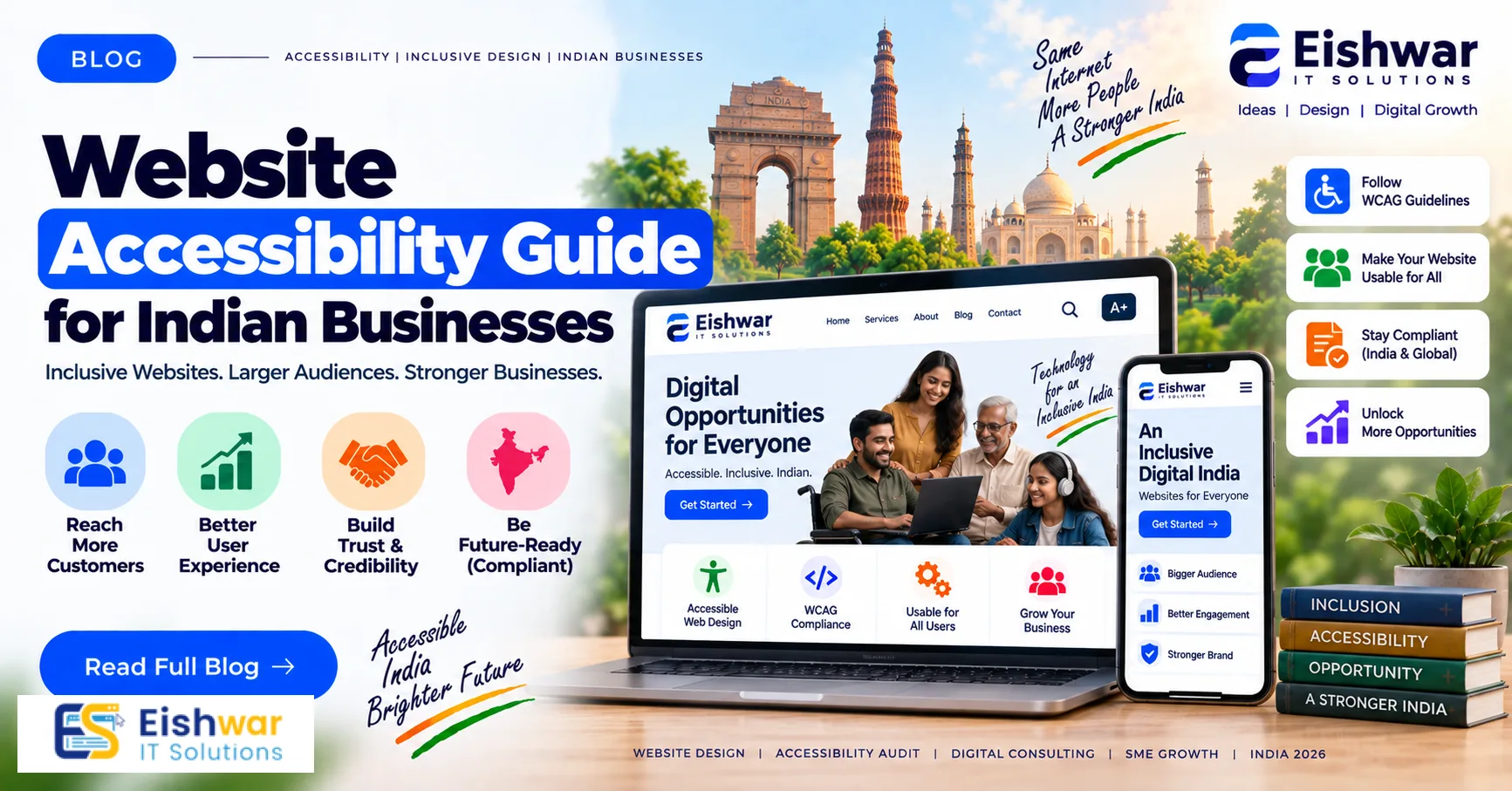
Website Accessibility Guide for Indian Businesses
Published on: 24 Aug 2026
Website Accessibility Guide for Indian Businesses
Introduction
Imagine visiting a website where you can't read the text, the buttons are impossible to click, or the images have no description. Frustrating, right? Now imagine that this is your daily experience—that's what millions of people with disabilities face when they encounter inaccessible websites. In India, where over 2.68 crore people live with some form of disability (Census 2011), making your website accessible isn't just a nice-to-have—it's a moral and business imperative.
Learn more about our Website services
Website accessibility means designing and developing your site so that everyone, including people with visual, auditory, motor, or cognitive impairments, can perceive, understand, navigate, and interact with it. For Indian businesses, this is a growing opportunity to reach a wider audience, improve user experience, and even boost your SEO. In this guide, we'll walk you through the basics of website accessibility, why it matters for your business, and how to implement it effectively—without needing to be a tech wizard.
Main Section 1: Understanding Website Accessibility
What is Website Accessibility?
Website accessibility is about removing barriers that prevent people with disabilities from using your website. It involves designing and coding your site so that it's usable by everyone, regardless of their abilities. Think of it as the digital equivalent of a wheelchair ramp at a physical store. Just as a ramp allows people in wheelchairs to enter your shop, accessible web design allows people with disabilities to access your online presence.
Accessibility isn't limited to permanent disabilities. It also covers temporary impairments (like a broken arm), situational limitations (like using a phone in bright sunlight), and aging-related changes (like declining vision). By designing for accessibility, you create a more flexible and user-friendly experience for all visitors, regardless of their circumstances.
Key Principles (WCAG)
The Web Content Accessibility Guidelines (WCAG) are the global standard for web accessibility. They're built on four principles: Perceivable, Operable, Understandable, and Robust (POUR).
- Perceivable: Users must be able to perceive the information on your site. This means providing text alternatives for images, captions for videos, and ensuring content can be presented in different ways (like screen readers). For example, a visually impaired user relies on alt text to understand what an image depicts. Without it, they miss out on crucial context.
- Operable: Users must be able to operate the interface. This includes keyboard navigation, giving users enough time to read and use content, and avoiding seizure-inducing animations. For instance, a user with motor impairments may not be able to use a mouse, so they depend on keyboard shortcuts to navigate your site.
- Understandable: Users must be able to understand the information and operation of the interface. This means using clear language, predictable navigation, and input assistance (like error suggestions). For example, if a form field is filled incorrectly, provide a clear error message that explains how to fix it.
- Robust: Content must be robust enough to be interpreted by a wide variety of user agents, including assistive technologies. This means using clean, valid HTML and ARIA labels. For example, using proper semantic HTML ensures that screen readers can correctly interpret the structure of your content.
Common Misconceptions
Many business owners think accessibility is only for people with disabilities or that it's too expensive and complicated. But the truth is, accessibility benefits everyone—think of captions on videos used in noisy environments, or high-contrast text that helps in bright sunlight. And while it may require some investment, the return in terms of audience reach and brand loyalty is substantial.
👉 Don't wait for the perfect moment; turn your vision into reality today.
Free ConsultationAnother misconception is that accessibility is only about technical fixes. In reality, it also involves content clarity, visual design, and user experience. For instance, using plain language and avoiding jargon helps not only users with cognitive disabilities but also those who are not native speakers of your language.
Main Section 2: Why Accessibility Matters for Indian Businesses
Legal and Regulatory Landscape in India
India is gradually catching up with global standards. The Rights of Persons with Disabilities (RPwD) Act, 2016, mandates that all public and private websites must be made accessible. While enforcement is still evolving, the government has been pushing for accessibility compliance, especially for public-facing websites. Ignoring accessibility could expose your business to legal risks in the future, as more businesses are being held accountable.
In addition to the RPwD Act, the Government of India has issued guidelines under the National Policy on Universal Electronic Accessibility, which emphasizes the need for accessible websites and applications. The Department of Empowerment of Persons with Disabilities (DEPwD) has also released a handbook for creating accessible websites. These regulatory signals indicate that accessibility is becoming a priority, and businesses that proactively comply will be better positioned.
Market Opportunity and Audience Reach
India has over 2.68 crore people with disabilities, a significant market segment. Additionally, many more have temporary impairments (like a broken arm) or situational limitations (like a slow internet connection). By making your website accessible, you're tapping into a large, often underserved audience. This can lead to increased traffic, customer loyalty, and positive word-of-mouth.
Consider this: if your website is not accessible, you're effectively turning away 2.68 crore potential customers. That's a huge missed opportunity. Moreover, accessibility often improves the overall user experience, which can reduce bounce rates and increase conversions. For instance, a user with low vision might use a screen reader to shop online; if your site is accessible, they can complete a purchase, leading to revenue you wouldn't have otherwise earned.
SEO Benefits
Accessibility and SEO go hand in hand. Many accessibility practices—like using proper headings, descriptive alt text, and semantic HTML—also improve your site's crawlability and user experience. For example, screen readers rely on headings to navigate, and so do search engine bots. By implementing accessibility, you're likely to see improvements in your search rankings.
Search engines like Google prioritize sites that are user-friendly, and accessibility is a key component of that. For instance, providing transcripts for videos not only helps deaf users but also gives search engines text to index, which can boost your video's visibility. Similarly, using descriptive link text helps both screen reader users and search engines understand the context of links.
👉 Free Website Audit
Get Free AuditMain Section 3: How to Implement Website Accessibility
Practical Steps for Beginners
Here are some actionable steps you can take to make your website more accessible:
- Add alt text to images: Describe the purpose of each image using alt text. For example, instead of "img_123.jpg," use "customer service representative helping a client." If an image is purely decorative, use empty alt text (alt="") so screen readers skip it.
- Ensure keyboard navigation: Test your site to see if you can navigate it using only the Tab key. Make sure all interactive elements are reachable and usable via keyboard. Also, ensure that a visible focus indicator (like a highlighted outline) appears when you tab through elements.
- Use proper heading structure: Use H1 for the main title, H2 for sections, and H3 for subsections. This helps screen readers and search engines understand your content hierarchy. Avoid skipping levels, as it can confuse assistive technology users.
- Provide captions for videos: Add captions or transcripts for all video content. This helps deaf users and also improves SEO by providing text for search engines. For live videos, consider using live captioning services.
- Check color contrast: Ensure text has sufficient contrast against its background. Use tools like WebAIM's contrast checker to verify. The recommended contrast ratio for normal text is at least 4.5:1, and for large text, it's 3:1.
- Create descriptive link text: Instead of "click here," use "read our guide on website accessibility" so users know where the link goes. This is especially helpful for screen reader users who often navigate by listing links.
- Label form fields clearly: Every input field should have a visible label that is programmatically associated with the field. Placeholder text is not a substitute, as it disappears when the user starts typing.
- Make sure your site is responsive: Ensure your website works well on all devices, including mobile phones and tablets. This is particularly important in India, where mobile internet usage is high.
Tools and Resources
You don't have to do everything manually. There are many free and paid tools to help you audit and fix accessibility issues:
- WAVE: A free tool that identifies accessibility errors on your page. It provides visual feedback by overlaying icons on your page to highlight issues.
- axe DevTools: A browser extension for automated accessibility testing. It integrates with Chrome and Firefox and provides detailed reports.
- Lighthouse: Google's built-in tool in Chrome DevTools that includes accessibility audits. It gives you a score and actionable recommendations.
- Screen readers: NVDA (free) or VoiceOver (built into Mac) to test your site's compatibility. You can also use browser extensions like ChromeVox.
- Color contrast checkers: Tools like WebAIM's Contrast Checker or the Colour Contrast Analyser by The Paciello Group.
Testing with Real Users
Automated tools can catch many issues, but they can't replace real user testing. If possible, involve people with disabilities in your testing process. They can provide insights that tools miss, such as the ease of navigation or the clarity of content. For example, a screen reader user might point out that a form's error messages are not announced, making it impossible to know what went wrong.
👉 Free Homepage Demo
Book DemoTo conduct user testing, you can reach out to local disability organizations or hire accessibility consultants who have experience working with people with disabilities. Even a small group of testers can provide valuable feedback that improves your site's usability for everyone.
Expert Tips
We spoke with web accessibility experts who shared these practical tips for Indian businesses:
- Start small, but start now: You don't need to overhaul your entire site overnight. Begin with the most critical pages (like your homepage and contact page) and gradually work through the rest. Prioritize pages that are most visited or that are essential for conversions.
- Involve accessibility from the start: If you're planning a new website, consider accessibility in the design and development phases. It's much cheaper than retrofitting later. For example, choose a color palette with sufficient contrast from the beginning, and ensure your content management system supports accessible themes.
- Use ARIA (Accessible Rich Internet Applications) labels: ARIA labels help screen readers understand dynamic content and custom widgets. For example, if you have a form with a required field, use
aria-required="true". However, use ARIA sparingly and only when necessary, as improper use can cause more harm than good. - Provide multiple ways to navigate: Include both a search function and a site map to help users find what they need. This is particularly helpful for users with cognitive disabilities who may struggle with complex navigation menus.
- Keep content simple and clear: Use plain language and avoid jargon. This benefits everyone, including users with cognitive disabilities and non-native speakers. For instance, instead of saying "utilize," say "use."
- Train your team: Educate your content creators, designers, and developers about accessibility best practices. This ensures that accessibility is considered at every stage of content creation and website development.
Common Mistakes
Avoid these common accessibility pitfalls:
- Using color alone to convey information: For example, marking required fields only in red. Instead, also add an asterisk or label. This is crucial for color-blind users who may not perceive the color difference.
- Lack of form labels: Every input field should have a visible label. Placeholder text is not a substitute. For example, a search box should have a label like "Search" or an associated icon with an aria-label.
- Auto-playing videos or audio: This can be disorienting for users with cognitive disabilities and annoying for everyone else. Always provide a pause or stop control. Also, ensure that any auto-playing content has a visible control to stop it.
- Poor heading structure: Skipping heading levels (e.g., jumping from H1 to H3) confuses screen reader users. Always maintain a logical hierarchy.
- Not testing with real assistive technology: Relying solely on automated tools can miss real-world issues. For example, an automated tool might not detect that a custom dropdown is not keyboard accessible.
- Ignoring mobile accessibility: With the majority of internet users in India accessing the web via mobile devices, it's essential to ensure your site is accessible on small screens. This includes touch targets being large enough and content being readable without zooming.
Future Trends
The field of web accessibility is evolving rapidly. Here are some trends to watch:
- AI-powered accessibility tools: Artificial intelligence is being used to automatically generate alt text, transcribe videos, and even adjust contrast in real-time. For example, some tools can analyze an image and suggest descriptive alt text, saving time for content creators.
- Voice user interfaces (VUI): With the rise of voice assistants, ensuring your website is navigable by voice commands is becoming essential. This includes supporting voice search and enabling users to interact with your site using voice commands.
- Global standards adoption: India is moving toward stricter enforcement of accessibility laws, similar to the Americans with Disabilities Act (ADA) in the U.S. This means that businesses that fail to comply may face legal consequences.
- Inclusive design as a default: Companies are realizing that designing for accessibility from the outset leads to better products for everyone. This approach, known as inclusive design, considers the full range of human diversity, including ability, language, culture, gender, and age.
- Accessibility overlays and widgets: While these tools promise quick fixes, they are not a substitute for genuine accessibility. Experts caution against relying solely on overlays, as they can sometimes introduce new barriers. Instead, focus on building accessibility into your site's core.
FAQs
1. What is website accessibility?
Website accessibility means designing and developing your website so that people with disabilities can use it effectively. This includes ensuring compatibility with assistive technologies like screen readers, keyboard navigation, and providing text alternatives for non-text content. It also involves making sure that all users can perceive, understand, navigate, and interact with your site, regardless of their abilities.
2. Why should Indian businesses care about accessibility?
Indian businesses should care because it's a legal requirement under the Rights of Persons with Disabilities Act, 2016, and it opens up your business to over 26 million people with disabilities. Additionally, accessibility improves SEO and user experience for all visitors. By making your site accessible, you're not only complying with the law but also tapping into a significant market segment that is often overlooked.
3. How can I test my website for accessibility?
You can use automated tools like WAVE or Lighthouse for a quick audit, but for a thorough evaluation, consider manual testing with screen readers and keyboard-only navigation. Involving people with disabilities in testing is highly recommended. You can also hire an accessibility consultant to conduct a comprehensive audit and provide recommendations.
4. What are the common accessibility barriers?
Common barriers include missing alt text, poor color contrast, lack of keyboard navigation, unlabeled form fields, and videos without captions. These make it difficult for people with visual, motor, or cognitive impairments to use your site. Other barriers include complex navigation menus, flashing content that can trigger seizures, and forms that are not clearly labeled.
5. How does accessibility affect SEO?
Accessibility and SEO overlap significantly. Practices like using proper heading tags, descriptive alt text, and semantic HTML help search engines understand your content better, which can improve your rankings. Additionally, accessible sites tend to have lower bounce rates and higher engagement, which are positive signals for search engines.
6. Is accessibility expensive to implement?
The cost varies. If you're building a new site, incorporating accessibility from the start is cost-effective. For existing sites, the cost depends on the complexity and the number of issues. However, the long-term benefits—expanded audience, legal compliance, and positive brand image—often outweigh the initial investment. Many fixes, such as adding alt text or improving contrast, are relatively inexpensive.
7. What is the role of ARIA in accessibility?
ARIA (Accessible Rich Internet Applications) is a set of attributes that can be added to HTML to improve accessibility for dynamic content and custom widgets. For example, you can use ARIA to label form fields, indicate the state of a toggle button, or provide descriptions for complex elements. However, ARIA should be used carefully and only when native HTML elements are insufficient.
8. Can I make my website accessible without technical skills?
Yes, many accessibility improvements can be made without deep technical knowledge. For example, you can write descriptive alt text, ensure your content is clear and well-structured, and use accessible themes in your CMS. However, some fixes, like ensuring keyboard navigation or fixing ARIA labels, may require the help of a developer.
Conclusion
Website accessibility is not just a legal or ethical obligation—it's a smart business move. By making your website accessible, you're opening your business to a wider audience, improving user experience, and boosting your SEO. In India, where digital adoption is accelerating, being an early adopter of accessibility can set you apart from competitors.
Don't wait for regulations to force you into action. Start today by auditing your current website and implementing the practical steps we've outlined. Remember, accessibility is a journey, not a destination. Continuous improvement is key. As you make your site more accessible, you'll not only comply with the law but also build a more inclusive brand that resonates with all customers.
CTA
Ready to make your website accessible to everyone? At EishwarITSolution, we specialize in creating inclusive, user-friendly websites that drive results. Contact us today for a free accessibility audit and let's build a website that works for all.