
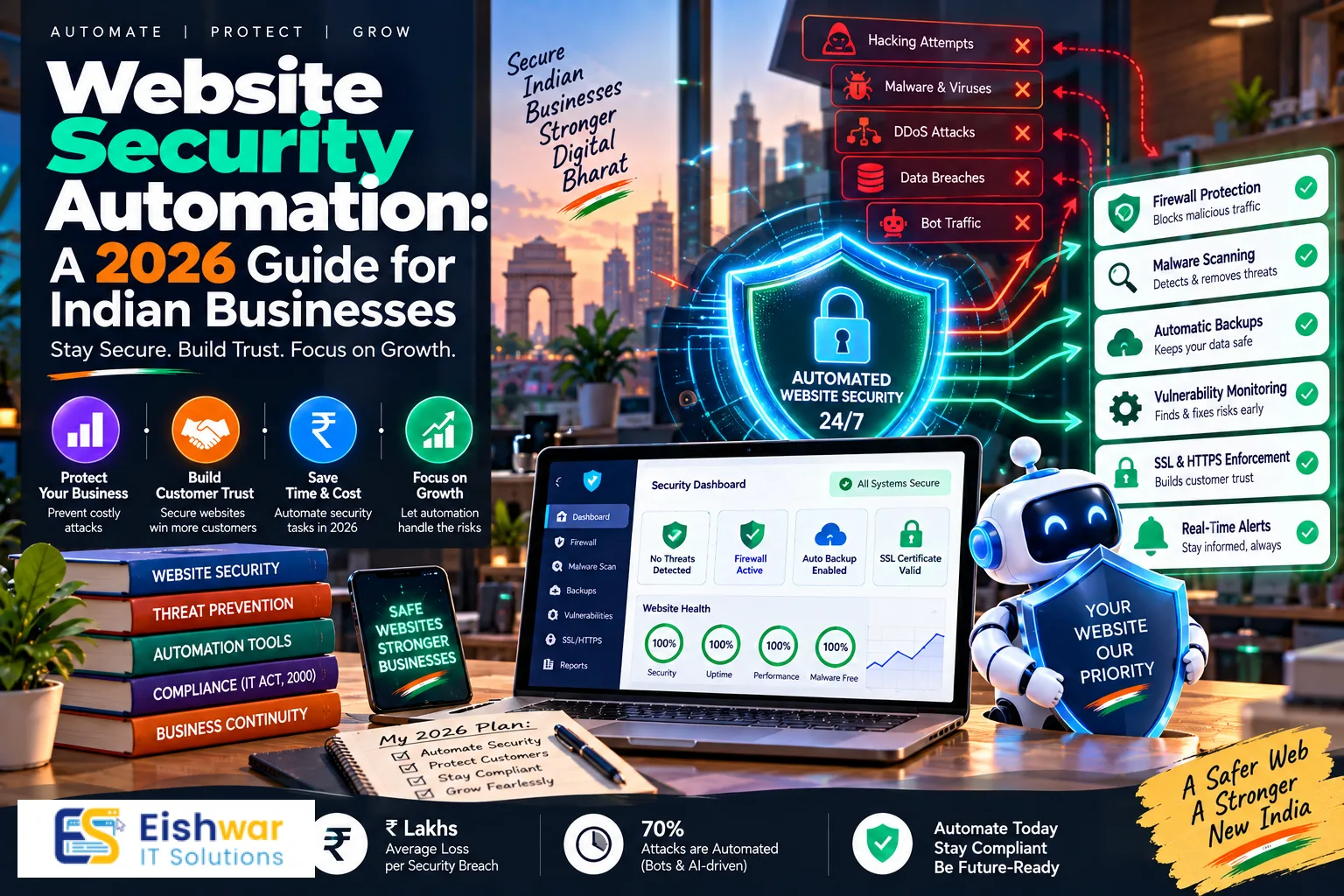
Website Security Automation: A 2026 Guide for Indian Businesses to Sav
Published on: 14 Aug 2026
Website Security Automation: A 2026 Guide for Indian Businesses to Save Time and Reduce Risk
Introduction
In the fast-paced digital world of 2026, Indian businesses face an ever-growing number of cyber threats. From ransomware to phishing, the attack surface is expanding, and manual security management is no longer enough. Website security automation is the answer. It helps you protect your site 24/7 without exhausting your team. This guide will show you how automation can save time, reduce human error, and strengthen your defenses—all while keeping your business running smoothly.
Learn more about our Website services
The stakes have never been higher. With India's digital economy projected to reach $1 trillion by 2027, businesses are increasingly reliant on their online presence. A single security breach can not only cost you thousands of rupees in recovery but also erode customer trust irreparably. Automation isn't just about convenience; it's about survival. By the end of this guide, you'll have a clear roadmap to implement security automation in your organization, regardless of your technical expertise or budget.
Main Section 1: The Growing Need for Security Automation in India
India has seen a massive surge in cyberattacks in recent years. With the rise of digital payments and e-commerce, cybercriminals are targeting businesses of all sizes. According to a 2025 report, India recorded over 1.5 million cyberattacks in the first half of the year alone. Small and medium businesses are especially vulnerable because they often lack dedicated security teams. Even large enterprises struggle to keep up with the sheer volume of threats, as attackers become more sophisticated and automated in their methods.
Manual security monitoring is time-consuming and prone to mistakes. Your team might miss a critical patch or fail to notice a suspicious login attempt. Automation steps in to handle these repetitive tasks, allowing your staff to focus on growth and innovation. For instance, automated vulnerability scanners can check your site daily, while manual checks might only happen monthly. This constant vigilance is crucial because cybercriminals don't take weekends off—and neither should your security.
Moreover, the Indian government's push for digital transformation means more businesses are moving online. Initiatives like Digital India and UPI have revolutionized how transactions are conducted, but they've also created new attack vectors. The recent DPDP Act (Digital Personal Data Protection Act) has added compliance requirements that mandate robust security measures. Automation isn't just a luxury—it's a necessity for survival in today's threat landscape. It also helps you meet regulatory standards without overwhelming your team.
Consider the example of a mid-sized e-commerce company in Bengaluru. Before automation, they performed manual vulnerability scans once a month, leaving their site exposed for weeks. After implementing automated scanning, they discovered and patched a critical SQL injection vulnerability within hours of it being introduced. This proactive approach saved them from a potential data breach that could have cost millions. Stories like this are becoming common across India, highlighting the urgent need for automation.
Main Section 2: Key Automation Tools and Technologies
Let's look at the core tools that can automate your website security:
- Automated Vulnerability Scanning: Tools like Acunetix or Qualys scan your site for known vulnerabilities automatically. They provide reports and even suggest fixes. For example, Acunetix can detect over 7,000 vulnerabilities, including SQL injection and XSS, and integrates with CI/CD pipelines for continuous scanning.
- Web Application Firewall (WAF): A cloud-based WAF can automatically block malicious traffic, such as SQL injection attempts or DDoS attacks. It learns from patterns and updates itself. Cloudflare and AWS WAF are popular choices, offering real-time threat intelligence and customizable rules.
- Security Information and Event Management (SIEM): SIEM tools collect and analyze security events in real-time. They send alerts when anomalies are detected. Splunk and IBM QRadar are widely used, but Indian options like Securonix are also gaining traction for their compliance with local regulations.
- Automated Backups: Regular backups are vital. Automation ensures backups happen daily or even hourly, and you can restore your site with one click. Services like UpdraftPlus for WordPress or Veeam for enterprise environments offer seamless automation and offsite storage.
- Patch Management: Automated patch management tools apply security updates to your CMS, plugins, and server software without manual intervention. Tools like ManageEngine Patch Manager Plus, which has a strong presence in India, can automate patching across thousands of endpoints.
- AI-Powered Threat Detection: AI and machine learning can predict and identify new threats by analyzing patterns. These systems continuously learn and adapt. Darktrace and Vectra AI are examples, but even open-source solutions like Snort can be automated with custom scripts.
For Indian businesses, choosing tools that offer local support and compliance with Indian regulations (like IT Act and DPDP Act) is crucial. Many global tools also work well, but you need to ensure data residency and privacy compliance. For instance, if you handle customer data, you must ensure that your security tools store logs within India to comply with data localization requirements. Some providers, like EishwarITSolution, offer tailored solutions that address these specific needs.
👉 Don't wait for the perfect moment; turn your vision into reality today.
Free ConsultationMain Section 3: How to Implement Security Automation in Your Business
Implementing automation doesn't have to be overwhelming. Start small and scale up. Here's a step-by-step approach:
- Assess Your Current Security Posture: Identify what you're doing manually and where the gaps are. Use a security audit to find weak points. Tools like OWASP ZAP can help you identify vulnerabilities, but a professional audit might be more thorough.
- Prioritize Automatable Tasks: Focus on repetitive tasks that are prone to human error, like backups and updates. For example, if you're manually updating plugins on your WordPress site, automate that first. It's low-hanging fruit that yields immediate benefits.
- Choose the Right Tools: Select tools that integrate with your existing stack. For example, if you use WordPress, look for plugins that offer automated scanning and patching, such as Wordfence or iThemes Security. For custom applications, consider API-based security solutions that can be embedded in your code.
- Set Up Automated Alerts: Configure alerts to notify you only for critical issues, avoiding alert fatigue. Use thresholds and severity levels. For instance, you might set an alert for any failed login attempts exceeding 10 in a minute, but ignore single failures.
- Test Your Automation: Run drills to ensure your automated responses work. For instance, simulate a breach and see if your system reacts correctly. This could involve penetration testing or red team exercises. Tools like Metasploit can simulate attacks, but you should also have a manual review process.
- Monitor and Refine: Automation isn't set-and-forget. Review logs and adjust rules as your business evolves. Schedule monthly reviews of your automation workflows to ensure they're still effective and aligned with your security policies.
Consider partnering with a managed security service provider (MSSP) like EishwarITSolution for expert guidance and 24/7 monitoring. They can help you implement automation seamlessly, providing a team of experts who can configure, manage, and respond to alerts on your behalf. This is especially beneficial for SMBs that lack in-house security expertise.
👉 Free Website Audit
Get Free AuditExpert Tips
- Start with the Basics: Automate backups and updates before moving to advanced threat detection. This ensures you have a solid foundation and reduces the risk of data loss.
- Integrate Where Possible: Use tools that work together, such as a WAF that connects to your SIEM. This allows for better correlation of events and faster response. For example, Cloudflare's WAF can send logs directly to Splunk, enabling real-time analysis.
- Use AI for Anomaly Detection: AI can spot unusual user behavior that traditional rules might miss. For instance, if a user logs in from a new location at 3 AM, AI can flag it as suspicious and trigger an automated response, like requiring multi-factor authentication.
- Document Your Processes: Even automated workflows need documentation for compliance and troubleshooting. Maintain a runbook that outlines what each automation does, when it runs, and what to do if it fails. This is crucial for audits and for onboarding new team members.
- Regularly Review Reports: Automated reports are valuable, but you still need a human to interpret them. Set aside time weekly to review security reports and identify trends. This helps you make informed decisions about future security investments.
- Leverage Free Tools: Don't overlook free resources like Let's Encrypt for SSL certificates or Google's reCAPTCHA for bot protection. These can be automated easily and provide significant security benefits without cost.
Common Mistakes
- Over-Automating: Trying to automate everything at once can lead to misconfigurations. Take it slow. Start with one or two processes, learn from them, and then expand. For example, don't automate your entire incident response until you've tested it thoroughly.
- Ignoring Alerts: Automated alerts are useless if no one acts on them. Ensure there's a response plan. Designate a team member to monitor alerts during business hours and have an on-call rotation for after-hours emergencies.
- Not Updating Automation Rules: Threats evolve, so your automation must too. Regularly update your rules and tools. For instance, if you're using a WAF, ensure its rule set is updated to protect against the latest OWASP Top 10 vulnerabilities.
- Skipping Compliance: Ensure your automation complies with Indian data protection laws. For example, if you're collecting user data, your automation must include mechanisms for data anonymization and consent management as per DPDP Act.
- Assuming Automation is Enough: Automation reduces risk but doesn't eliminate it. You still need a security culture. Train your employees on phishing awareness and safe browsing habits. Automation can't prevent social engineering attacks.
- Neglecting Logs: Automated tools generate massive amounts of logs. If you don't have a log management strategy, you'll miss critical evidence during an investigation. Use a centralized log management system and retain logs for at least 6 months as per compliance requirements.
Future Trends
Looking ahead, security automation will become even more sophisticated. Here are trends to watch:
👉 Free Homepage Demo
Book Demo- Autonomous Security Operations: AI will handle entire incidents without human intervention, from detection to response. For example, an AI system might automatically isolate a compromised server, revoke access tokens, and initiate forensic analysis—all in seconds.
- Predictive Security: Machine learning will predict attacks before they happen by analyzing threat intelligence feeds. This means your security system could proactively block an IP address that's been flagged as part of a botnet, even before it attempts an attack.
- Integration with DevSecOps: Automation will be embedded in the development pipeline, ensuring security from the start. Tools like Snyk and Aqua Security can automatically scan code for vulnerabilities during CI/CD, preventing insecure code from reaching production.
- Zero-Trust Architecture: Automated policy enforcement will become standard, verifying every user and device. This means continuous authentication and authorization, even for internal users. Tools like Okta and BeyondCorp are leading this trend.
- Quantum-Safe Security: As quantum computing advances, automation will be needed to manage post-quantum encryption algorithms. This will require automated key rotation and algorithm updates to stay ahead of quantum threats.
- Blockchain for Security: Blockchain technology could be used to create tamper-proof audit logs, ensuring that security events are immutable. This would enhance trust and compliance in automated systems.
FAQs
1. What is website security automation?
Website security automation uses software to automatically perform security tasks like vulnerability scanning, patching, and threat detection, reducing the need for manual intervention. This includes everything from automated backups to AI-driven incident response.
2. How does automation help small businesses in India?
Automation helps small businesses save time and money by handling security tasks 24/7, which is especially valuable when you don't have a dedicated IT team. It also reduces the risk of human error and ensures that security measures are consistently applied, even when staff are busy with other priorities.
3. Is security automation expensive?
Costs vary. Basic tools like automated backups are affordable, while advanced AI-powered systems can be pricier. Many Indian providers offer scalable plans that fit different budgets. For example, a small business might spend as little as ₹500 per month on automated backup and scanning, while larger enterprises might invest ₹50,000 or more for comprehensive SIEM and AI solutions.
4. Can automation replace human security experts?
No, automation complements human expertise. You still need professionals to configure, monitor, and respond to complex incidents that require judgment and context. Automation handles the repetitive tasks, freeing humans to focus on strategic decisions and incident response.
5. What are the best security automation tools for Indian businesses?
Some popular options include Sucuri, Cloudflare WAF, Acunetix, and Indian solutions like SecurView. Choose based on your needs, budget, and compliance requirements. It's also wise to consider tools that offer local support and data residency options.
6. How long does it take to implement security automation?
The timeline depends on the complexity of your environment. Basic automation like backups and updates can be set up in a few hours. Advanced implementations like SIEM and AI threat detection might take several weeks, including tuning and testing. A phased approach can help you see benefits quickly.
7. What are the risks of security automation?
Risks include misconfiguration, over-reliance on automated tools, and potential false positives that lead to alert fatigue. To mitigate these, ensure proper configuration, regular reviews, and maintain a human oversight process. Also, keep your automation tools updated to avoid vulnerabilities in the tools themselves.
Conclusion
Website security automation is no longer optional for Indian businesses. It saves time, reduces risk, and helps you stay ahead of cyber threats. By starting small, choosing the right tools, and continuously refining your approach, you can build a robust security posture that supports your business growth. Remember, automation is your ally, not a replacement for vigilance. The digital landscape will only become more complex, but with automation, you can navigate it with confidence.
CTA
Ready to automate your website security? Contact EishwarITSolution today for a free consultation and discover how our security automation solutions can protect your business. Visit eishwar.com to learn more.