
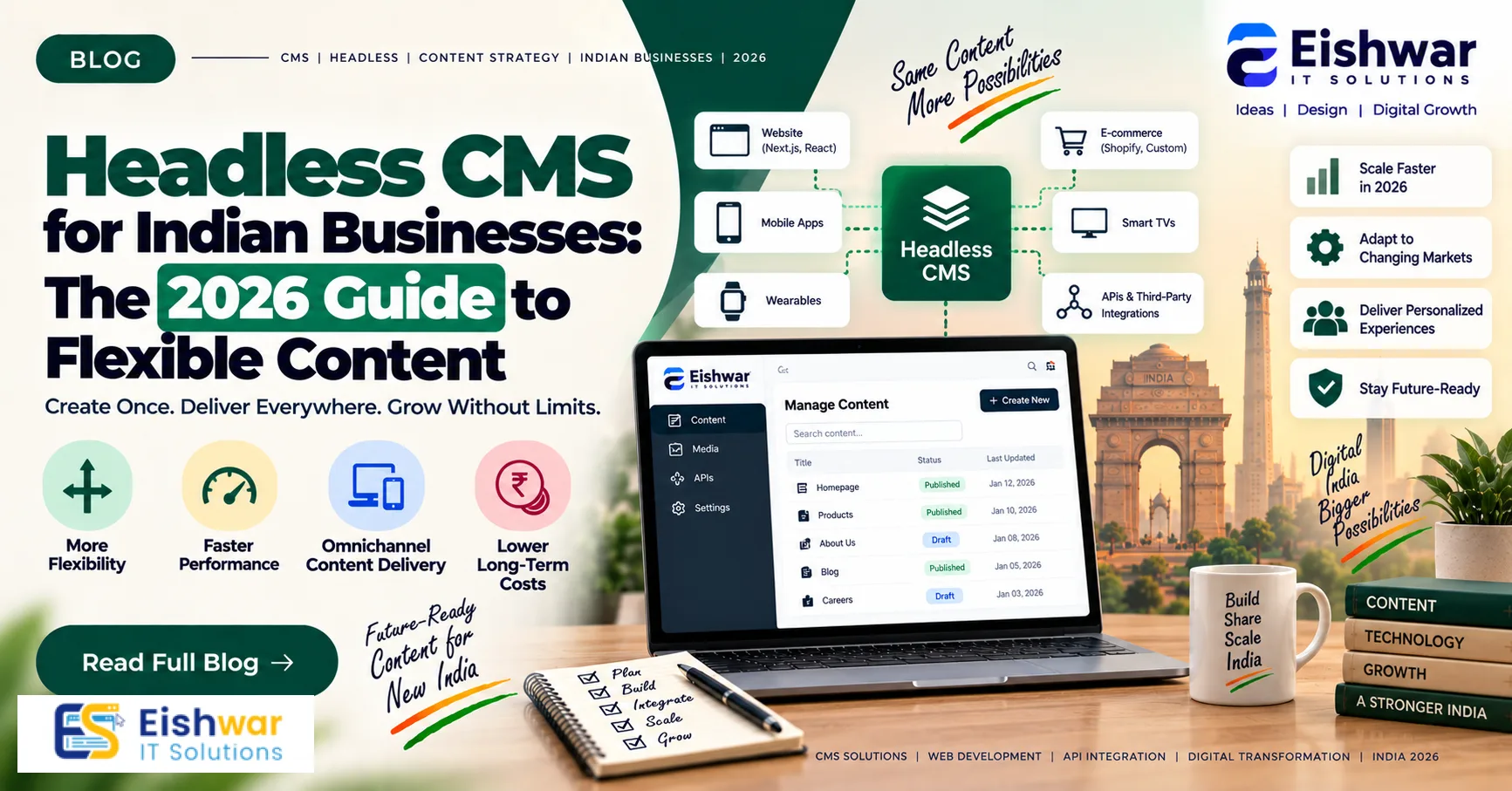
Headless CMS for Indian Businesses: The 2026 Guide to Flexible Content
Published on: 24 Aug 2026
Headless CMS for Indian Businesses: The 2026 Guide to Flexible Content Management
Introduction
In the fast-paced digital landscape of 2026, Indian businesses are constantly seeking ways to stay ahead. One of the most significant shifts in web development is the adoption of headless CMS (Content Management System). Unlike traditional CMS platforms like WordPress, a headless CMS separates the content backend from the frontend presentation layer. This means you can manage content in one place and deliver it to any device—website, mobile app, smartwatch, or even IoT devices—via APIs.
Learn more about our Website services
For Indian businesses, this flexibility is a game-changer. Whether you're a startup in Bengaluru, a retail chain in Mumbai, or a service provider in Delhi, a headless CMS empowers you to deliver personalized content faster, improve performance, and future-proof your digital presence. In this guide, we'll explore why headless CMS is the right choice, how to implement it, and what the future holds.
Main Section 1: Why Indian Businesses Should Embrace Headless CMS in 2026
The Limitations of Traditional CMS
Traditional CMS platforms like WordPress, Joomla, and Drupal have been the backbone of many Indian websites. They offer simplicity and a user-friendly interface. However, they come with limitations: content is tightly coupled with the presentation layer, making it difficult to deliver content across multiple channels without duplication. Additionally, performance can suffer due to heavy themes and plugins, especially on mobile devices, which dominate internet usage in India.
Consider a typical Indian e-commerce site built on WordPress. Every page request loads the entire PHP stack, queries the database, and renders HTML on the server. With dozens of plugins for SEO, caching, and forms, the page weight balloons, leading to slow load times. On a 3G or even 4G connection in a tier-2 city, this can mean 5-8 seconds of waiting—enough to drive users away. Moreover, if you want to extend content to a mobile app, you'd need to build separate APIs, duplicating effort and risking inconsistency.
Another pain point is the monolithic architecture. When you need to redesign your website, you often have to migrate content or rebuild templates, which is time-consuming and error-prone. The coupling also makes it harder to adopt new technologies like progressive web apps (PWAs) or voice interfaces without significant rework.
Benefits of Headless CMS for Indian Businesses
Headless CMS addresses these pain points:
- Omnichannel Delivery: Publish once, distribute everywhere. Your content can appear on your website, mobile app, social media, and more. For instance, a restaurant chain in Pune can update its menu in the CMS, and the change instantly reflects on its website, Android app, and even digital kiosks in outlets.
- Improved Performance: With a decoupled architecture, developers can build lightweight, fast-loading frontends using modern frameworks like React or Vue.js. This is crucial for SEO and user experience, especially in regions with slower internet connections. A study by Google found that 53% of mobile users abandon sites that take longer than 3 seconds to load. In India, where mobile-first is the norm, speed is non-negotiable.
- Enhanced Security: The separation reduces the attack surface, as the CMS backend is not directly exposed to the public. Traditional CMS are frequent targets for brute-force attacks and plugin vulnerabilities. With headless, the backend can be locked down behind a firewall, and the frontend is just static files or API calls, minimizing risk.
- Scalability: As your business grows, a headless CMS can handle increased traffic and content demands without major overhauls. For example, during a flash sale, your frontend can scale horizontally using CDN caching, while the CMS backend remains stable.
- Developer-Friendly: Developers enjoy the freedom to use their preferred tools and technologies, leading to more innovative and tailored solutions. They can build with the latest frameworks, integrate with CI/CD pipelines, and automate deployments—all without being constrained by the CMS's template system.
For example, an Indian e-commerce company can use a headless CMS to manage product descriptions, while the frontend is a custom-built React app that ensures lightning-fast page loads, improving conversion rates. Additionally, the same content can feed a mobile app via REST or GraphQL APIs, ensuring consistency across touchpoints.
👉 Don't wait for the perfect moment; turn your vision into reality today.
Free ConsultationMain Section 2: How to Implement a Headless CMS for Your Indian Business
Step 1: Assess Your Needs
Before diving in, evaluate your content strategy. Do you need to deliver content to multiple channels? Do you require complex workflows? Understanding your needs helps you choose the right headless CMS platform. Popular options include Contentful, Strapi, and Sanity.
Start by listing your content types: blog posts, product pages, landing pages, etc. Determine who will create and edit content—marketing teams, editors, or developers. Also, consider your team's technical expertise. If you have a small team with limited coding skills, a SaaS platform with a user-friendly dashboard might be better. If you have a dedicated development team, an open-source self-hosted solution could offer more control.
Another key aspect is content modeling. In a headless CMS, you define content types and fields. For instance, a product might have fields like name, price, description, and images. Proper modeling ensures that content is structured and reusable. Spend time planning this—it's the foundation of your content architecture.
Step 2: Choose the Right Solution
Consider factors like cost, ease of use, scalability, and community support. For small businesses, an open-source solution like Strapi might be ideal, while larger enterprises might opt for a SaaS platform like Contentful. Remember to factor in the Indian context—look for solutions with good documentation and support in your time zone.
Here's a quick comparison:
- Strapi: Open-source, self-hosted, free to use, but requires server management. Great for startups with technical teams.
- Contentful: SaaS, easy to start, scales well, but costs increase with usage. Ideal for enterprises with budget.
- Sanity: Real-time collaboration, customizable, good for teams that need flexibility. Offers a generous free tier.
- ButterCMS: Simple, API-first, good for marketers. Pricing based on pages and users.
Also, check if the platform supports local data residency. With India's data protection laws, you might prefer to host content within the country. Some SaaS providers offer regional hosting; if not, consider self-hosted options.
👉 Free Website Audit
Get Free AuditStep 3: Plan Your Frontend
Your frontend is what your customers see. Decide whether to build a custom frontend or use a static site generator (SSG) like Next.js or Gatsby. This decision impacts performance and development effort. For most Indian businesses, a combination of SSG and a headless CMS offers the best of both worlds: fast static pages with dynamic content updates.
Next.js is particularly popular because it supports both static generation and server-side rendering. You can pre-render pages at build time for speed, then use incremental static regeneration to update content without rebuilding the entire site. Gatsby is another option, known for its performance and plugin ecosystem. Both integrate seamlessly with headless CMS via APIs.
When planning your frontend, consider your hosting strategy. Static sites can be served from a CDN, reducing server costs and improving load times. Dynamic parts, like user-specific content, can be handled via client-side API calls. This hybrid approach is ideal for Indian businesses with varying traffic patterns.
Step 4: Migrate Your Content
Migrating from a traditional CMS can be challenging. Use migration tools or hire experts. Ensure that all content, including images and metadata, is transferred correctly. Also, set up redirects to avoid broken links and SEO loss.
Start by auditing your existing content. Identify what needs to be moved, what can be archived, and what needs to be restructured. For example, WordPress posts might have categories and tags that don't map directly to your new content model. You may need to flatten or reorganize them.
Use the CMS's import features or write custom scripts to pull content from your old site. Many platforms offer migration services—Contentful has a migration tool, and Strapi has community plugins. After migration, test thoroughly: check all links, images, and metadata. Use tools like Screaming Frog to crawl your new site and compare with the old one.
Step 5: Integrate with Your Tech Stack
A headless CMS should seamlessly integrate with your existing tools—CRM, marketing automation, analytics, etc. Most platforms offer APIs and webhooks for easy integration. This ensures that your content flows smoothly across your entire ecosystem.
For instance, you can use webhooks to trigger a build of your static site whenever content is published. Or, integrate with your CRM to personalize content based on user data. Many headless CMS platforms have native integrations with popular tools like HubSpot, Salesforce, and Google Analytics. If not, you can build custom integrations using their API.
Also, consider how your team will work. If you use Slack for communication, you can set up notifications for content updates. If you have a CI/CD pipeline, you can automate deployments. The goal is to create a smooth workflow that reduces manual effort and errors.
Step 6: Train Your Team
Your content editors need to learn how to use the new CMS. Choose a platform with an intuitive interface. Provide training sessions and documentation to ease the transition. Remember, the goal is to empower your team, not frustrate them.
Create a training plan that covers: creating and editing content, managing media, publishing workflows, and using the API. If your team is non-technical, focus on the dashboard and preview features. For developers, provide API documentation and code samples. Also, establish best practices for content modeling and naming conventions.
👉 Free Homepage Demo
Book DemoMain Section 3: Real-World Examples and Case Studies from India
Case Study: A Retail Chain in Mumbai
A leading fashion retailer in Mumbai adopted a headless CMS to manage its online catalog and mobile app. By decoupling content, they reduced page load times by 50%, leading to a 20% increase in mobile conversions. They also used the headless CMS to deliver personalized promotions based on user behavior, boosting customer loyalty.
Previously, the retailer used a traditional CMS with a custom theme. Every product update required manual HTML changes, and the mobile app had a separate backend, leading to inconsistencies. With headless, they centralized product data, including images, prices, and stock levels. The frontend was rebuilt with Next.js, and the app used the same API. As a result, updates are instant, and the team can run A/B tests on promotions without developer intervention.
Case Study: A SaaS Startup in Bengaluru
A B2B SaaS startup needed to update their website frequently with blog posts and product updates. With a headless CMS, they streamlined their content pipeline, allowing the marketing team to publish new content without developer involvement. This saved them 10+ hours per week and improved their SEO rankings.
The startup used Strapi as their headless CMS and Gatsby for the frontend. The marketing team creates content in Strapi, and a webhook triggers a Gatsby build, deploying the updated site to Netlify. They also integrated with Google Analytics to track content performance. This setup enabled them to publish blog posts, case studies, and landing pages quickly, which was crucial for their content marketing strategy.
Expert Tips
- Start Small: Don't migrate everything at once. Start with a section of your website, test, and then expand. For instance, migrate your blog first, then move to product pages. This reduces risk and allows you to refine your process.
- Prioritize SEO: Ensure your headless CMS supports SEO best practices, such as customizable meta tags, structured data, and sitemap generation. Use tools like Yoast SEO for headless or build custom solutions. Also, implement server-side rendering or static generation to make content crawlable.
- Use a Global CDN: Content Delivery Networks (CDNs) are essential for serving content quickly to users across India. Choose a CDN with edge locations in major Indian cities like Mumbai, Delhi, and Bengaluru. Cloudflare, Akamai, and Amazon CloudFront have good coverage.
- Invest in Developer Experience: A headless CMS is only as good as your development team's ability to use it. Provide proper training and resources. Encourage experimentation and create a culture of learning.
- Monitor Performance: Use tools like Google PageSpeed Insights to continuously monitor and optimize your site's performance. Set performance budgets and track them in your CI/CD pipeline.
- Plan for Personalization: As you grow, you'll want to deliver personalized content. Choose a headless CMS that integrates with personalization engines or allows you to build custom logic. This will save you time later.
Common Mistakes
- Overcomplicating the Frontend: Building an overly complex frontend can negate the benefits of a headless CMS. Keep it simple and focused on user experience. Avoid unnecessary JavaScript frameworks if a simple static site suffices.
- Ignoring SEO: Some headless CMS setups can be challenging for SEO if not configured correctly. Ensure proper metadata management and server-side rendering. Test your site with Google Search Console to identify issues.
- Choosing the Wrong Platform: Not all headless CMS platforms are created equal. Research thoroughly and consider your specific needs before committing. Read reviews, talk to other users, and try demos.
- Neglecting Content Modeling: Poorly designed content models can lead to messy content and difficulties in scaling. Plan your content architecture carefully. Think about how content will be reused and related.
- Underestimating Migration Complexity: Migrating content is not just copying text. It involves restructuring, cleaning, and testing. Allocate sufficient time and resources. Consider hiring experts if needed.
- Forgetting about Security: Even with a headless CMS, you need to secure your APIs and backend. Use authentication, rate limiting, and HTTPS. Regularly update your CMS and dependencies.
Future Trends
In 2026 and beyond, headless CMS will become the standard for Indian businesses. We'll see more AI-powered content personalization, where CMS platforms use machine learning to deliver tailored experiences. For example, an e-commerce site could automatically adjust product recommendations based on a user's browsing history and preferences, all managed through the CMS.
Also, the rise of digital experience platforms (DXPs) will integrate headless CMS with analytics, personalization, and marketing automation tools. This will enable Indian businesses to create cohesive customer journeys across all touchpoints. As the internet of things (IoT) grows, headless CMS will enable content delivery to smart devices, making it a crucial part of the connected world. Imagine a smart refrigerator in a Mumbai home displaying recipes from a food brand's CMS, or a connected car in Delhi showing traffic updates from a news outlet.
Another trend is the adoption of GraphQL as a standard API language, offering more efficient data fetching compared to REST. Many headless CMS platforms already support GraphQL, and we'll see more businesses leverage it for faster development and better performance.
Finally, we'll see a greater emphasis on content operations (ContentOps), where businesses treat content as a product and use headless CMS to manage the entire lifecycle—from creation to distribution to analysis. This will lead to more efficient workflows and higher-quality content.
FAQs
1. What is a headless CMS?
A headless CMS is a content management system that separates content creation and management from the frontend presentation layer. It delivers content via APIs to any platform, such as websites, apps, or smart devices.
2. How does a headless CMS differ from a traditional CMS?
Traditional CMS like WordPress combine content management and presentation, while headless CMS decouples them. This allows for greater flexibility, performance, and scalability. With traditional CMS, you're locked into the platform's theming system; with headless, you can use any frontend technology.
3. Is a headless CMS suitable for small businesses in India?
Yes. Many headless CMS platforms offer free or affordable tiers. Small businesses can benefit from improved performance and the ability to deliver content across multiple channels, which is essential for growth. For example, a local restaurant can use a headless CMS to manage its menu on its website and a mobile app without significant investment.
4. What are the costs involved in adopting a headless CMS?
Costs vary depending on the platform, hosted vs. self-hosted, and development resources. Open-source solutions like Strapi have no licensing fees but require hosting and maintenance. SaaS platforms offer pricing based on usage. For a small business, you might spend anywhere from ₹0 to ₹20,000 per month, depending on your needs. Development costs for building the frontend can range from ₹50,000 to ₹5,00,000, depending on complexity.
5. Can I migrate my existing website to a headless CMS?
Yes, migration is possible. It requires careful planning, content restructuring, and technical implementation. Many platforms provide migration tools, and you can hire specialists if needed. The process typically involves exporting content, mapping it to your new content model, and testing thoroughly.
6. How does headless CMS affect SEO?
SEO can be enhanced with headless CMS if implemented correctly. Use server-side rendering or static site generation to ensure search engines can crawl your content. Also, ensure you manage meta tags, structured data, and sitemaps properly. With a headless CMS, you have full control over the HTML output, which can be optimized for SEO.
7. What are the best headless CMS platforms for Indian businesses?
Popular options include Strapi (open-source), Contentful (SaaS), Sanity (real-time), and ButterCMS (marketer-friendly). The best choice depends on your budget, technical expertise, and specific requirements. It's advisable to try a few demos and see which fits your workflow.
8. How long does it take to implement a headless CMS?
The timeline varies based on the complexity of your content and frontend. A simple blog migration might take 2-4 weeks, while a full e-commerce platform could take 2-3 months. Factors include content volume, team experience, and integration requirements.
Conclusion
In 2026, Indian businesses need to be agile, fast, and responsive to changing customer expectations. Headless CMS offers a flexible, scalable, and future-proof solution for content management. By separating content from presentation, you can deliver exceptional experiences across all channels, improve performance, and stay ahead of the competition. Whether you're a small startup or a large enterprise, embracing headless CMS is a strategic move that will pay off in the long run.
CTA
Ready to upgrade your content management strategy? Contact EishwarITSolution today for a free consultation and discover how we can help you implement a headless CMS tailored to your business needs. Let's build a faster, more flexible digital future together.