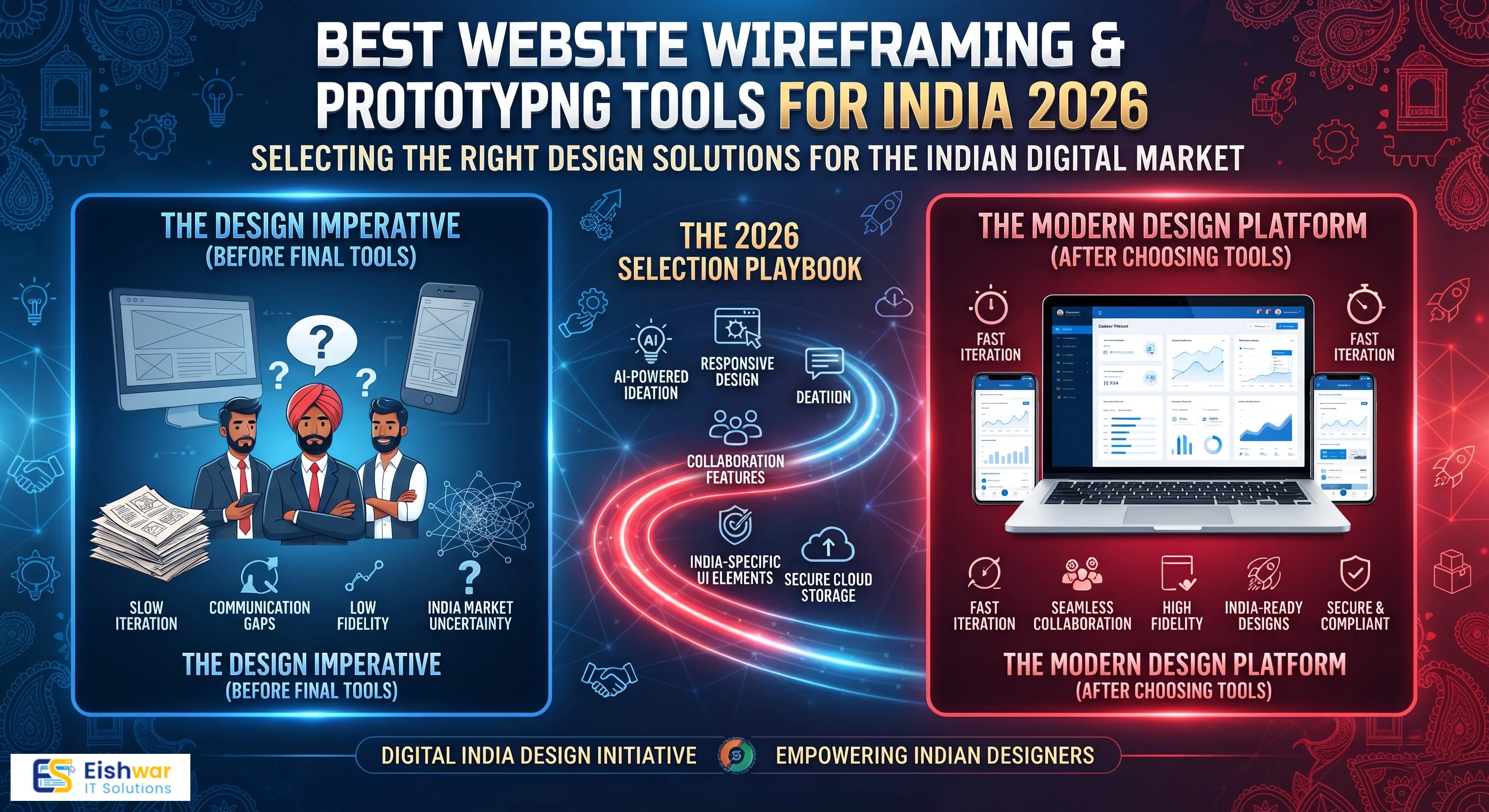
Best Website Wireframing & Prototyping Tools for India 2027
Published on: 16 Nov 2026
Best Website Wireframing & Prototyping Tools for India 2027
Introduction
A website project rarely fails because a developer cannot code a button. It fails because the team, client, and stakeholders imagine different things. Wireframing and prototyping fix that gap before expensive design and development begin. For Indian businesses in 2027, this matters more than ever. Customers discover you on mobile, compare you on WhatsApp, pay through UPI, and expect speed even on patchy networks. A clear wireframe and a clickable prototype help you validate structure, content, and flow without burning your budget. This guide covers the best website wireframing and prototyping tools for Indian businesses, how to choose them, and how to build a workflow that keeps clients and developers aligned.
Learn more about our Website services
Main Section 1: Why Wireframing and Prototyping Matter for Indian Businesses
Wireframes are blueprints. They show what goes where: navigation, headers, forms, product cards, calls to action, and content blocks. Prototypes go one step further. They let people click through screens and experience the flow before a single line of production code is written.
For Indian businesses, this planning stage saves real money. A small business website may cost between INR 25,000 and INR 1,50,000 depending on scope. An e-commerce or SaaS project can cost much more. If you skip wireframes, you often discover layout problems after the design is approved or after development starts. That is when revisions become expensive.
Here is why wireframing and prototyping deserve a proper place in your 2027 workflow:
- Mobile-first reality: Most Indian traffic comes from smartphones. Wireframes force you to design for small screens first, then expand to desktop.
- Budget discipline: Low-fidelity wireframes are cheap to change. Production code is not.
- Multilingual content: Hindi, Marathi, Tamil, Bengali, and other language versions need more space than English. Prototypes reveal text expansion issues early.
- Stakeholder alignment: Founders, sales teams, and marketing teams often have different ideas about the homepage. A clickable prototype creates one shared picture.
- Faster developer handoff: Developers can estimate effort better when they see flows, states, and edge cases.
Consider a simple example. A service business wants a booking page. The first wireframe might show a date picker, service selection, customer details, and a payment button. During prototype testing, you may discover that users want WhatsApp confirmation and a simple UPI option. Fixing that in a prototype takes minutes. Fixing it after development takes days.
Main Section 2: Best Website Wireframing and Prototyping Tools for Indian Businesses in 2027
The right tool depends on your team size, budget, client type, and how technical your projects are. The shortlist below balances collaboration, learning curve, pricing, and handoff quality. Prices are approximate and change with exchange rates, taxes, and vendor plans. Always check current pricing and whether you get a proper GST invoice.
1. Figma + FigJam: Best Overall for Collaborative Teams
Best for: UI/UX teams, agencies, and product companies that need design, prototyping, and handoff in one place.
Figma has become the default design tool for many Indian agencies because it works in the browser and supports real-time collaboration. FigJam adds a whiteboard for user flows, workshops, and early wireframes. You can share a prototype link with a client, collect comments, and let developers inspect spacing, colours, and assets.
👉 Don't wait for the perfect moment; turn your vision into reality today.
Free ConsultationPricing: Free plan available. Paid seats typically start around USD 12 to USD 16 per editor per month, roughly INR 1,000 to INR 1,400 before GST and forex charges.
Pros: Strong community templates, excellent collaboration, good developer handoff, and a huge plugin ecosystem.
Cons: Large files can slow down older laptops, stable internet is important, and seat costs add up for bigger teams.
India tip: Use team permissions carefully and keep client comments inside Figma instead of scattered across WhatsApp and email.
2. Balsamiq: Best for Quick Low-Fidelity Wireframes
Best for: Business owners, marketers, and agencies that want fast structural approval before visual design.
Balsamiq uses a deliberately sketchy style. That is a feature, not a bug. It stops clients from obsessing over colours and fonts too early. You can drag and drop common UI elements and create approval-ready wireframes in hours.
Pricing: Cloud plans often start around USD 9 per editor per month. Desktop licences are available as a one-time purchase.
Pros: Very easy to learn, fast for simple websites, and excellent for non-designers.
Cons: Limited high-fidelity design, weaker prototyping than Figma, and less useful for complex interactions.
India tip: Use Balsamiq for the first client approval round, then move approved screens into Figma for visual design.
3. Miro: Best for Workshops, User Flows, and Remote Discovery
Best for: Remote workshops, customer journey mapping, and collaborative flow planning with clients across cities.
Miro is a visual whiteboard with wireframe kits, sticky notes, voting, and templates. It is not a precision UI design tool, but it is excellent for discovery. Indian agencies working with clients in Tier 2 and Tier 3 cities can run workshops without travel.
Pricing: Free plan available. Paid plans often start around USD 8 per member per month.
Pros: Very client-friendly, great for brainstorming, and useful for mapping complex flows.
Cons: Can become messy without facilitation, not ideal for final UI, and large boards need discipline.
India tip: Use Miro to map the customer journey first, then move the agreed structure into a wireframing tool.
4. Whimsical: Best for Fast, Clean Wireframes and Flowcharts
Best for: Small business websites, landing pages, and teams that want speed over complexity.
Whimsical makes it easy to create wireframes, flowcharts, and mind maps in the browser. The interface is clean and the learning curve is low. For a five-page business website, you can create a complete wireframe set quickly.
Pricing: Free plan available. Pro plans start around USD 10 per editor per month.
Pros: Quick sharing, simple interface, and good enough for many client approvals.
Cons: Limited interaction prototyping and fewer advanced design features.
India tip: Use Whimsical for early landing page concepts and quick stakeholder reviews before opening Figma.
5. Penpot: Best Open-Source Option for Budget-Conscious Teams
Best for: Agencies and startups that want control over cost, data, and vendor lock-in.
Penpot is an open-source design and prototyping tool. You can use the hosted version or self-host it. It supports design systems, prototyping, and collaboration. For Indian teams with technical capacity, self-hosting can be attractive.
👉 Free Website Audit
Get Free AuditPricing: Free and open-source. Hosted plans may vary, and self-hosting has infrastructure costs.
Pros: No vendor lock-in, strong control over data, and good for teams comfortable with open-source tools.
Cons: Smaller plugin ecosystem than Figma and fewer ready-made templates.
India tip: If client data confidentiality is a concern, self-hosted Penpot can be a practical option.
6. Axure RP: Best for Complex, Logic-Heavy Prototypes
Best for: SaaS dashboards, banking flows, internal tools, and enterprise websites with conditional logic.
Axure RP is powerful. It supports dynamic content, variables, conditional logic, and detailed documentation. If you need to prototype a multi-step loan application or a dashboard with user roles, Axure can handle it.
Pricing: Subscription plans often range from USD 25 to USD 49 per user per month. Perpetual licences are also available.
Pros: Very realistic prototypes, strong documentation, and excellent for complex enterprise flows.
Cons: Steep learning curve and overkill for simple business websites.
India tip: Use Axure only when the interaction logic is complex. For brochure websites, a simpler tool will save time.
7. ProtoPie: Best for High-Fidelity Mobile Interactions
Best for: Mobile app-like experiences, micro-interactions, and usability testing before development.
ProtoPie lets you add variables, conditions, sensors, and device previews. It is great for testing gestures, transitions, and realistic mobile behaviour. Indian teams building super apps, fintech flows, or mobile-first commerce can benefit.
Pricing: Free plan available. Paid plans often start around USD 19 per month.
Pros: Realistic interactions, good device preview, and useful for usability tests.
Cons: Not a wireframing tool, requires learning, and can slow down simple projects.
India tip: Test UPI payment flows and mobile form interactions in ProtoPie before developers build them.
8. Uizard: Best AI-Assisted Tool for Non-Designers
Best for: Founders, marketers, and workshop facilitators who need quick concept screens.
Uizard can generate wireframes from text prompts or sketches. It is useful for early ideation when speed matters more than precision. The output should be refined by a designer before it goes to development.
Pricing: Free plan available. Paid plans often start around USD 12 per month.
Pros: Fast concept generation, low skill barrier, and useful for stakeholder workshops.
Cons: Output needs refinement, limited complex flows, and AI results can be generic.
India tip: Use Uizard for first-draft ideas, then rebuild the approved direction in Figma or Penpot.
Main Section 3: How to Choose and Implement the Right Tool in Your Indian Team
Do not choose a tool just because it is popular. Choose it because it fits your workflow. Here is a practical way to decide:
- Match the tool to the stage: Use Balsamiq, Whimsical, or Miro for low-fidelity planning. Use Figma, Penpot, Axure, or ProtoPie for high-fidelity prototypes.
- Calculate total cost in INR: Add subscription fees, forex markup, GST, and training time. A free tool with a steep learning curve may cost more than a paid tool that your team already understands.
- Test collaboration: Can clients comment without creating an account? Can developers inspect specs? Can managers review on mobile?
- Plan for handoff: Check whether the tool exports assets, CSS, design tokens, and specifications cleanly.
- Protect client data: For sensitive projects, review permissions, data storage, and self-hosting options.
A simple workflow for an Indian agency might look like this:
👉 Free Homepage Demo
Book Demo- Run a discovery workshop in Miro and map the sitemap.
- Create low-fidelity wireframes in Balsamiq or Whimsical.
- Collect client approval through comments, not WhatsApp screenshots.
- Move approved screens into Figma for visual design and component reuse.
- Build clickable prototypes for the two or three most important flows.
- Test with five real users, including mobile users on slower connections.
- Hand off to developers with specs, states, and edge cases.
- Track revisions in one place and archive final files.
For Indian businesses, include real content early. Use actual product names, prices in INR, UPI payment steps, delivery timelines, and Hindi or regional language text where relevant. Lorem ipsum hides layout problems. Real content exposes them.
Expert Tips
- Start low-fidelity: Do not jump to polished UI before the structure is approved.
- Prototype critical flows only: Focus on signup, checkout, booking, or lead capture. You do not need every screen.
- Test with five users: Five focused usability sessions reveal most major issues.
- Build a reusable wireframe kit: Create standard headers, footers, forms, cards, and CTAs for faster projects.
- Use real content: Test with actual headlines, prices, and multilingual text.
- Keep approvals in writing: Use tool comments and version history to avoid scope disputes.
- Check GST and forex charges: International SaaS tools may add extra costs for Indian buyers.
Common Mistakes
- Skipping wireframes: Jumping straight to visual design often creates expensive rework.
- Overprototyping: Building every possible interaction wastes time. Prototype what you need to validate.
- Ignoring mobile: Indian users are mobile-first. Design small screens first, then scale up.
- Choosing by trend: A trendy tool that your team cannot use is a liability.
- Messy file organisation: Poor naming and version control make handoff painful.
- Mixing feedback channels: WhatsApp, email, calls, and spreadsheets create confusion. Keep feedback inside the tool.
- Trusting AI output blindly: AI-generated wireframes are a starting point, not a final design.
Future Trends
Wireframing and prototyping tools are becoming more collaborative and more intelligent. In 2027 and beyond, expect AI-assisted layout generation, stronger design-to-code handoff, and more browser-based collaboration. Indian teams will also demand better support for regional languages, low-bandwidth testing, and data residency. Design tokens and component libraries will make it easier to keep multiple websites consistent. Tools will also consolidate: teams prefer one workspace for wireframes, prototypes, feedback, and handoff instead of five disconnected apps.
FAQs
What is the difference between wireframing and prototyping?
Wireframing shows the structure and layout of a page without visual polish. Prototyping adds clickable interactions so people can experience the flow. Wireframes answer what goes where. Prototypes answer how the experience works.
Which wireframing tool is best for Indian small businesses on a budget?
For low budgets, start with Whimsical, Balsamiq, or Penpot. If you need one tool for design and prototyping, Figma has a strong free plan and is widely used by Indian agencies.
Are free wireframing tools good enough for client projects?
Yes, for many small and medium projects. Free plans can handle wireframes, basic prototypes, and client reviews. Check limits on files, collaborators, and version history before using them for large projects.
Can Figma handle both wireframes and prototypes?
Yes. Figma can create low-fidelity wireframes, high-fidelity UI, clickable prototypes, and developer handoff. Many teams use FigJam for early flows and Figma Design for prototypes.
Do these tools support Hindi and other Indian languages?
Most modern design tools support Unicode text, so you can type Hindi, Marathi, Tamil, Bengali, and other languages. However, font support and text expansion vary. Always test with real content.
How much should an Indian business budget for these tools in 2027?
A small team can start with free plans or spend around INR 1,000 to INR 1,500 per editor per month on a paid design tool. Add GST, forex charges, and training time. For complex prototyping, Axure or ProtoPie may cost more.
How do I protect client data when using online design tools?
Use strong permissions, remove external access after projects end, avoid uploading sensitive documents unless necessary, and review the vendor's data policy. For high-sensitivity projects, consider self-hosted options such as Penpot.
Conclusion
The best wireframing and prototyping tool is the one your team will actually use consistently. For most Indian businesses and agencies in 2027, Figma offers the strongest all-round package. Balsamiq and Whimsical are excellent for fast approvals. Miro is great for workshops. Penpot is a strong open-source choice. Axure and ProtoPie suit complex interactions. Uizard helps non-designers get started. Pick a workflow, keep feedback in one place, test with real users, and treat wireframes as an investment rather than paperwork.
CTA
Need help choosing and setting up a wireframing-to-prototype workflow for your Indian business? Talk to EishwarITSolution for a practical review of your website planning process and tool stack.