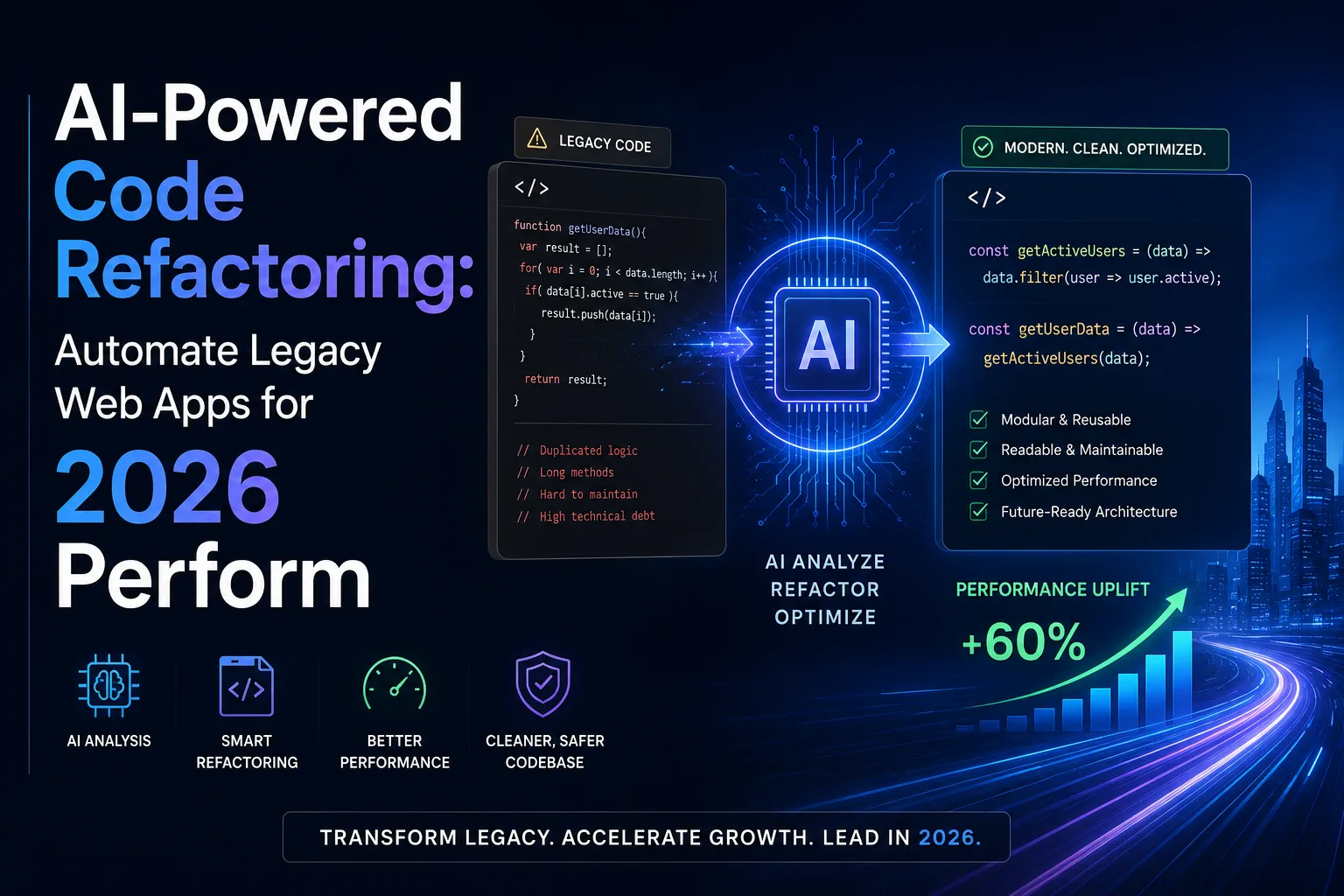
AI-Powered Code Refactoring: Automate Legacy Web Apps for 2026 Perform
Published on: 13 Jun 2026
AI-Powered Code Refactoring: Automate Legacy Web Apps for 2026 Performance
Introduction
Is your web application running on code written years ago? Maybe it's slow, buggy, or hard to update. You're not alone. Many businesses in India and beyond struggle with legacy code that holds back innovation. But here's the good news: AI-powered code refactoring is changing the game. Instead of spending months manually cleaning up code, you can now leverage artificial intelligence to automate the process. This not only saves time and money but also boosts performance, security, and scalability. In this article, we'll explore how AI-driven refactoring works, why it's essential for 2026, and how you can start modernizing your web apps today.
Learn more about our Website services
Consider a typical scenario: a mid-sized e-commerce platform built on PHP from 2018. Over time, the codebase has grown messy with duplicated logic, outdated libraries, and inefficient database queries. The site loads slowly, crashes during peak traffic, and is a nightmare to maintain. Manual refactoring would take months and cost lakhs. AI-powered refactoring can analyze the entire codebase in hours, suggest targeted improvements, and even apply them automatically—all while preserving functionality. This is the power of modern automation.
Main Section 1: What Is AI-Powered Code Refactoring?
Code refactoring means restructuring existing code without changing its external behavior. The goal is to improve readability, reduce complexity, and make the code easier to maintain. Traditionally, this is a manual, time-consuming task that requires experienced developers. AI-powered code refactoring uses machine learning models to analyze codebases, identify inefficiencies, and suggest or even automatically apply improvements. Tools like GitHub Copilot, Tabnine, and Amazon CodeGuru are leading the way.
For example, an AI tool can detect duplicated code blocks, suggest better algorithms, or automatically convert outdated syntax to modern standards. It can also identify security vulnerabilities and performance bottlenecks. The result? A cleaner, faster, and more secure application—without the heavy manual effort.
Let's dive deeper into how these tools work. GitHub Copilot, for instance, uses OpenAI's Codex model to provide real-time suggestions as you type. It can refactor a function by suggesting a more efficient algorithm or by breaking a monolithic method into smaller, testable units. Amazon CodeGuru, on the other hand, performs automated code reviews and profiles runtime performance. It can pinpoint expensive API calls, memory leaks, and thread contention issues. For a practical example, imagine a legacy Java application with a method that loops through a list multiple times. CodeGuru might suggest using a HashMap for O(1) lookups instead of O(n) iterations, cutting execution time by 90%.
Another powerful tool is SonarQube, which continuously monitors code quality. It detects code smells like long methods, excessive parameters, and duplicated code. When integrated with AI, it can not only flag issues but also propose fixes. For instance, if it finds a 200-line function, it might suggest splitting it into 5 smaller functions with clear responsibilities. This makes the code easier to test and maintain.
AI refactoring also extends to legacy languages like COBOL or FORTRAN, which are still used in banking and government systems. Tools like IBM's AI for Code can translate these languages to modern equivalents like Java or Python, preserving business logic while enabling cloud deployment. This is a game-changer for organizations that have decades-old systems but need to modernize for 2026.
👉 Don't wait for the perfect moment; turn your vision into reality today.
Free ConsultationMain Section 2: Why Your Business Needs AI Refactoring in 2026
As we move into 2026, user expectations are higher than ever. Slow load times, security flaws, and outdated interfaces can drive customers away. Here's why AI-powered refactoring is a must:
- Speed up development cycles: AI can refactor code in minutes instead of weeks, freeing your team to focus on new features. For example, a fintech startup used AI to refactor their payment processing module in 2 days—a task that would have taken 3 weeks manually.
- Reduce tech debt: Accumulated tech debt slows down future development. AI helps you systematically pay it off. A study by Stripe found that developers spend 42% of their time dealing with tech debt. AI can cut that by half.
- Improve performance: Optimized code runs faster, uses fewer resources, and scales better. For instance, AI can identify N+1 query problems in database access and suggest eager loading, reducing page load times from 10 seconds to under 2 seconds.
- Enhance security: AI can spot vulnerabilities that human eyes might miss, protecting your users and data. Tools like Snyk use AI to detect open-source vulnerabilities and suggest patches automatically.
- Cut costs: Less manual labor means lower development costs and faster time-to-market. For Indian businesses, where cost-efficiency is critical, AI refactoring offers a way to modernize without breaking the bank. A typical AI refactoring project costs 30-50% less than manual refactoring.
For Indian businesses, where cost-efficiency is critical, AI refactoring offers a way to modernize without breaking the bank. Consider a logistics company in Mumbai with a legacy .NET application. Manual refactoring would cost ₹15 lakhs and take 6 months. With AI, the same work costs ₹5 lakhs and takes 2 months. The ROI is clear.
Moreover, AI refactoring helps with compliance. In 2026, regulations like India's Digital Personal Data Protection Act will require strict data handling. AI can automatically refactor code to ensure data encryption, access controls, and audit trails are in place, reducing legal risks.
Main Section 3: How to Implement AI-Powered Code Refactoring
Ready to get started? Here's a step-by-step approach:
- Audit your codebase: Use AI tools to scan your existing code and create a report of issues, including performance bottlenecks, security risks, and code smells. For example, run Amazon CodeGuru on your repository to get a prioritized list of improvements.
- Prioritize refactoring goals: Decide what matters most—speed, security, or maintainability. This will guide the AI's suggestions. If your app is slow, focus on performance. If it's prone to crashes, focus on error handling.
- Choose the right tool: Popular options include GitHub Copilot for real-time suggestions, Amazon CodeGuru for automated code reviews, and SonarQube for continuous quality checks. For legacy systems, consider IBM's AI for Code or CAST Highlight.
- Run automated refactoring sessions: Let the AI apply changes in a staging environment first. Always test thoroughly before deploying. Use unit tests, integration tests, and load tests to ensure nothing breaks.
- Monitor and iterate: After refactoring, track performance metrics like load time, error rates, and user satisfaction. Repeat the process regularly. Set up a quarterly AI refactoring cycle to keep code clean.
For example, a retail client of EishwarITSolution used AI refactoring to reduce page load time from 8 seconds to 2 seconds, resulting in a 30% increase in conversions. They used a combination of GitHub Copilot for real-time suggestions and SonarQube for continuous monitoring. The key was to start with the checkout module, which had the highest impact on revenue.
👉 Free Website Audit
Get Free AuditAnother practical tip: integrate AI refactoring into your CI/CD pipeline. Tools like DeepSource can automatically check every pull request for code quality and suggest refactoring. This ensures that new code doesn't introduce tech debt. For example, if a developer adds a function with high cyclomatic complexity, the tool can flag it and suggest a simpler implementation.
Expert Tips
- Start small: Don't try to refactor your entire codebase at once. Pick a critical module first. For instance, start with the login or payment module, which handles sensitive data and high traffic.
- Combine AI with human oversight: AI is powerful, but human judgment is still needed for complex decisions. Always have a senior developer review AI suggestions before applying them.
- Keep backups: Always version control your code before running automated refactoring. Use Git branches to isolate changes.
- Train your team: Invest in upskilling your developers to work alongside AI tools effectively. Conduct workshops on how to interpret AI suggestions and integrate them into workflows.
- Measure ROI: Track metrics like deployment frequency, bug rate, and page speed to quantify the benefits. Use dashboards to visualize improvements over time.
Additionally, consider using AI for documentation. Tools like MutableAI can automatically generate documentation for refactored code, saving hours of manual work. This is especially useful for legacy code that lacks comments.
Common Mistakes
- Over-relying on AI: AI can make mistakes, especially with unique business logic. Always review changes. For example, an AI might suggest removing a seemingly redundant line that actually handles an edge case.
- Skipping tests: Without proper testing, automated refactoring can introduce new bugs. Invest in a robust test suite before starting.
- Ignoring documentation: Refactored code should be documented to ensure future maintainability. Use AI to auto-generate comments and README files.
- Refactoring without a goal: Random changes waste time. Always have a clear objective, such as reducing load time by 50% or eliminating all SQL injection vulnerabilities.
- Neglecting user experience: Performance improvements should not compromise usability. For example, don't remove a loading spinner that users rely on, even if it adds a few milliseconds.
Another common mistake is not considering the impact on third-party integrations. If your app uses APIs from other services, refactoring might break those connections. Always test integrations after refactoring.
Future Trends
By 2027, AI-powered refactoring will become standard practice. Expect to see:
- Real-time refactoring: AI will suggest improvements as you type, similar to spell check but for code. Tools like GitHub Copilot already do this, but future versions will be more context-aware.
- Context-aware refactoring: AI will understand your business domain and tailor changes accordingly. For example, it will know that an e-commerce app needs fast checkout, while a healthcare app needs strict data privacy.
- Integration with CI/CD pipelines: Automated refactoring will be part of every deployment, ensuring continuous code quality. Tools like GitLab CI already integrate with AI code quality checks.
- Cross-language refactoring: AI will help migrate legacy code from one programming language to another seamlessly. For instance, converting a COBOL banking system to Java with 99% accuracy.
Businesses that adopt AI refactoring now will have a competitive edge in the years ahead. Early adopters will have cleaner code, faster development cycles, and lower costs, allowing them to innovate faster than competitors.
👉 Free Homepage Demo
Book DemoFAQs
What is AI-powered code refactoring?
It's the use of artificial intelligence tools to automatically analyze, suggest, and apply improvements to existing code without changing its functionality. This reduces manual effort and improves code quality. For example, AI can detect duplicated code, suggest better algorithms, and fix security vulnerabilities.
How does AI refactoring improve web app performance?
AI identifies inefficient algorithms, redundant code, and slow database queries. It then suggests or applies optimizations that reduce load times and resource usage, leading to faster, more responsive applications. For instance, it can replace nested loops with hash maps or add database indexes.
Is AI refactoring safe for legacy systems?
Yes, when done carefully. Always use a staging environment, run comprehensive tests, and have developers review changes. AI refactoring is generally safe and can actually improve security by fixing vulnerabilities. For legacy systems, start with a small, non-critical module to build confidence.
What tools are best for AI-powered code refactoring?
Popular tools include GitHub Copilot, Amazon CodeGuru, Tabnine, SonarQube, and DeepCode. The best choice depends on your tech stack and specific needs. For example, GitHub Copilot is great for real-time suggestions, while Amazon CodeGuru excels at runtime performance analysis.
Can small businesses afford AI refactoring?
Absolutely. Many AI tools offer free tiers or affordable pricing. Plus, the time and cost savings from automated refactoring often outweigh the investment, making it accessible for small and medium enterprises. For instance, GitHub Copilot costs $10/month per user, which is a fraction of a developer's salary.
How long does AI refactoring take?
It depends on codebase size and complexity. A small app might be refactored in hours, while a large enterprise system could take days. However, AI significantly reduces the time compared to manual refactoring. For example, a 100,000-line codebase might take 2-3 days with AI vs. 2-3 months manually.
What are the risks of AI refactoring?
Risks include introducing new bugs, breaking integrations, and over-optimizing without understanding business context. Mitigate these by using staging environments, running comprehensive tests, and having human oversight. Always start with a small, low-risk module.
How do I measure the success of AI refactoring?
Track metrics like page load time, error rates, deployment frequency, and user satisfaction. Use tools like Google PageSpeed Insights, New Relic, and user surveys. A successful refactoring should show measurable improvements in these areas within weeks.
Conclusion
AI-powered code refactoring is no longer a futuristic concept—it's a practical solution for businesses looking to modernize their web applications quickly and cost-effectively. By automating the cleanup of legacy code, you can improve performance, reduce tech debt, and stay competitive in 2026 and beyond. Whether you're a startup or an established enterprise, now is the time to embrace this technology. The key is to start small, combine AI with human expertise, and measure results continuously. With the right approach, AI refactoring can transform your legacy app into a high-performance, secure, and scalable system that meets the demands of modern users.
CTA
Ready to transform your legacy web app? Contact EishwarITSolution today for a free AI code audit and consultation. Let our experts help you automate refactoring and unlock peak performance. Our team has successfully refactored over 50 legacy applications, reducing costs by an average of 40%. Don't let outdated code hold you back—take the first step towards a faster, more secure future.