
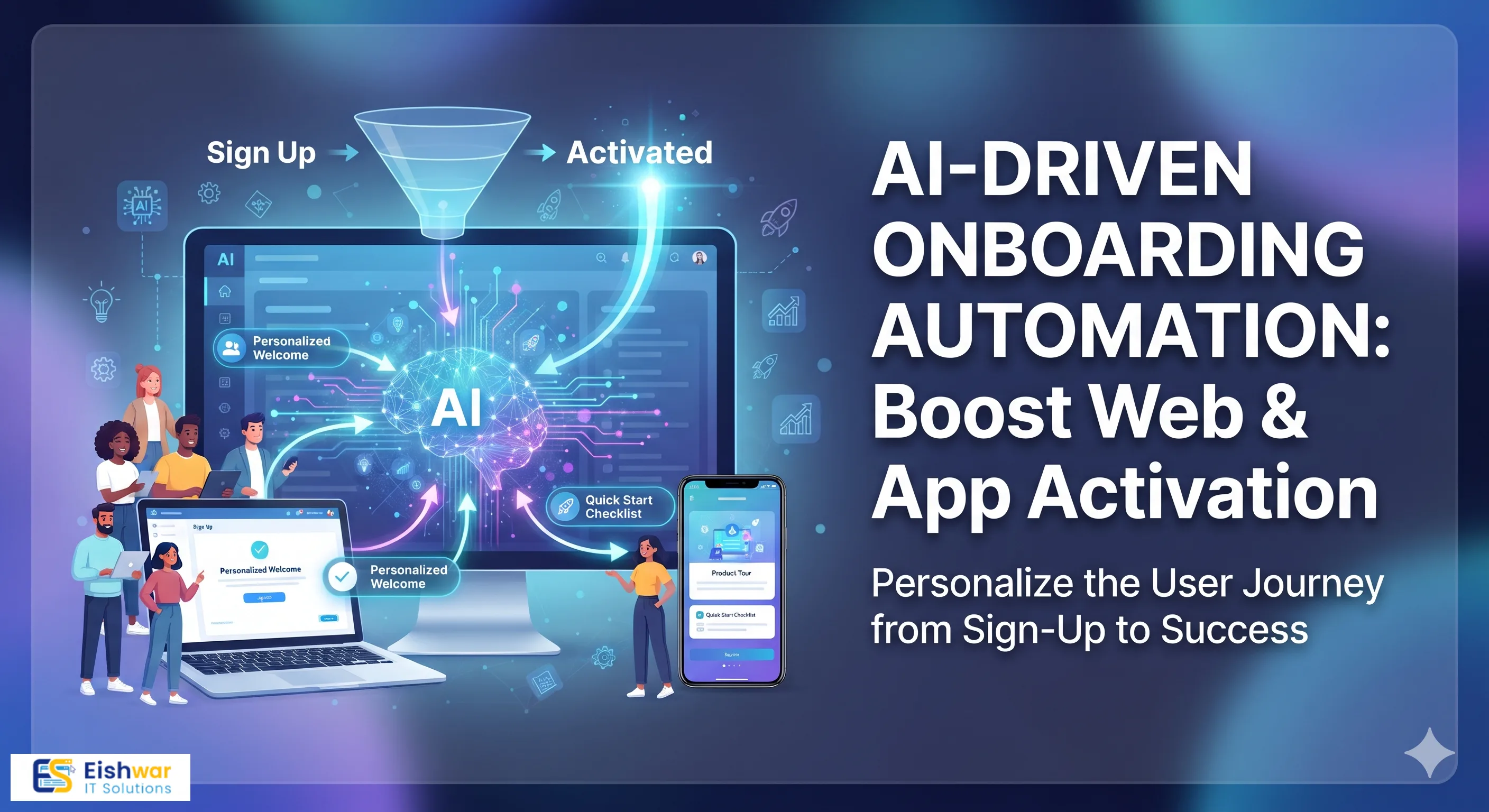
AI-Driven Onboarding Automation: Boost Web & App Activation
Published on: 09 Nov 2026
AI-Driven Onboarding Automation: Boost Web & App Activation
Most Indian web and app businesses do not lose users at sign-up. They lose them in the first ten minutes after sign-up. A new user lands on a dashboard, sees too many options, cannot find the next step, and leaves. AI-driven onboarding automation solves this by adapting the welcome experience to each user segment, behavior, and goal.
Learn more about our Website services
For business owners, marketers, and product teams, onboarding is no longer a one-time design task. It is a growth system. In this guide, you will learn how to use AI and automation to personalize activation journeys for Indian web and app users, measure what works, and avoid common mistakes.
Introduction
Onboarding is the bridge between a sign-up and a valued user. If that bridge is generic, users fall off. If it is relevant, users reach their first win faster. That first win might be creating a project in a SaaS tool, completing the first order in an e-commerce app, linking a bank account in a fintech product, or finishing the first lesson in an edtech platform.
AI-driven onboarding automation is the practice of using data, rules, and machine learning to deliver the right guidance, content, and nudge at the right time. It is not about replacing product thinking with a chatbot. It is about making the onboarding journey adaptive. For Indian businesses, this matters because users arrive from different devices, languages, connection speeds, and comfort levels with digital payments and forms.
When done well, automation reduces friction, improves activation, and lowers support load. When done poorly, it creates spammy notifications, privacy risks, and confusing experiences. The difference is a clear strategy and disciplined execution.
Main Section 1: Why AI-Driven Onboarding Automation Matters for Indian Businesses
The activation gap is expensive
Many teams celebrate sign-ups but ignore activation. A user who signs up and never completes the first meaningful action is not a customer yet. They are a cost. They consume marketing spend, support time, and product resources without returning value. AI onboarding automation focuses the team on the activation event, not vanity metrics.
For example, a B2B SaaS company may define activation as creating a report and inviting a teammate. A generic tour that explains every menu item may not help. An automated flow that detects a solo user, asks about their goal, and shows a three-step report template can help more. The same product, different onboarding path.
Indian users expect speed and relevance
Indian consumers are mobile-first and increasingly familiar with smooth digital journeys. They use UPI for payments, OTPs for verification, and apps for daily tasks. They also have less patience for long forms, unclear steps, and repeated questions. If your app asks for information it should already know, users notice.
AI can reduce repeated effort. It can pre-fill known fields, recommend the most likely next step, and hide irrelevant options. It can also support multilingual guidance where it makes business sense. The goal is not to show that you use AI. The goal is to make the first session feel simple.
👉 Don't wait for the perfect moment; turn your vision into reality today.
Free ConsultationAutomation supports product-led growth
Product-led growth depends on users discovering value inside the product. AI-driven onboarding automation supports that model by scoring users, segmenting them by intent, and triggering the right experience. A user who visits pricing twice may need a different nudge from a user who invites a teammate on day one. Automation helps you respond at scale without a large lifecycle marketing team.
This is especially useful for Indian startups and small businesses that need to compete with larger players. You may not have a 20-person growth team, but you can build a lean onboarding system that learns from behavior and improves over time.
Web and app development teams must build for it
Onboarding automation is not only a marketing tool. It needs clean event tracking, user identity management, consent handling, and secure APIs. Your web and app development team must instrument key actions, define properties, and connect frontend events to a decision engine. Without this foundation, AI recommendations become guesses.
Design and engineering also need to support graceful fallbacks. If a recommendation service fails, the user should still see a useful default path. If a user denies personalization consent, the experience should respect that choice. Good automation is built with product, data, and engineering together.
Main Section 2: Building an AI Onboarding Automation Stack That Works
A practical onboarding automation stack does not need to be complex on day one. Start with a clear activation goal, reliable data, and a small number of journeys. Then add AI where it improves decisions, not where it only adds novelty.
Step 1: Define the activation event and the onboarding map
Write down the one action that best predicts retention. For a project management app, it might be completing a task. For an online store, it might be the first delivered order. For a fintech app, it might be a successful first transaction. Then map every step from sign-up to that event.
List the questions users ask, the fields they must fill, and the places they drop off. This map becomes your automation blueprint. Do not automate a journey you have not mapped. Otherwise, you risk speeding up confusion.
Step 2: Instrument events with consent and context
Track events such as sign_up_started, sign_up_completed, profile_completed, first_key_action, invite_sent, and support_contacted. Add useful properties like device type, traffic source, plan, language, and company size. Avoid collecting sensitive data that you do not need.
Under India's DPDP framework, consent and purpose limitation matter. Tell users what you collect, why you collect it, and how they can withdraw consent. Keep audit logs. Use data minimization. Automation should not become an excuse to hoover up personal information.
Step 3: Segment users by intent and readiness
Start with simple segments. New users from a pricing page may have higher intent than users from a blog post. Users who invite a teammate may be ready for a deeper feature. Users who stall on a form may need help, not another feature announcement.
👉 Free Website Audit
Get Free AuditAI can add predictive segments. A model can score the likelihood of activation based on early behavior. But keep the output understandable. If a user is flagged as high-risk, the team should know which behaviors triggered the flag. Opaque scoring is hard to trust and hard to improve.
Step 4: Choose the right automation layer
Use rules for predictable cases and machine learning for patterns you cannot hand-code. Rules are good for things like: if KYC is pending for 24 hours, send a help nudge. AI is good for things like: choose the most relevant next step from five options, or identify users likely to need support before they ask.
A simple stack might include a frontend SDK, an event pipeline, a customer data platform or warehouse, a decision engine, and channel tools for in-app messages, email, push, and WhatsApp Business API where consent is in place. Keep the stack as small as possible. Every extra tool adds cost and maintenance.
Step 5: Personalize the first session, not every second
You do not need to personalize everything. Focus on the first session and the first week. Use AI to choose the opening checklist, the example content, the recommended template, or the first tutorial. For an Indian e-commerce app, that might mean showing the relevant category based on browsing intent. For a SaaS product, it might mean showing a template for the user's stated role.
Always give users an escape hatch. A skip button, a clear menu, and a help link are not failures. They are trust signals. Automation should reduce effort, not trap users in a forced tour.
Step 6: Automate nudges with frequency caps
Nudges can help, but too many create fatigue. Set frequency caps across channels. A user should not receive an email, a push notification, and an in-app message about the same unfinished step within one hour. Use AI to rank the best next action, but apply human-defined limits.
For WhatsApp and SMS, follow consent and template rules. For email, respect unsubscribe preferences. For in-app messages, avoid blocking critical tasks. The best nudge is often a small, contextual hint inside the workflow.
Step 7: Build feedback loops and fallbacks
Every automated journey should capture outcomes. Did the user complete the step after the nudge? Did support tickets fall? Did the user return in seven days? Feed those outcomes back into the system. If a recommendation does not work, stop showing it.
Build fallbacks for service failure, low confidence, and missing data. If the AI is not sure, show a standard best-practice path. If the user is on a slow connection, load lightweight guidance first. Reliability is part of personalization.
Main Section 3: Measuring, Optimizing, and Scaling Onboarding Automation
Use activation metrics that connect to revenue
Track activation rate, time to first value, onboarding completion, step-level drop-off, support contacts per 100 new users, and 7-day and 30-day retention. For commerce, add first order rate and repeat purchase. For SaaS, add trial-to-paid conversion and invite rate. For fintech, add verified account completion and first transaction rate.
👉 Free Homepage Demo
Book DemoDo not measure only click-through rates on nudges. A nudge can get clicks and still fail to improve activation. Measure the downstream action. Also watch for negative effects such as unsubscribes, notification opt-outs, and support complaints.
Run controlled experiments
Use A/B tests or holdout groups to compare automated journeys with the current experience. Test one major change at a time. For example, test a personalized checklist against a generic checklist. Then test the timing of the first nudge. Keep a control group so you can prove impact.
In India, segment results by device, region, and language where sample size allows. A flow that works on desktop may fail on a low-end Android device. A message that works in English may not work in Hindi or Tamil. Use data to decide where localization is worth the investment.
Optimize the biggest bottleneck first
Look at the onboarding map and find the step with the largest drop-off. If most users abandon at phone verification, fix verification before adding advanced AI. If users complete setup but never invite teammates, focus on the invite step. Automation cannot fix a broken core experience.
AI is most useful when the path is clear but the choice is complex. Use it to recommend the next best action, prioritize support, and select content variants. Do not use it to hide a confusing product.
Create governance for privacy and quality
Document data flows, consent states, model inputs, and human review points. Keep a register of automated messages and the logic behind them. Review regularly for bias, errors, and outdated assumptions. If a model uses language or region data, make sure the output is respectful and accurate.
Set a human escalation path. If a user is stuck in a high-value journey, route them to support. Automation should know when to stop automating. This is especially important for financial, health, and education products where trust is fragile.
Scale with a 30-60-90 day roadmap
In the first 30 days, define activation, instrument events, and launch two rule-based journeys. In days 31 to 60, add segmentation, frequency caps, and one AI-assisted recommendation. In days 61 to 90, run controlled tests, review governance, and expand to more user segments if results are positive.
This staged approach keeps risk low and learning high. It also helps Indian businesses avoid big-bang automation projects that consume budget without proving value.
Expert Tips
- Start with one activation event. Too many goals create scattered journeys and unclear results.
- Use AI for decisions, not decoration. A personalized checklist is useful. A chatbot that repeats the FAQ is not.
- Keep humans in the loop. Review high-impact messages, especially those about payments, compliance, and account restrictions.
- Design for low-end devices. Test on affordable Android phones and slower networks common in many Indian markets.
- Respect consent in every channel. DPDP readiness is a competitive advantage, not a checkbox.
- Measure time to value. Faster activation usually beats more features in the first session.
- Build a fallback path. The default onboarding should work even when personalization does not.
- Review automated copy monthly. Language, offers, and product features change. Old automation can become wrong automation.
Common Mistakes
- Automating before mapping. If you do not know where users drop off, AI will only help you guess faster.
- Sending too many nudges. Cross-channel spam damages trust and increases opt-outs.
- Ignoring mobile reality. Heavy tours, large videos, and complex forms fail on low-end devices.
- Using sensitive data without consent. Personalization must follow privacy rules and user expectations.
- Optimizing clicks instead of activation. A click is not a customer outcome.
- Removing the skip option. Forced onboarding feels pushy and increases abandonment.
- Never reviewing model outputs. AI can drift. Regular checks keep recommendations relevant.
Future Trends
Onboarding automation will become more contextual and less intrusive. Expect AI agents to guide users through complex setup tasks, but with clear consent and human escalation. Expect real-time experimentation to become standard, so teams can test variants without long release cycles.
Multilingual onboarding will improve, but quality will matter more than quantity. Indian language support should be reviewed by native speakers, not just machine translated. Privacy-first personalization will also grow as users become more aware of data use.
Another trend is the fusion of onboarding and support. Instead of separate help centers, apps will surface the right answer inside the workflow. AI will detect confusion and offer a micro-help step before the user opens a ticket. The winners will be businesses that use automation to reduce effort, not to add noise.
FAQs
What is AI-driven onboarding automation?
It is the use of data, rules, and AI to personalize the steps, content, and nudges that help new users reach their first meaningful action. It can run across web and app experiences, email, push, and messaging channels with consent.
Is onboarding automation only for large companies?
No. Small and mid-sized Indian businesses can start with simple rule-based journeys and basic event tracking. AI can be added later when there is enough data and a clear activation goal.
How do we choose the activation event?
Pick the action that best predicts retention and revenue. Test the correlation. For SaaS, it may be creating a project and inviting a teammate. For e-commerce, it may be the first repeat purchase. For fintech, it may be the first successful transaction.
Does personalization require sensitive data?
No. Start with behavioral and contextual data such as device, traffic source, and feature usage. Collect personal data only when needed, with clear consent and purpose. Follow India's DPDP requirements and keep data minimization in mind.
How do we prevent notification fatigue?
Use frequency caps, channel preferences, and relevance scoring. Limit the number of messages per user per day. Test timing. Let users mute or opt out easily. Measure opt-outs and complaints as seriously as conversions.
What should we measure first?
Start with activation rate, time to first value, and step-level drop-off. Then add retention, support contacts, and revenue metrics. Use a control group so you can separate automation impact from seasonal or market changes.
Conclusion
AI-driven onboarding automation is a practical growth lever for Indian web and app businesses. It helps you move away from generic tours and toward relevant, measurable activation journeys. The formula is simple: define the first win, instrument the path, segment users, automate the next best step, and measure the outcome.
Do not wait for a perfect AI model. Start with clean data and two useful journeys. Add intelligence where it reduces friction. Keep privacy, fallbacks, and human review in the design. When you do this well, onboarding stops being a welcome screen and becomes a repeatable system for turning sign-ups into active users.
CTA
Ready to turn more sign-ups into active users? Talk to EishwarITSolution about building a practical AI-driven onboarding automation system for your web or app product. Visit eishwar.com to book a consultation and get a clear activation roadmap for your business.