
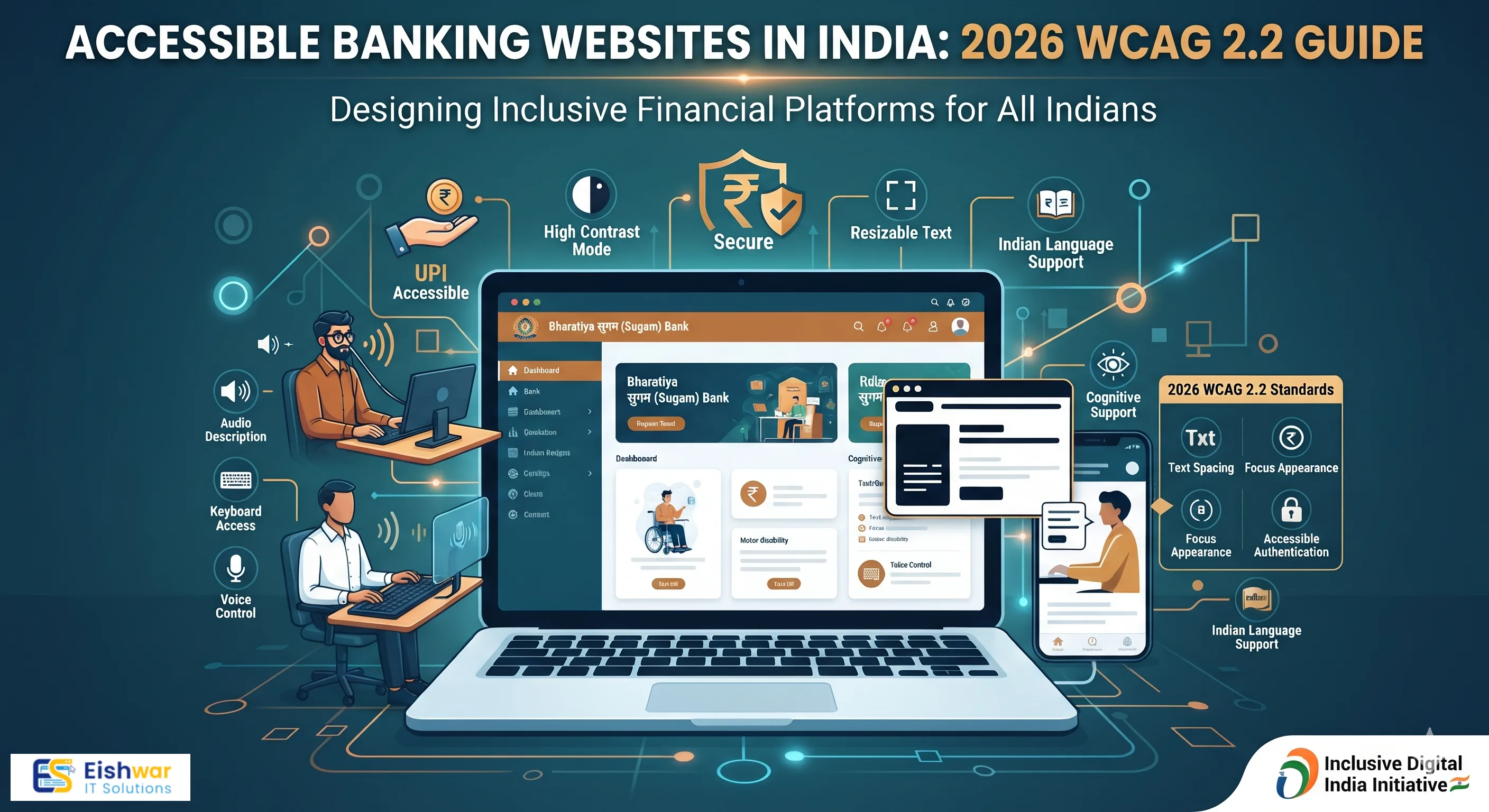
Accessible Banking Websites in India: 2027 WCAG 2.2 Guide
Published on: 09 Nov 2026
Accessible Banking Websites in India: 2027 WCAG 2.2 Guide
Introduction
India’s banking customers are more diverse than ever. A retired teacher in Nagpur uses a screen reader to check her pension. A small business owner in Coimbatore relies on keyboard navigation because of a motor disability. A young professional in Delhi zooms in to 200% on a mobile screen. All of them expect the same thing: a banking website that works.
Learn more about our Website services
Accessible banking websites are no longer a niche compliance project. They are a core part of customer experience, financial inclusion, and risk management. WCAG 2.2 gives Indian banks, NBFCs, fintechs, and finance brands a practical benchmark for building digital services that more people can use independently.
This guide explains what WCAG 2.2 means for Indian banking interfaces, where teams usually get stuck, and how to build accessibility into design, development, content, and testing without slowing down delivery.
Main Section 1: Why Accessibility Matters for Indian Banking Websites
Financial inclusion is not just about opening accounts
India has made huge progress in bringing people into the banking system. But inclusion does not stop at opening an account. It continues when a customer can log in, check a balance, pay a bill, download a statement, or raise a complaint without help. If a banking website blocks a screen reader, hides focus, or times out too quickly, the customer is excluded at the exact moment they need service.
This matters for older customers, people with visual or motor disabilities, users with cognitive fatigue, and people with low digital literacy. It also matters for customers using entry-level phones, slow connections, or regional languages. Accessibility improvements often make the experience better for everyone.
Legal and regulatory expectations are rising
The Rights of Persons with Disabilities Act, 2016 sets expectations for accessible services in India. Government digital guidelines, public procurement norms, and sector regulators increasingly reference accessibility. WCAG 2.2 is the global benchmark most teams use to turn those expectations into testable requirements. Even where a specific rule is not yet enforced, banks and finance brands face reputational and legal risk when critical services cannot be used by disabled customers.
Accessibility is also a risk control. A login flow that fails for keyboard users, an OTP screen that cannot be read by a screen reader, or a PDF statement that is not tagged can generate complaints, escalations, and regulatory attention.
Accessibility improves business outcomes
Accessible banking websites reduce support calls, improve completion rates, and widen the customer base. Clear labels, predictable navigation, readable error messages, and generous touch targets help every user. For marketers, accessibility supports trust and brand reputation. For product teams, it reduces rework. For compliance teams, it creates evidence of responsible digital delivery.
Main Section 2: Key WCAG 2.2 Requirements for Banking Interfaces
Focus appearance and keyboard access
WCAG 2.2 pays close attention to focus. Keyboard users need to see where they are on the page. Do not remove focus outlines unless you replace them with a clear, high-contrast indicator. Test the login form, fund transfer flow, date picker, modal dialogs, and menu. Every interactive element should be reachable and operable with a keyboard alone.
👉 Don't wait for the perfect moment; turn your vision into reality today.
Free ConsultationIn banking interfaces, focus traps are common in modals and OTP popups. A customer should be able to move forward, backward, and escape without using a mouse. Skip links and landmark regions help screen reader users jump directly to account summaries or transaction tables.
Target size and dragging movements
WCAG 2.2 introduces a minimum target size requirement. Small links, tiny close icons, and tightly packed menu items create problems on mobile devices. Give touch targets enough size and spacing. Also check interactions that rely on dragging, such as sliders or image-based controls. Provide a simple alternative, like plus and minus buttons or a text input.
Consistent help and redundant entry
Customers should not have to re-enter information the website already has. If someone has just entered their customer ID, do not ask for it again on the next screen unless there is a strong security reason. Keep help mechanisms in consistent locations. A chat button, helpline link, or accessibility help page should appear in a predictable place across banking journeys.
Accessible authentication
WCAG 2.2 addresses cognitive function tests during authentication. Avoid puzzles that depend on memory or transcription unless an alternative is available. CAPTCHAs are a frequent barrier. Use accessible CAPTCHA alternatives, risk-based authentication, or passkeys where appropriate. For OTPs, provide clear labels, allow paste, support autofill, and give enough time. Do not block password managers.
Forms, OTPs, CAPTCHAs, and document uploads
Banking websites depend on forms. Every field needs a visible label, a clear instruction, and an error message that explains what went wrong. Do not rely on color alone to show errors. Announce validation messages to screen readers. For document uploads, state accepted formats, file size limits, and the purpose of the document. For OTP fields, use a single input or a well-labelled group, not a row of unlabeled boxes.
Transaction tables and statements
Account statements and transaction histories must be readable by assistive technology. Use proper table headers, captions, and scope attributes. Avoid canvas-only charts without text alternatives. If a chart shows spending patterns, provide a table or summary. PDF statements should be tagged, searchable, and readable in the correct order. An inaccessible PDF can turn a simple balance request into a support ticket.
Main Section 3: Building and Testing an Accessible Banking Experience
Start with critical customer journeys
Do not begin with every page. Begin with the journeys that matter most: registration, login, password reset, balance check, fund transfer, bill payment, card controls, statement download, and complaint raising. Map each journey, then test it with keyboard, screen reader, zoom, and mobile assistive technology. Fixing critical journeys first reduces risk and shows visible progress.
Design and content decisions that matter
Use familiar patterns. Keep navigation consistent. Write clear headings. Replace jargon with plain language. Make sure error messages say what happened and what to do next. Design with responsive layouts that work at 200% zoom. Choose fonts and spacing that support readability. Do not hide important information behind hover-only interactions. Provide captions and transcripts for KYC videos and product explainers.
👉 Free Website Audit
Get Free AuditTest with assistive technology and real users
Automated tools catch some issues, but they do not replace manual testing. Test with NVDA and JAWS on Windows, VoiceOver on Apple devices, and TalkBack on Android. Use keyboard-only navigation. Check high contrast mode and reduced motion settings. Then involve disabled users in usability testing. In India, partner with disability organizations and recruit participants across age groups, languages, and devices. Compensate them fairly and use their feedback to prioritize fixes.
Governance and continuous improvement
Accessibility is not a one-time project. Add accessibility criteria to design reviews, pull requests, and release checklists. Train content teams, designers, developers, and QA. Publish an accessibility statement with a feedback channel. Track issues in the same backlog as other defects. Run quarterly audits and re-test after major releases. This keeps accessibility from slipping when templates, components, or third-party scripts change.
Expert Tips
- Fix authentication first. Login, OTP, and password reset are high-risk journeys. Make them work with screen readers, keyboard, and password managers before polishing secondary pages.
- Do not rely on overlays. Accessibility overlays cannot repair broken HTML, missing labels, or keyboard traps. Build accessibility into the code and design system.
- Test with real tasks. Ask testers to complete a fund transfer or download a statement. Task-based testing reveals more than page-by-page checks.
- Write microcopy for clarity. Clear instructions reduce cognitive load and support users with low literacy, anxiety, or fatigue.
- Make help easy to find. Keep the helpline, chat, and accessibility feedback link in a consistent location across the site.
- Use native HTML first. Buttons, links, labels, and tables already include accessibility behavior. Use ARIA only when native elements cannot do the job.
- Monitor third-party widgets. Chatbots, payment gateways, and identity verification tools can introduce new barriers. Include them in your audits.
Common Mistakes
- Using clickable divs instead of real buttons and links.
- Removing focus outlines without providing a visible replacement.
- Building CAPTCHAs that rely on distorted text or visual puzzles with no alternative.
- Setting session timeouts that are too short and do not warn the user.
- Relying on color alone to show errors or status.
- Publishing untagged PDF statements as the only format.
- Hiding important content behind hover, drag, or complex gestures.
- Testing only on desktop and ignoring mobile screen readers.
- Treating accessibility as a one-time audit instead of an ongoing practice.
Future Trends
Banking accessibility will become more visible as digital public infrastructure expands and regulators focus on inclusive service delivery. Expect more attention to accessible authentication, voice banking, regional language interfaces, and inclusive biometrics. WCAG 3.0 is still in development, but teams should keep building strong foundations now: semantic HTML, clear content, keyboard support, and user testing with disabled people.
AI will help teams scale alt text, testing, and content checks, but it will not replace human judgment. The banks that do well will combine automation with manual testing and customer feedback. Accessibility will also become part of procurement, vendor contracts, and design system governance.
👉 Free Homepage Demo
Book DemoFAQs
Is WCAG 2.2 mandatory for Indian banks?
India’s legal and regulatory landscape is evolving. The Rights of Persons with Disabilities Act, 2016 and government digital guidelines set accessibility expectations, and sector regulators increasingly focus on inclusive service delivery. WCAG 2.2 is the most practical benchmark for meeting those expectations. Banks should treat Level AA as a baseline and seek legal advice for specific obligations.
What are the biggest accessibility issues in banking websites?
Common issues include inaccessible CAPTCHAs, OTP fields that screen readers cannot interpret, short session timeouts, keyboard traps in modals, missing form labels, color-only error messages, inaccessible PDF statements, and transaction tables without proper headers.
Can an accessibility overlay make our banking website compliant?
No. Overlays cannot fix underlying code problems such as missing labels, broken focus order, or non-semantic controls. WCAG 2.2 requires real fixes in design, content, and code. Overlays can sometimes help with minor adjustments, but they are not a compliance strategy.
How much does it cost to make a banking website accessible?
Cost depends on the size of the website, the number of templates, third-party integrations, and the current level of accessibility. A focused audit and phased remediation of critical journeys is often more affordable than a full rebuild. The cost should be weighed against support calls, abandoned transactions, legal risk, and reputational damage.
How often should we audit our banking website for accessibility?
Run a full audit at least once a year and after major redesigns or platform changes. Add accessibility checks to every release cycle. Monitor critical journeys continuously, especially login, payments, statements, and account opening.
How can we test with disabled users in India?
Partner with disability organizations, accessibility consultants, and user research agencies that recruit participants with diverse disabilities. Test real tasks on the devices and assistive technologies people actually use. Compensate participants fairly and build a feedback loop so their input shapes the roadmap.
Conclusion
Accessible banking websites are a practical way to serve more customers, reduce risk, and improve digital trust. WCAG 2.2 gives Indian banks and finance brands a clear framework, but the real work happens in everyday decisions: how forms are labelled, how authentication works, how errors are announced, and how quickly a customer can get help. Start with critical journeys, test with assistive technology, involve disabled users, and make accessibility part of your release process. That is how inclusive banking moves from intent to reality.
CTA
Ready to make your banking website easier to use for every customer? EishwarITSolution can help you audit critical journeys, prioritize WCAG 2.2 fixes, and build accessibility into your design and development workflow. Talk to our accessibility team and request a practical roadmap for your bank, NBFC, or fintech platform.